
ExamPress Pro – Sarkari Result & Job Portal WordPress Theme
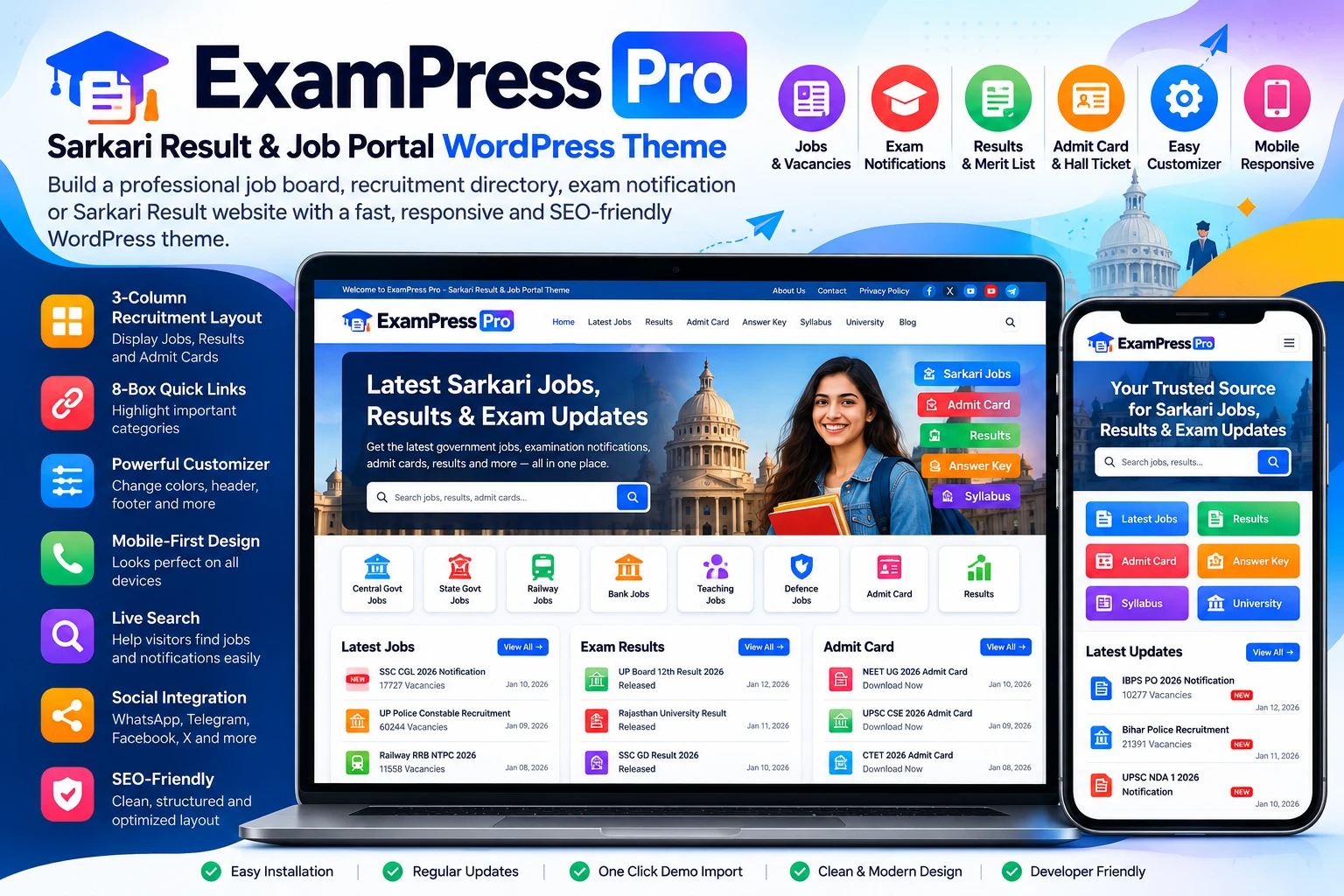
Build a structured Sarkari Result, government job, exam notification, admit card, or recruitment information website with WordPress using ExamPress Pro.
ExamPress Pro is a WordPress theme designed for websites that publish frequently updated job, recruitment, examination, result, admit card, answer key, and educational information. Its category-based homepage layout helps organize important content into clearly visible sections.
The theme is particularly suited to publishers who want a familiar job-information portal structure without building the homepage layout from scratch.
What Is ExamPress Pro?
ExamPress Pro is a Sarkari Result and job portal WordPress theme focused on organizing large amounts of frequently updated information.
You can use the theme to create websites covering areas such as:
Government job notifications
Sarkari Result updates
Latest job vacancies
Admit cards and hall tickets
Exam results
Answer keys
Recruitment notifications
Competitive examinations
University and education updates
Career and employment information
The homepage can be organized around WordPress categories so visitors can quickly find the information they need.
Key Features
3-Column Recruitment and Result Layout
ExamPress Pro includes a data-focused three-column homepage structure for displaying important categories such as:
Latest Jobs
Results
Admit Cards
The layout is designed for websites that publish a large number of updates and need to present multiple content categories clearly.
8-Box Quick Links
The 8-box section can be used to highlight important categories or frequently visited sections.
For example, you can create links for:
Government Jobs
Teaching Jobs
Railway Jobs
Banking Jobs
Exam Results
Admit Cards
Answer Keys
University Updates
The actual categories displayed depend on how you configure your WordPress website.
Category-Based Homepage Content
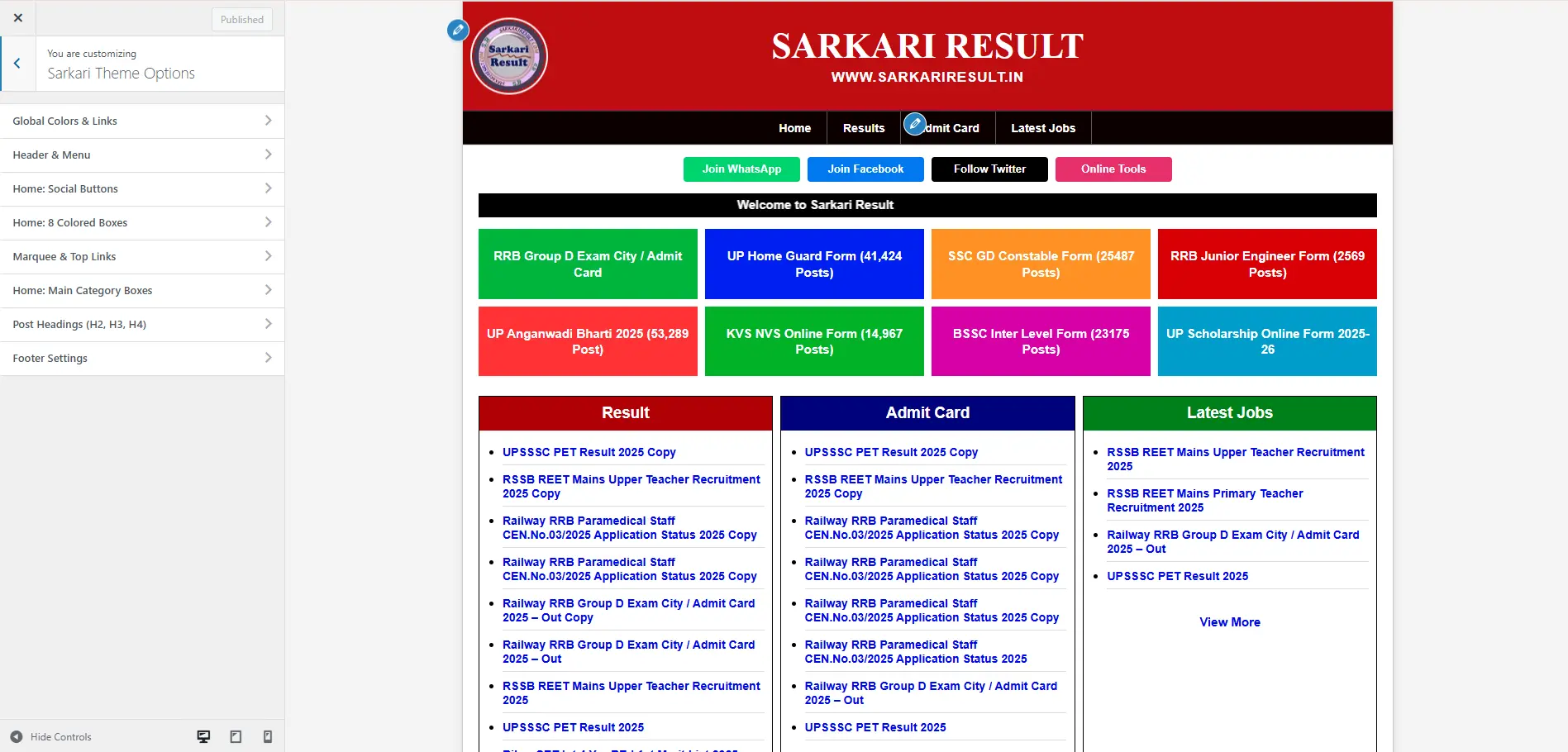
ExamPress Pro can display content from selected WordPress categories within the homepage sections.
This allows you to organize a website around a content structure rather than manually building every homepage section.
For example:
Jobs → Results → Admit Cards → Answer Keys → Exams
You can adapt the category structure to the type of information your website publishes.
Mobile-Friendly Layout
The theme is designed to adapt its layout to smartphones, tablets and desktop screens.
The mobile navigation includes a touch-friendly menu, while content areas such as tables can be presented in a way that works with smaller screens.
For a job-information website, mobile usability is particularly important because visitors may access recruitment notices and exam information from phones.
Homepage Slider
Use the homepage slider to highlight important posts or announcements.
Possible uses include:
New recruitment notifications
Important exam announcements
Application deadlines
Result updates
Admit card releases
Only publish information that is actually available on your website and relevant to your audience.
Live Search
The theme includes search functionality to help visitors find published information such as job notifications, examinations, results and other WordPress content.
A well-organized category structure combined with useful search functionality can make a content-heavy portal easier to navigate.
Scrolling Marquee
Use the scrolling announcement area to highlight short, important messages.
Examples include:
New job notification
Result released
Admit card available
Application deadline
Exam date update
Keep announcements concise and link them to the relevant page whenever appropriate.
WordPress Customizer
ExamPress Pro uses WordPress Customizer options for supported design settings.
Depending on the available theme options, you can configure elements such as:
Colors
Header
Menu
Footer
Social links
Layout settings
Homepage sections
This lets you adjust the visual presentation without manually editing the theme files for every basic design change.
Classic, Modern and SEO-Focused Layouts
ExamPress Pro includes multiple homepage layout options.
The available layouts include:
Classic
Modern
SEO-focused
The theme also provides boxed-layout styling and color controls for supported homepage elements.
Choose the layout that best matches your publishing style and website structure.
Auto-Styled Post Headings
ExamPress Pro provides styling for H2, H3 and H4 headings inside posts.
This can help maintain a consistent visual hierarchy across long-form content such as:
Job notifications
Eligibility information
Exam details
Syllabus articles
Result information
Recruitment guides
The exact appearance depends on the theme settings and your website configuration.
Social Sharing and Community Links
The theme supports social integration for supported platforms such as:
WhatsApp
Telegram
Facebook
Twitter/X
These features can make it easier for visitors to share useful job and exam information.
Your actual social accounts and sharing configuration should be connected during setup.
SEO-Friendly WordPress Foundation
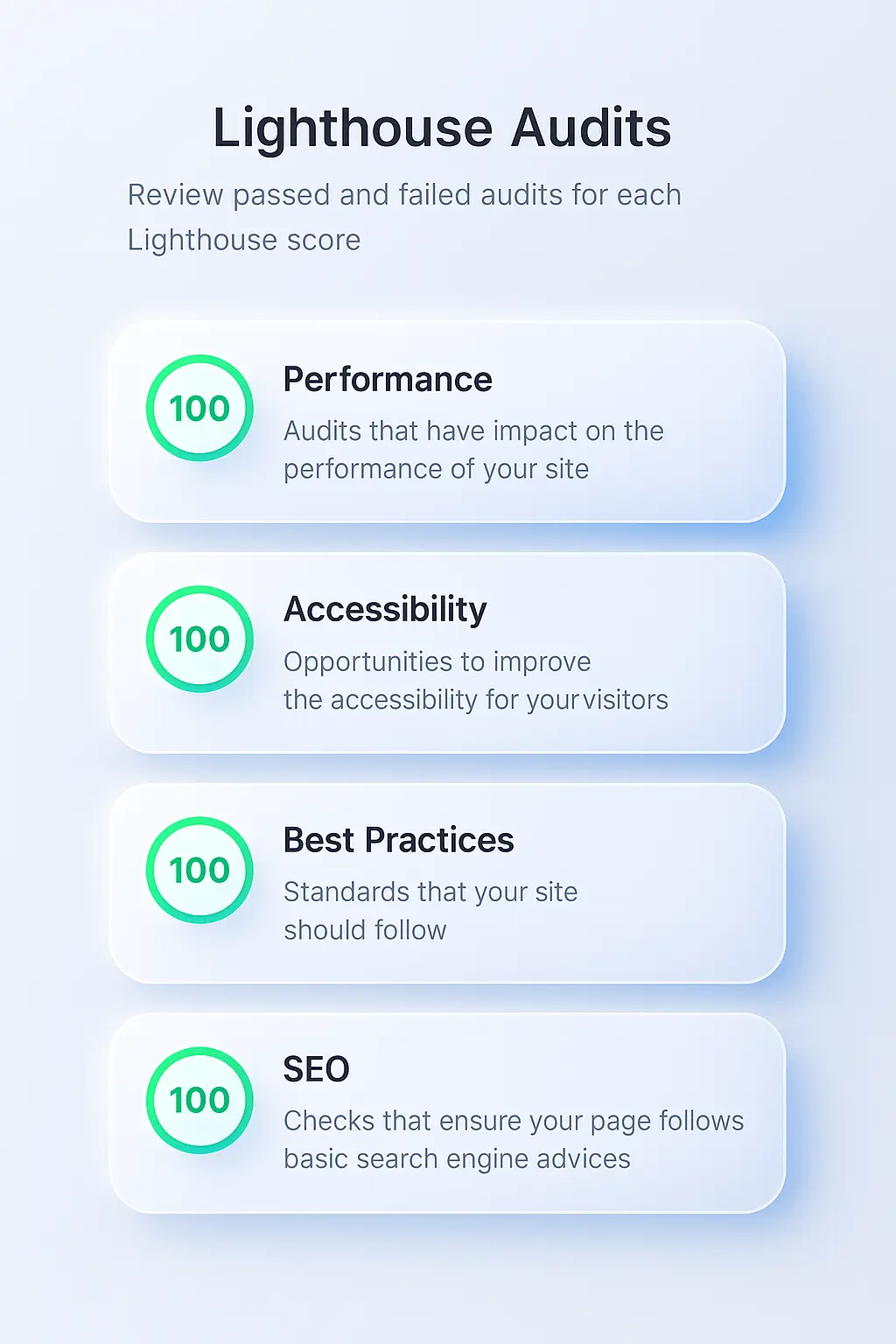
ExamPress Pro is designed around structured WordPress content and category-based navigation.
For search optimization, your overall website should still be configured correctly with:
Descriptive page titles
Useful meta descriptions
Logical categories
Internal links
Search-friendly URLs
Image alt text
XML sitemap
Mobile-friendly content
Appropriate structured data
Helpful original content
A WordPress theme alone does not guarantee search rankings.
For SEO configuration, you can use an established WordPress SEO plugin and configure the structured data and metadata appropriate for the content you actually publish.
License Activation
ExamPress Pro includes a license activation system.
After installing the theme, you can activate the purchased license through the dedicated Theme License area in the WordPress administration panel.
A valid license is required for the license-protected theme functionality according to the applicable product terms.
Who Is ExamPress Pro For?
ExamPress Pro can be suitable for website owners and publishers creating:
Sarkari Result Websites
Publish government recruitment information, examination updates, results, admit cards and related content.
Job Information Websites
Create a centralized website for job vacancies and recruitment notifications.
Exam Notification Portals
Organize exam announcements, application information, results and admit cards.
Education Websites
Publish university, examination and educational information through a structured WordPress layout.
Recruitment Information Websites
Create a content-driven recruitment portal for publishing vacancies and employment-related updates.
ExamPress Pro vs a General WordPress Theme
A general-purpose WordPress theme can be adapted to many website types, but it may require additional homepage customization to create a job-information layout.
ExamPress Pro is specifically structured around content categories commonly used by job and exam-information websites.
That makes the main difference the starting layout and publishing structure, rather than simply the ability to display WordPress posts.
Homepage Content Structure
A typical ExamPress Pro website can be organized like this:
Latest Jobs
Display recent recruitment and vacancy information.
Results
Publish examination results and merit-list information.
Admit Cards
Highlight available admit cards and hall tickets.
Answer Keys
Publish answer-key announcements and related information.
Important Updates
Use the quick-link or announcement areas for high-priority information.
The actual structure can be customized according to your WordPress categories and available theme options.
How to Install ExamPress Pro
Use the actual ZIP filename supplied with your current purchase package.
Step 1: Open WordPress Administration
Log in to your WordPress dashboard.
Go to:
Appearance → Themes
Step 2: Upload the Theme
Select:
Add New → Upload Theme
Choose the ExamPress Pro ZIP file supplied with your purchase.
Do not publish or follow installation instructions using an unrelated historical ZIP filename. The exact package filename should match the current downloadable product.
Step 3: Install and Activate
Click Install Now and then activate the theme.
Step 4: Activate Your License
Open:
Appearance → Theme License
Enter your purchased license key and activate the license.
Step 5: Configure the Theme
Open:
Appearance → Customize
Configure the available colors, header, footer, navigation and other supported settings.
Step 6: Configure Your Categories
Create the categories required by your website, such as:
Latest Jobs
Results
Admit Cards
Answer Keys
Exams
Then assign the appropriate categories to the available homepage sections.
Technical Requirements
According to the current product information, the listed requirements are:
| Requirement | Listed Version |
|---|---|
| WordPress | 6.0 or higher |
| PHP | 8.2 or higher |
| MySQL | 5.6 or higher |
| PHP Extension | ionCube Loader 14.0 |
| License | Valid WPCodeQuill license |
Always verify the requirements against the current downloadable package before installation.
Important: Theme vs Job Portal Application
ExamPress Pro is a WordPress theme.
It should not be presented as a standalone PHP job-board application or an independent recruitment SaaS platform.
If you need a standalone PHP application with its own administration system and recruitment functionality, consider a dedicated PHP job portal product instead.
This distinction is important when choosing the right product for your project.
SEO Setup After Installation
Installing the theme is only the first step.
For a search-focused job or exam website, also configure:
WordPress permalink settings
SEO title templates
Meta descriptions
XML sitemap
Search Console
Google Analytics or another analytics platform
Category descriptions
Internal links
Image alt text
Mobile-friendly content
Appropriate structured data
Canonical URLs
Avoid publishing large amounts of automatically generated or copied job content without adding useful information and editorial value.
Content Organization Tips
A clear category structure can make the website easier for both visitors and search engines to understand.
For example:
Government Jobs
Central Government Jobs
State Government Jobs
Railway Jobs
Banking Jobs
Teaching Jobs
Exams
SSC
Railway
Banking
State Exams
University Exams
Results
Government Exam Results
University Results
Recruitment Results
Admit Cards
Government Exam Admit Cards
Entrance Exam Admit Cards
Use categories that genuinely match the content you publish rather than creating large numbers of thin categories.
Common Setup Mistakes to Avoid
Using the Wrong ZIP File
Always install the current ExamPress Pro package supplied with your purchase.
Creating Too Many Categories
A large number of empty or low-value categories can make navigation harder.
Publishing Duplicate Job Content
Avoid copying the same notification across multiple URLs without a useful reason.
Ignoring Mobile Usability
Job seekers frequently need to check information quickly from mobile devices, so test important pages on smaller screens.
Overloading the Homepage
The homepage should prioritize important categories and recent information rather than displaying every available section.
Making Unsupported SEO Claims
A WordPress theme can provide a useful technical foundation, but rankings depend on many factors including content quality, site architecture, competition, links, indexing and overall website quality.
Update History
v1.2.0 — 12 December 2025
Added Classic, Modern and SEO layout templates
Added 8-box background customization
Added box background color management
Added boxed-layout styling
Updated Customizer controls for global colors, header and footer
v1.0.0 — 08 December 2025
Initial ExamPress Pro release
Added three-column Result, Admit Card and Latest Jobs layout
Added 8-box notification grid
Added license activation system
Added mobile hamburger navigation
Added boxed layout
Added H2, H3 and H4 post heading styling
Added Customizer controls
Added scrolling marquee support
Keep this changelog synchronized with the actual current release package. If the product was updated after December 2025, add those releases rather than presenting v1.2.0 as the latest version.
Frequently Asked Questions
What is ExamPress Pro?
ExamPress Pro is a WordPress theme designed for Sarkari Result, government job, examination, admit-card, result and educational information websites.
Can I display Jobs, Results and Admit Cards?
Yes. The theme provides homepage sections designed around selected WordPress categories for content such as Jobs, Results and Admit Cards.
Is ExamPress Pro mobile friendly?
The theme is designed with responsive layouts for smartphones, tablets and desktop screens.
Can I customize the website colors?
Yes. Supported design settings can be configured through the WordPress Customizer.
Does ExamPress Pro work with WordPress?
Yes. ExamPress Pro is a WordPress theme rather than a standalone PHP application.
What are the listed technical requirements?
The current product information lists WordPress 6.0+, PHP 8.2+, MySQL 5.6+, ionCube Loader 14.0 and a valid WPCodeQuill license.
Verify the current package requirements before installation.
Does the theme automatically provide Google rankings?
No. A theme can provide a technical and visual foundation, but search visibility depends on the complete website, including content quality, technical SEO, indexing, site architecture, competition and other ranking factors.
Is this a standalone PHP job-board script?
No. ExamPress Pro is a WordPress theme. A standalone PHP recruitment application is a different type of product.
Final Summary
ExamPress Pro is designed for publishers who want to build a Sarkari Result, government job, exam notification, admit card, result or recruitment information website with WordPress.
Its main value is the structured homepage architecture, category-based content organization, responsive layout, quick-link sections, Customizer controls, search functionality and job/exam-focused presentation.
If your project is based on WordPress and you need a theme designed around frequently updated job and examination information, ExamPress Pro provides a focused starting point for that website structure.


Discussion (0)
Join the Conversation
Please log in to post a comment.
Log In to Comment