A premium WooCommerce membership solution for digital product stores. Create dynamic subscription plans, restrict digital downloads by category, enforce custom user download limits, and automate role assignments seamlessly.
Create flexible membership plans such as Silver, Gold, Premium, or custom membership levels.
Set a specific number of downloads for each membership plan or enable unlimited downloads when required.
Connect membership plans directly to WooCommerce products through the product settings.
Add controlled access to protected digital files and premium downloadable products.
Quill Membership for WooCommerce is a powerful WooCommerce Membership Plugin designed for digital product stores, software sellers, plugin developers, theme marketplaces, eBook websites, and online businesses that want to control access to downloadable products through flexible membership plans.
With Quill Membership, you can create custom subscription plans, set download limits, define membership expiry periods, restrict downloads by WooCommerce category, automatically activate memberships after purchase, and assign WordPress user roles based on membership settings.
It transforms your WooCommerce store into a flexible digital membership and download management platform without requiring you to build a complex membership system from scratch.
Quill Membership gives you complete control over how customers access your digital products. Create plans such as Silver, Gold, Premium, or any custom membership level and define exactly what each plan can access.
You can connect a WooCommerce product with a membership plan and automatically activate the customer's membership after a successful purchase. This creates a simple automated workflow for selling digital access through your existing WooCommerce store.
Create flexible WooCommerce membership plans based on your business requirements. Each plan can have its own download limits, expiry period, and allowed product categories.
One of the most useful features of Quill Membership is its category-based download restriction system. You can decide which WooCommerce product categories each membership plan is allowed to download from.
This makes it easy to create different access levels for your digital store. For example, a basic membership can provide access to selected products while a premium membership can unlock additional categories.
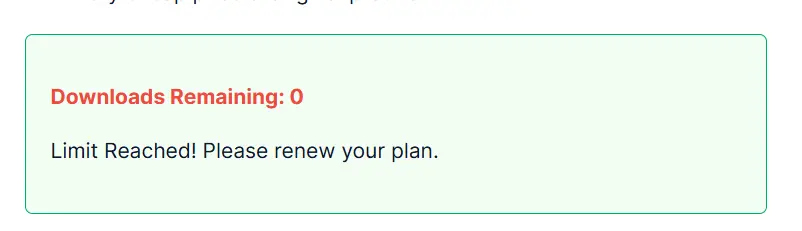
Control how many downloads a customer can make with customizable download limits. Set a specific number of allowed downloads for a membership plan or use unlimited access when you want to remove download restrictions.
This gives digital product businesses greater control over file distribution and membership benefits.
Set custom membership expiry periods such as 30 days, 90 days, 180 days, or 365 days. Membership access can automatically expire according to the plan configuration.
This is useful for businesses selling time-based digital access, subscription packages, support memberships, software access, and other recurring or limited-duration services.
Quill Membership can automatically activate a customer's membership after they purchase a WooCommerce product linked to a membership plan.
This removes the need for administrators to manually assign membership access after every purchase and creates a smoother customer experience.
Automatically assign a selected WordPress user role when customers become members. This allows you to integrate membership access with your existing WordPress user-management structure.
Role assignment can be configured from the plugin settings and used alongside your membership plans to create a more organized access-control system.
Quill Membership is designed with server-level digital file protection to provide greater control over access to protected downloadable assets.
This is particularly useful for businesses selling premium files such as WordPress plugins, themes, software, templates, documents, graphics, courses, eBooks, and other digital resources.
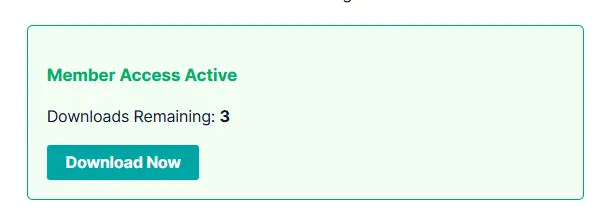
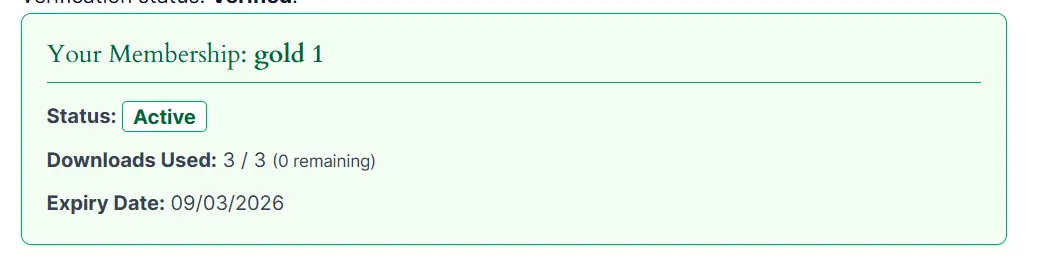
Customers receive a convenient membership experience directly inside their WooCommerce My Account area. The dashboard can display important membership information such as remaining downloads and membership expiry dates.
This gives customers a clear view of their current access without requiring them to contact the store administrator for basic membership information.
Manage membership settings through a clean and modern SaaS-style administration dashboard. Configure plans, download limits, expiry settings, categories, user roles, and other membership options from a centralized interface.
The dashboard is designed to make membership management easier for WooCommerce store administrators.
Quill Membership integrates directly with WooCommerce products. When editing a WooCommerce product, you can select the membership plan that should be activated when the customer purchases that product.
This makes it easy to turn existing WooCommerce products into membership packages without creating a separate checkout system.
Quill Membership is especially useful for businesses selling digital products and downloadable resources.
Quill Membership for WooCommerce is ideal for WordPress developers, digital product sellers, software businesses, plugin and theme shops, online resource websites, eBook stores, and entrepreneurs who want to introduce controlled membership access to their WooCommerce store.
It is especially useful when you need more control over digital downloads, subscription access, download limits, membership expiry, and product-category permissions.
Installing Quill Membership is straightforward. Upload the plugin ZIP through your WordPress administration dashboard, activate the plugin, validate your purchase license, configure global settings, create membership plans, and connect those plans to your WooCommerce products.
Once configured, WooCommerce can automatically activate the appropriate membership when a customer completes the related purchase.
If you are looking for a WooCommerce Membership Plugin for digital downloads, Quill Membership provides a flexible solution for controlling premium file access, membership duration, download limits, product categories, and customer permissions.
Create your membership plans, connect them to WooCommerce products, protect your digital downloads, and give customers a clear membership experience with Quill Membership for WooCommerce.
No reviews yet. Be the first verified buyer to review this product!
Need help with installation, configuration, or license activation? Our support team is ready to assist.