
 INR
INR  USD
USD 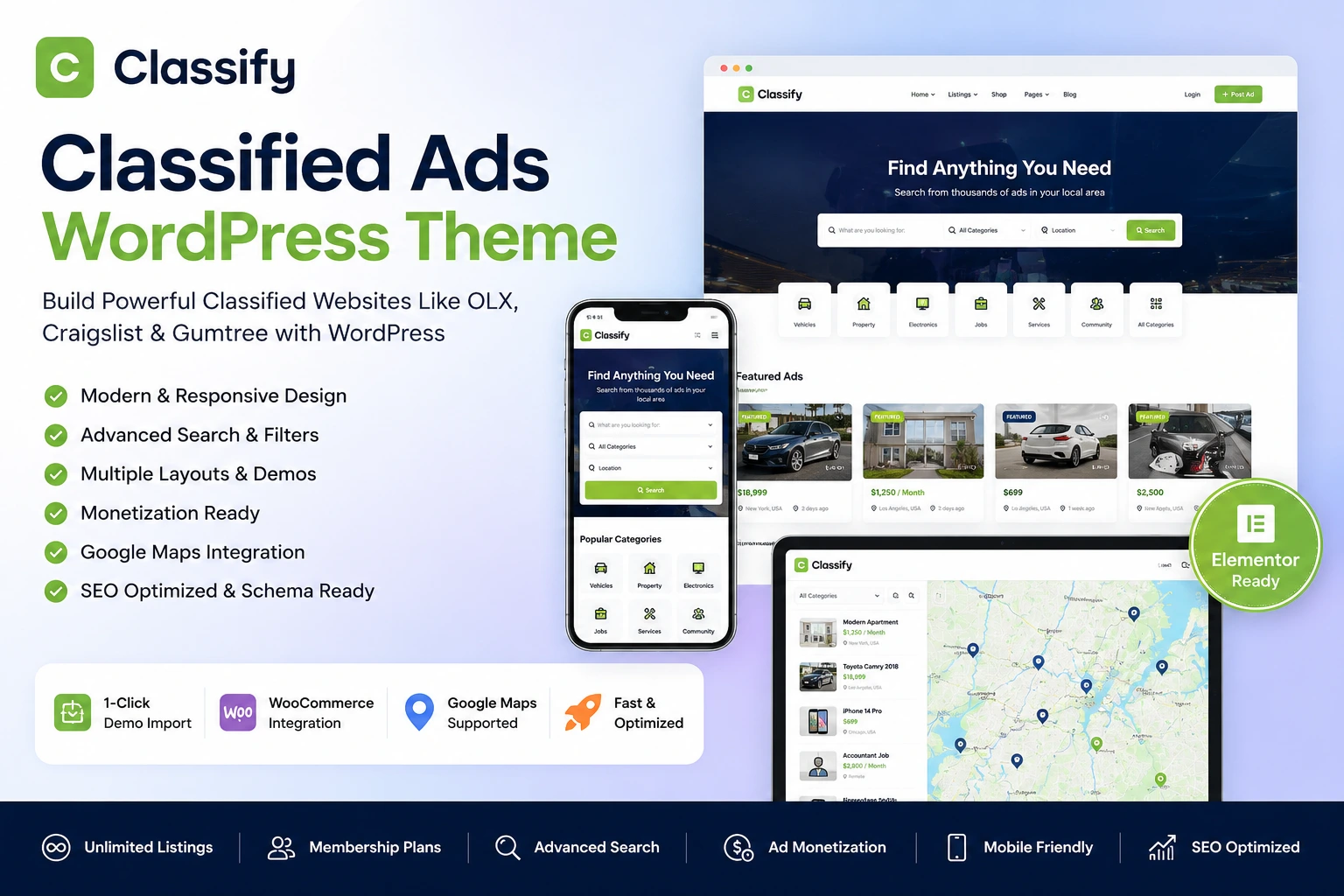
The Best Classified Ads WordPress Theme Handbook
Everything you need to know about choosing, customizing, and scaling a profitable classified ads directory. From front-end submissions to SEO optimization and payment gateways.
Start Building Your Site💡 Quick Answer: What is a Classified Ads WordPress Theme?
A Classified Ads WordPress Theme is a pre-designed website template equipped with specialized features to create, manage, and monetize an online directory where users can buy, sell, or trade goods and services.
Key Takeaways:
- Empowers users with front-end ad submissions and user dashboards.
- Includes advanced search and filtering (location, category, price, custom fields).
- Integrates payment gateways (WooCommerce, Stripe, PayPal) for monetization.
- Offers a significantly lower barrier to entry compared to custom web development.
Introduction
Creating a digital marketplace used to require a massive budget, a team of developers, and months of coding. Today, the landscape has entirely shifted. If you want to build a localized portal like Craigslist, a real estate portal, or an automotive directory, a high-quality Classified Ads WordPress Theme is your golden ticket.
With thousands of themes flooding the market, picking the right one is critical to your platform's speed, user experience, and SEO performance. A poorly coded theme will frustrate users with slow load times and drive away potential revenue. Conversely, a premium theme acts as a full-fledged business in a box, complete with automated payments, user management, and advanced search algorithms.
In this comprehensive guide, we will dissect the architecture of a premium classified ads theme, evaluate the top features you absolutely need, review compatibility and performance, and provide a step-by-step setup guide to launch your business today.
Table of Contents
What is a Classified Ads WordPress Theme?
At its core, a classified ads WordPress theme transforms a standard WordPress blogging installation into a robust, interactive marketplace. Unlike standard business themes that showcase a single company, a classified directory is built around user-generated content (UGC).
It provides the necessary infrastructure to allow external users to register, log in, create profiles, and post advertisements. The theme handles complex database queries, ensuring that a user searching for a "2020 Honda Civic in Chicago under $15,000" gets instantaneous, accurate results.
Important Note on EEAT Guidelines
Google's Helpful Content update prioritizes sites with real Experience, Expertise, Authoritativeness, and Trustworthiness. A premium theme helps establish Trust (T) by providing secure payment gateways, SSL compatibility, and spam-prevention tools, ensuring users feel safe transacting on your platform.
How It Works: The Platform Architecture
A successful classified platform operates on a three-tier architecture that your WordPress theme orchestrates seamlessly:
- The Front-End Interface: What visitors see. This includes the hero search bar, category grids, location maps, and individual listing pages. It must be highly optimized for mobile devices and incredibly fast.
- The User Dashboard: A private, secure portal for registered users. Here, sellers can track the performance of their ads, manage subscriptions, read messages from buyers, and renew expired listings without ever accessing the WordPress backend (wp-admin).
- The Admin Control Panel: Your command center. This allows you (the site owner) to approve or reject listings, set pricing structures, manage custom fields, block spam, and monitor revenue via integration with plugins like WooCommerce.

Top Features of a Premium Classified Ads Theme
Not all themes are created equal. When evaluating a classified ads WordPress theme, these are the non-negotiable features you must look for to ensure scalability and user satisfaction.
🔍 Advanced AJAX Search
Users should see results update instantly as they type or adjust filters, without the page reloading. AJAX search drastically reduces bounce rates and improves user experience.
📍 Geo-Location & Google Maps
Location-based searching is critical. Integrated Google Maps, OpenStreetMap, or Mapbox allows users to find items within a specific radius of their zip code.
📝 Custom Fields Builder
A car listing needs "Mileage" and "Transmission" fields; a real estate ad needs "Square Footage." A custom field builder lets you assign specific data points to different categories.
💳 Membership & Payments
Built-in support for WooCommerce allows you to charge for pay-per-post listings, premium "bumped" ads, or recurring monthly membership subscriptions.
💬 Internal Messaging System
Privacy is paramount. A built-in chat system allows buyers and sellers to communicate securely on your platform without exposing their private email addresses.
📱 100% Mobile Responsiveness
Over 60% of classified browsing happens on mobile devices. The theme must offer an app-like experience with sticky navigation and touch-friendly sliders.
Benefits, Advantages, & Disadvantages
Using a dedicated WordPress theme over custom development or SaaS solutions (like Sharetribe) comes with distinct benefits, though it's important to be aware of the limitations.
✅ Advantages
- Cost-Effective: Themes cost between $50–$90, compared to thousands for custom code.
- Rapid Deployment: Launch a functional MVP (Minimum Viable Product) in a single weekend.
- Total Ownership: You own your data, unlike proprietary SaaS platforms.
- Extensibility: Access to 55,000+ WordPress plugins for SEO, security, and caching.
⚠️ Disadvantages
- Learning Curve: WordPress requires some technical knowledge to maintain and secure.
- Plugin Conflicts: Using too many third-party plugins can break theme functionality.
- Hosting Costs: High-traffic database queries require premium hosting (e.g., Kinsta, Cloudways), not cheap shared plans.
Comprehensive Feature Breakdown
| Feature Category | Standard Theme | Premium Classified Theme | Impact on SEO/UX |
|---|---|---|---|
| Schema Markup | Basic Article/Page | Product, Offer, Review Schema | High (Enables Rich Snippets) |
| Search Functionality | Keyword Only | AJAX, Radius, Custom Filter | Critical (Lowers Bounce Rate) |
| User Submission | Requires WP Admin | Secure Front-End Forms | High (Trust & Security) |
| Monetization | Manual/Third-Party | Built-in WooCommerce / Stripe | High (Revenue Generation) |
| Dark Mode Support | Rare | Native Toggle Switch | Medium (Modern UX) |
Who Should Use It & Market Use Cases
The versatility of a well-coded classified ads theme means it can be adapted to almost any niche. If you are a niche expert looking to build a community, this software is built for you.
- Local Community Portals: Create a digital town square where locals can trade furniture, offer plumbing services, or post garage sales.
- Automotive Marketplaces: Build a site specific to classic cars or RVs. Utilize custom fields for Year, Make, Model, VIN, and Mileage.
- Real Estate Listings: Allow agents or homeowners to list properties for rent or sale. Include virtual tour links and property feature checklists.
- Job Boards: Connect employers with freelancers. Include fields for Salary Range, Remote capabilities, and Resume uploads.
- B2B Equipment Sales: A specialized marketplace for heavy machinery, medical equipment, or restaurant supplies.
Step-by-Step Installation Guide
Ready to build? Follow this expert setup guide to ensure your site is configured for speed, security, and SEO from day one.
Choose Optimized Hosting
Do not use cheap shared hosting. Classified themes generate heavy dynamic database queries due to search filters. Opt for managed WordPress hosting like Cloudways, Kinsta, or WP Engine with Object Caching (Redis/Memcached) enabled.
Install the Theme and Required Plugins
Upload your theme zip file via Appearance > Themes > Add New. Once activated, follow the prompt to install recommended plugins (usually Elementor/Gutenberg blocks, WooCommerce, and a core directory plugin).
One-Click Demo Import
If you are a beginner, use the One-Click Demo Import feature. This loads placeholder listings, categories, and homepage layouts, giving you a functional framework to edit rather than starting from a blank page.
Configure Permalinks and Categories
Navigate to Settings > Permalinks and select "Post name". Then, map out your categories carefully. A logical category structure (e.g., Vehicles > Cars > Sedans) is critical for Semantic SEO and user navigation.
Set Up Google Maps API & Payment Gateways
Generate a Google Maps API key (ensure Geocoding and Places API are active) and paste it into the theme settings. Next, configure WooCommerce with Stripe or PayPal to accept listing fees.
Plugin & Builder Compatibility
A WordPress theme does not exist in a vacuum. It must play nicely with the ecosystem's most popular plugins. Here is how premium classified themes interact with essential tools:
| Plugin Name | Category | Compatibility Requirement | Why It Matters |
|---|---|---|---|
| WooCommerce | E-commerce | Essential / 100% Native | Handles checkout, invoices, and payment processing. |
| Elementor / Gutenberg | Page Builder | Highly Recommended | Allows visual drag-and-drop editing of the homepage. |
| Rank Math / Yoast SEO | SEO | Essential | Ensures dynamic listing pages generate correct meta tags. |
| LiteSpeed / WP Rocket | Caching/Speed | Requires Tuning | Must exclude user dashboards and checkout pages from cache. |
| WPML / Polylang | Translation | Supported | Vital for multi-lingual directories and RTL languages. |
Monetization Ideas: How to Make Money
A classified ads site can be highly lucrative if monetized correctly. Do not rely on just one revenue stream. Combine these methods for maximum profitability:
1. Pay-Per-Listing
Charge users a flat fee (e.g., $5) to post a single ad for 30 days. Perfect for high-value items like cars or real estate.
2. Featured "Bump" Ads
Allow users to pay extra to stick their listing to the top of category searches or highlight it with a special background color.
3. Membership Plans
Create subscription tiers for heavy users (e.g., Dealerships). A $99/mo plan could allow 50 listings and 5 featured bumps.
4. Google AdSense & Banners
Sell dedicated banner space to local businesses or integrate Google AdSense in empty sidebar widgets for passive income.
On-Page SEO & Performance Optimization Checklist
User-generated content platforms are notorious for SEO issues like thin content and keyword cannibalization. Follow this checklist to ensure your directory ranks on Google.
- ✔ Focus Keyword in H1: Ensure your homepage H1 clearly states what the directory is.
- ✔ Image Compression: Use WebP formats. Users will upload huge images; auto-compress them.
- ✔ Canonical Tags: Crucial to prevent duplicate content issues on parameter-heavy search URLs.
- ✔ Category Descriptions: Add 300+ words of unique text to category archive pages.
- ✔ Schema Ready: Use JSON-LD (Product, Offer) to get star ratings in Google search.
- ✔ Core Web Vitals: Optimize LCP (Largest Contentful Paint) by preloading the hero image.
- ✔ EEAT Optimized: Create comprehensive "About Us" and strict "Privacy Policy" / "Terms of Service" pages.
- ✔ Internal Linking: Link related categories and geographical locations together.

Theme & Infrastructure Requirements
Before purchasing, review the technical requirements to ensure your server can handle the theme. Note: Always check the official website of the theme developer for the latest pricing and exact specifications, as they update frequently.
| Hosting Requirements | |
|---|---|
| PHP Version | 7.4 or 8.1+ |
| Memory Limit | 256MB (512MB Recommended) |
| Max Execution Time | 300 seconds |
| Database | MySQL 5.6+ / MariaDB |
| Browser & Device Compatibility | |
|---|---|
| Mobile Compatibility | iOS Safari, Android Chrome |
| Desktop Browsers | Chrome, Firefox, Edge, Safari |
| Responsive Breakpoints | Fluid / Grid based (Bootstrap) |
| Retina Ready | Yes (SVG & Font Icons) |
🔗 Helpful Internal Link Suggestions for Webmasters
To build a robust site architecture, consider linking this article internally to your related content:
- Read our complete WooCommerce Setup Guide for payment gateways.
- Optimize your speed with our WordPress Hosting Recommendations.
- Learn how to scale traffic with our Semantic SEO Guide.
- Monetize further using the Google AdSense Optimization Guide.
25+ Detailed Expert FAQs
1. What is a Classified Ads WordPress theme?
A classified ads WordPress theme is a specialized website template that transforms a standard WordPress installation into a full-featured directory. It allows users to register, create profiles, and submit advertisements (listings) from the front-end. These themes come with built-in features like advanced search filters, payment gateway integrations, messaging systems, and location-based mapping, making it easy to create sites similar to Craigslist, Autotrader, or local real estate directories.
2. How much does a premium classified theme cost?
Typically, a premium classified ads WordPress theme costs between $49 and $99 on marketplaces like ThemeForest, which usually includes 6 months of developer support and lifetime updates. However, you should also factor in additional costs such as managed WordPress hosting ($10-$30/month), domain registration ($15/year), and premium plugins for caching or SEO. (Please check the official developer website for the most current pricing and license terms).
3. Do I need coding skills to build a classified site?
No, you do not need any HTML, CSS, or PHP coding skills. Modern premium themes come with intuitive theme options panels and integrate with drag-and-drop page builders like Elementor or Gutenberg. You can import a demo layout with one click and customize colors, typography, and page structures visually. However, a basic understanding of how WordPress works (plugins, widgets, and menus) is highly recommended.
4. How can I monetize my classified directory?
You can monetize your directory using several strategies natively supported by most themes. The most common is pay-per-listing, where users pay a fee to publish an ad. You can also charge for "featured" or "bumped" listings to increase visibility. Additionally, you can offer recurring membership plans for heavy users, sell banner ad space to local businesses, or integrate Google AdSense networks.
5. What is the best hosting for a classified ads website?
Because classified themes rely heavily on complex, dynamic database queries (especially during AJAX searches and map filtering), cheap shared hosting is insufficient. You should use Managed WordPress Hosting or a VPS. Providers like Cloudways, Kinsta, WP Engine, or SiteGround are highly recommended. Ensure your host provides Object Caching (Redis or Memcached) to speed up database queries.
6. How do I translate a classified ads theme into my language?
Most premium themes are translation-ready, meaning they include a standard .pot file. You can easily translate the theme text into any language using free plugins like Loco Translate. If you want to create a multi-lingual site where users can switch between languages (e.g., English and Spanish), you should ensure the theme is explicitly compatible with WPML (WordPress Multilingual Plugin) or Polylang.
7. Is WooCommerce required to run these themes?
While some themes have built-in, standalone payment systems, the vast majority rely on WooCommerce to handle transactions. Even if you are not selling physical products, WooCommerce acts as the underlying engine to process listing fees securely via Stripe, PayPal, or local gateways. It is highly secure, free to install, and standardizes the checkout process for your directory users.
8. Can users manage their own listings after posting?
Absolutely. One of the defining features of a classified ads theme is the front-end user dashboard. Once registered, a user can log in to view their active, pending, or expired listings. From this dashboard, they can edit ad details, upload new images, read private messages from buyers, renew expired ads, or delete listings once an item is sold, all without accessing the WordPress admin panel.
9. Are classified ads themes SEO friendly?
High-quality themes are coded with SEO best practices, utilizing proper HTML5 tags, clean code, and fast loading structures. They also integrate with tools like Yoast and Rank Math to ensure user-generated listings generate proper meta titles and descriptions. However, your site's overall SEO relies heavily on your category structures, internal linking, and mitigating thin/duplicate content generated by empty search parameter URLs.
10. How do I speed up my classified directory?
To optimize Core Web Vitals, start with premium managed hosting. Next, use a caching plugin like WP Rocket or LiteSpeed Cache, ensuring you exclude the checkout and user dashboard pages from the cache so dynamic data remains accurate. Use an image optimization tool to auto-compress massive photos uploaded by users, and utilize a Content Delivery Network (CDN) like Cloudflare to serve assets locally to visitors.
11. Can I add Google AdSense to my classified site?
Yes. Most themes offer dedicated widget areas (sidebars, headers, footer blocks, and in-between listing grids) where you can paste Google AdSense code or custom HTML banner ads. Just ensure you do not clutter the user experience; place ads thoughtfully so they do not interfere with the core search functionality or violate Google's ad density policies.
12. What payment gateways are supported?
Because the vast majority of these themes utilize WooCommerce for transaction processing, you are granted access to virtually any payment gateway in the world. Out of the box, WooCommerce supports PayPal, Stripe (for credit/debit cards), and direct bank transfers. By installing free or premium add-ons, you can integrate regional gateways like Razorpay, PayU, Authorize.net, or crypto payment processors.
13. How do I stop spam listings and fake user registrations?
Spam is a major concern for directories. You can mitigate it by implementing Google reCAPTCHA or Cloudflare Turnstile on the registration and listing submission forms. Additionally, configure the theme settings to require email verification before an account becomes active, and set new listings to "Pending Review" so an admin must manually approve them before they go live on the site.
14. Can I create custom fields for different categories?
Yes, this is a hallmark of a premium classified theme. A Custom Fields Builder allows you to create specific input fields based on the category. For example, if a user selects the "Real Estate" category, they will see fields for "Number of Bedrooms" and "Square Footage." If they select "Electronics," they might see "Condition" and "Brand." This makes search filters highly accurate.
15. Do these themes support RTL (Right-To-Left) languages?
Most top-tier classified themes provide native RTL support, which is essential if your directory targets Arabic, Hebrew, or Persian speaking audiences. The theme's CSS will automatically flip the layout (menus, sidebars, text alignment) when an RTL language is selected in the core WordPress settings. Always verify RTL compatibility on the theme's feature list before purchasing.
16. Is it possible to have a membership subscription?
Yes, membership capabilities are a standard feature in high-end themes. You can create tiered pricing packages (e.g., Bronze, Silver, Gold). A Gold package might cost $50/month and allow a user (like a car dealer) to post up to 100 listings and feature 5 of them. These subscriptions can be set to auto-renew using WooCommerce Subscriptions or integrated theme modules.
17. How do I enable a map view for listings?
To enable the map view, you need to integrate a mapping provider. The most common is Google Maps. You will need to create a Google Cloud Console account, generate an API key with the Geocoding, Maps JavaScript, and Places APIs enabled, and paste it into the theme settings. Alternatively, some themes support OpenStreetMap or Mapbox as free, open-source alternatives.
18. Are these themes mobile responsive?
Yes. With over 60% of web traffic coming from smartphones, all modern premium themes are built on responsive frameworks like Bootstrap. They automatically adapt to screen sizes, converting complex grid layouts into single-column mobile views. Features like sticky bottom navigation bars, off-canvas search filters, and swipeable image galleries ensure an app-like experience for mobile users.
19. Can I import demo content to get started?
Absolutely. One-click demo import is a staple feature. It allows beginners to instantly load placeholder listings, dummy user profiles, category structures, and beautifully designed homepages directly onto their site. Once imported, you simply replace the dummy text and images with your own, saving you hours of configuration and giving you a template of how the site should function.
20. What plugins should I avoid installing?
Avoid installing redundant or heavily bloated plugins that duplicate theme functionality. For instance, do not install third-party membership plugins or external search filter plugins if your theme already has these built-in, as they will cause severe database conflicts. Also, be wary of excessive UI-altering plugins like cursor modifiers or complex slider plugins (like Slider Revolution) which can drastically slow down page loads.
21. How do messaging systems work between buyers and sellers?
To protect user privacy, premium themes include internal messaging systems. Instead of exposing a seller's email address publicly, buyers fill out a contact form on the ad page. The seller receives a notification and can reply directly through their private user dashboard. This keeps communication centralized, enhances security, and prevents bots from scraping user emails for spam.
22. Can I set up a multi-vendor marketplace with this?
While classified themes are excellent for directories where users pay you to list items, they are not true "multi-vendor marketplaces" (like Amazon or Etsy) where transactions between the buyer and seller happen on your site, and you take a commission cut. If you want a commission-based marketplace where users check out on your site for physical goods, you need a multi-vendor plugin like Dokan or WCFM.
23. How do I handle featured or bumped listings?
Featured listings are a core monetization strategy. When a user submits an ad, the checkout process offers them an upsell to "Feature" their listing for an extra fee. The theme's algorithm then prioritizes these ads, displaying them at the very top of search results, on the homepage carousels, or highlighting them with distinct background colors or badges like "Urgent" or "Premium."
24. Is Elementor compatible with classified themes?
Yes, the overwhelming majority of top-tier themes are deeply integrated with Elementor. They often provide custom Elementor widgets (like Category Grids, Search Bars, and Featured Ad Sliders) that you can drag and drop onto your homepage or landing pages. This allows you to build completely bespoke layouts visually, without needing to touch any code or mess with shortcodes.
25. How do I migrate from one classified theme to another?
Migrating classified themes is highly complex because custom fields and listing data are usually tied to the specific theme’s core plugin infrastructure. If you switch themes, your custom data (like price, location, or vehicle mileage) may disappear because the new theme stores data differently. Migrations usually require exporting data to CSV, mapping database fields carefully, and importing via tools like WP All Import.
Final Verdict: Ready to Launch?
Choosing the right Classified Ads WordPress Theme is the most important business decision you will make for your digital directory. Prioritize themes that offer deep Custom Field functionality, robust WooCommerce integration, and AJAX-powered search. Avoid bloated themes with slow load times, as user experience is the defining factor of a successful marketplace.


Discussion (0)
Join the Conversation
Please log in to post a comment.
Log In to Comment