
 INR
INR  USD
USD 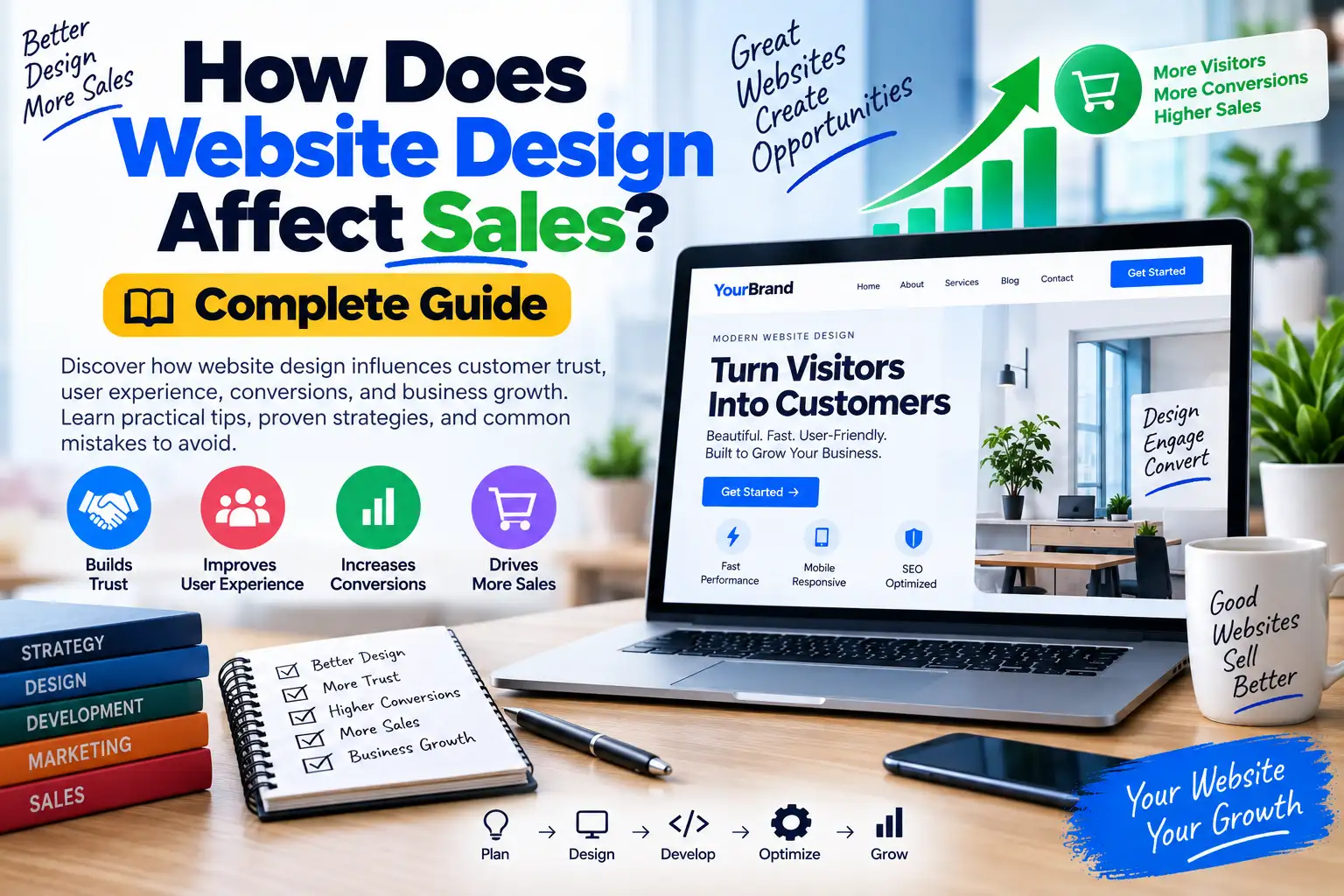
How Does Website Design Affect Sales? Complete Guide
A website can have excellent products, competitive prices, and strong marketing, yet still struggle to generate sales if the website itself creates friction. Visitors may leave because they cannot find the right information, do not understand the offer, do not trust the business, cannot use the site comfortably on mobile, or encounter a slow and confusing checkout process.
So, how does website design affect sales? The short answer is that design influences almost every step between a visitor discovering your business and deciding whether to contact you, sign up, request a quote, or make a purchase. Design affects clarity, trust, navigation, perceived value, usability, accessibility, performance, and the visibility of important calls to action.
That does not mean a visually attractive website automatically produces more revenue. Good sales-focused design is about making the customer's decision easier. A beautiful interface that hides pricing, creates confusing navigation, or loads slowly can perform worse than a simpler website that communicates its value clearly.
This guide explains does website design matter from a practical business perspective, including how design affects trust, conversions, mobile users, ecommerce sales, lead generation, SEO, page speed, accessibility, and long-term customer relationships.
Does Website Design Matter for Sales?

Yes, website design matters because the website is often one of the main places where potential customers evaluate a business before taking action.
Imagine two companies selling similar services. Company A has a clean homepage, clear service descriptions, visible contact information, consistent branding, testimonials, an easy-to-use enquiry form, and a mobile-friendly layout. Company B has an outdated design, broken links, unclear pricing information, tiny text, and several competing buttons.
Even if both companies provide equally good services, the first website makes the buying process easier. Visitors have fewer unanswered questions and less friction before contacting the business.
Google's guidance on page experience similarly encourages site owners to consider mobile usability, security, Core Web Vitals, intrusive elements, and the overall ability of visitors to distinguish and consume the main content.
The important distinction is that design is not decoration. Effective website design is a communication and usability system that helps visitors understand what you offer and what they should do next.
How Does Website Design Affect Sales?
Website design can influence sales through several connected mechanisms.
| Design Factor | Potential Sales Impact | What to Improve |
|---|---|---|
| Visual clarity | Helps visitors understand the offer faster | Headings, spacing, hierarchy |
| Navigation | Makes products and services easier to find | Menus, categories, search |
| Trust signals | Reduces uncertainty before purchase | Reviews, policies, contact details |
| Mobile UX | Improves usability for smartphone visitors | Responsive layouts, buttons, forms |
| Page speed | Reduces friction during browsing | Images, scripts, caching, hosting |
| Calls to action | Shows visitors what to do next | Button placement and wording |
| Checkout UX | Reduces purchasing friction | Forms, errors, payment flow |
| Accessibility | Allows more people to use the site | Contrast, keyboard access, labels |
These factors work together. A highly visible button is not helpful if the visitor does not understand the offer. A great product page is less effective if it takes too long to load. A trustworthy design loses value if the checkout process is confusing.
1. Website Design Builds or Damages Trust

Trust is one of the most important ingredients in a purchase decision, particularly when visitors are unfamiliar with a business.
People may ask themselves:
- Is this company legitimate?
- Can I trust this website with my payment details?
- Will someone respond if I have a problem?
- Is this product really what the page says it is?
- Are the reviews genuine?
- Can I find the company's contact information?
- What happens if I want a refund?
Good design makes important trust information easy to discover.
Trust Elements That Can Help
- Clear company or author information.
- Professional and consistent branding.
- Visible contact details.
- Secure HTTPS connection.
- Transparent pricing.
- Clear refund and cancellation policies.
- Customer reviews and testimonials where genuine.
- Detailed product or service information.
- Recognizable payment options.
- Privacy and terms information.
Do not manufacture trust. Fake reviews, exaggerated guarantees, fabricated customer counts, and misleading badges can damage credibility rather than improve it.
For a business website, trust should come from evidence. Show what you actually do, explain your process, provide genuine examples, identify the people or organization behind the business, and make it easy for customers to contact you.
2. Clear Design Helps Visitors Understand Your Offer
One of the biggest design mistakes is making visitors work too hard to understand what a company sells.
Your homepage should quickly communicate:
- What you offer.
- Who you serve.
- What problem you solve.
- Why someone should consider you.
- What action they can take next.
For example, compare these two headlines:
Weak: "Innovative Solutions for a Better Digital Future"
Clearer: "Custom WordPress Websites for Small Businesses"
The second version tells the visitor what the company does and who it serves.
Good design gives that message enough visual priority that visitors do not have to search through multiple sections before understanding the offer.
3. Navigation Can Influence the Buying Journey
Visitors cannot buy what they cannot find.
A complicated navigation system can hide important pages such as services, products, pricing, contact information, FAQs, or support documentation.
A simple website navigation might contain:
- Home
- Services
- Products
- About
- Blog
- Contact
An ecommerce website may need additional structures such as categories, filters, search, account pages, carts, and order tracking.
The goal is not to minimize the number of links at all costs. The goal is to organize links according to how customers actually think about the business.
Use Search When the Website Is Large
If your website contains hundreds or thousands of products, articles, documents, listings, or resources, site search can become an important part of the user experience.
Search should return relevant results and provide useful filters where appropriate.
4. Mobile Website Design Can Affect Conversions
Modern website design must account for different screen sizes. A layout that looks excellent on a desktop monitor may be frustrating on a smartphone.
Mobile visitors should be able to:
- Read text without excessive zooming.
- Tap buttons comfortably.
- Open the navigation menu easily.
- Complete forms without unnecessary effort.
- View product images and information.
- Access the checkout.
- Use search and filters.
- Contact the business quickly.
Responsive design should therefore be considered part of the sales process, not simply a technical requirement.
W3C accessibility guidance also recommends designing for different viewport sizes, maintaining clear navigation, ensuring interactive elements are identifiable, and associating labels with form elements.
5. Website Speed Affects the User Experience
Slow websites create friction.
A visitor who has to wait for a page, image, product filter, or checkout element may become less willing to continue.
Google's Web Vitals initiative focuses on user-centric performance measurements. Its current Core Web Vitals include Largest Contentful Paint for loading performance, Interaction to Next Paint for responsiveness, and Cumulative Layout Shift for visual stability.
Google currently recommends, at the 75th percentile, an LCP of 2.5 seconds or less, INP of 200 milliseconds or less, and CLS of 0.1 or less for a good experience.
These metrics should not be treated as a magic sales formula. Improving them is valuable because it contributes to a better user experience, but sales also depend on pricing, product quality, demand, trust, messaging, competition, and many other factors.
Common Causes of Slow WordPress Websites
- Oversized images.
- Too many plugins.
- Heavy page builders or unnecessary assets.
- Excessive JavaScript.
- Third-party advertising scripts.
- Unoptimized fonts.
- Poor hosting configuration.
- Database inefficiencies.
- Too many animations.
- Unnecessary tracking scripts.
If hosting is part of your website project, you can compare available WordPress hosting options and hosting recommendations before choosing an environment. The right hosting choice should be based on your traffic, application requirements, technical needs, budget, and expected growth rather than a generic "fastest host" claim.
6. Calls to Action Guide Visitors Toward Sales
A call to action, commonly called a CTA, tells the visitor what they can do next.
Examples include:
- Buy Now
- Get Started
- Request a Quote
- Book a Consultation
- Start Free Trial
- Add to Cart
- View Pricing
- Contact Us
A good CTA should match the visitor's stage in the buying process.
Someone reading an introductory educational article may not be ready to purchase an expensive service. A softer CTA such as "Explore Our Services" may make more sense.
A visitor viewing a product page is further down the purchase journey. "Buy Now" or "Add to Cart" may be appropriate.
CTA Design Best Practices
- Use clear action-oriented language.
- Make important CTAs visually identifiable.
- Place them near relevant information.
- Do not cover every section with competing buttons.
- Ensure buttons work properly on mobile devices.
- Make the destination match the CTA promise.
7. Product Page Design Can Affect Ecommerce Sales
For ecommerce websites, product pages are often the point where browsing becomes a purchase decision.
A useful product page should answer the customer's major questions without forcing them to search elsewhere.
Depending on the product, this can include:
- Product name.
- Price.
- Product images.
- Key features.
- Detailed description.
- Specifications.
- Availability.
- Shipping information.
- Returns and refunds.
- Customer reviews.
- Frequently asked questions.
- Clear purchase controls.
The visual hierarchy should make the most important information easy to find.
For example, the visitor should not have to scroll through five promotional banners before discovering the price and purchase button.
8. Checkout Design Can Reduce Purchase Friction
Getting someone to a checkout page is not the same as getting the order completed.
Checkout forms can create unnecessary friction through excessive fields, unclear errors, unexpected charges, complicated navigation, or confusing payment steps.
A Better Checkout Experience
- Show the order clearly.
- Explain costs before the final confirmation.
- Minimize unnecessary fields.
- Provide useful validation messages.
- Support appropriate payment methods.
- Make the checkout responsive.
- Clearly communicate security and policies.
- Allow customers to correct mistakes.
- Avoid distracting promotions during payment.
For ecommerce businesses, testing the complete purchase journey is more valuable than simply testing whether the homepage looks good.
9. Website Design Influences Perceived Value
Design can influence how people perceive a brand, but it should support the actual quality of the product or service rather than disguise weaknesses.
A premium service can use refined typography, professional photography, generous spacing, detailed case studies, and polished interactions. A budget-focused business might emphasize simplicity, transparent pricing, practical benefits, and straightforward navigation.
The important principle is design-market fit.
Your visual style should match your audience's expectations.
A playful children's brand and a financial consultancy do not need identical design systems. Both can be professional while using very different visual languages.
10. Good Design Makes Content Easier to Consume
Content marketing can support sales by answering questions before a visitor contacts the business.
A good blog design makes useful information easier to discover and read.
Use:
- Descriptive headings.
- Short paragraphs.
- Useful lists.
- Relevant images.
- Comparison tables.
- Internal links.
- Related articles.
- Clear author information.
- Helpful calls to action.
For example, WPCodeQuill's WordPress child theme guide addresses a specific development problem and can naturally support readers who are working on WordPress customization.
This kind of content-to-service relationship is more useful than adding a generic "Buy Now" button to every article.
11. Does Website Design Matter for SEO and Sales?
SEO and sales are different goals, but they can support one another.
Search engines need to understand your content, while visitors need to understand and use it. Clear information architecture, descriptive navigation, readable content, mobile usability, good performance, and useful internal linking can help create a better experience for both audiences.
Google's Search Essentials recommends people-first content and describes practices that help search engines discover and understand website content.
Google also explicitly states that helpful content should be created primarily for people rather than primarily to manipulate search rankings.
Therefore, do not redesign a website solely because you believe a particular visual style will rank better. Instead, improve the design because it helps visitors understand, navigate, trust, and use the website.
12. Accessibility Can Expand Usability
Accessible design is not only about compliance. It can make websites easier to use for many people.
Useful accessibility practices include:
- Readable color contrast.
- Keyboard-accessible navigation.
- Clear form labels.
- Descriptive link text.
- Meaningful alternative text for relevant images.
- Logical headings.
- Visible focus states.
- Consistent navigation.
- Clear error messages.
- Responsive layouts.
W3C's Web Content Accessibility Guidelines provide an international framework for accessible web content, covering websites, applications, mobile content, and other digital experiences.
Accessibility should be considered during design and development rather than added as a last-minute checkbox.
13. How to Design a Website That Converts More Visitors
There is no universal conversion design because businesses have different customers and buying journeys. However, you can follow a practical process.
Step 1: Identify the Primary Conversion
Decide what the most important action is.
Examples include purchasing a product, submitting a lead form, booking an appointment, requesting a quote, registering for an account, or starting a trial.
Step 2: Identify Customer Questions
List the questions visitors need answered before taking action.
For an agency, those might include price, experience, services, process, timeline, technology, and previous work.
For an ecommerce store, they might include price, size, specifications, shipping, availability, returns, and reviews.
Step 3: Build the Page Around Those Questions
Place important information where users naturally expect it.
Step 4: Remove Unnecessary Friction
Look for confusing menus, excessive form fields, unnecessary popups, slow pages, unclear buttons, and irrelevant distractions.
Step 5: Test the Real User Journey
Do not stop at the homepage. Walk through the complete journey from landing page to conversion.
14. A Practical Sales-Focused Homepage Structure
A homepage does not have to follow one rigid template, but the following structure works well for many service businesses:
- Clear hero section: Explain the offer and audience.
- Primary CTA: Provide an obvious next action.
- Key benefits: Explain the practical value.
- Services or products: Show what is available.
- Proof: Use genuine testimonials, case studies, credentials, or examples.
- Process: Explain what happens after the visitor contacts or purchases.
- FAQs: Answer common objections.
- Final CTA: Give visitors another clear opportunity to act.
This structure is not a guarantee of higher sales. It is simply a logical framework that can make the buying journey easier to understand.
15. Website Design Mistakes That Can Hurt Sales
Too Much Information Above the Fold
Trying to communicate everything immediately can create visual overload. Prioritize the most important message and let the rest of the page provide supporting detail.
Too Many Calls to Action
If every button has equal visual importance, none of them feels particularly important.
Unclear Pricing
If pricing is central to the buying decision, hiding it without a good reason can create uncertainty. If custom pricing is necessary, explain what determines the price and make the enquiry process straightforward.
Stock Images With No Connection to the Business
Generic images can weaken credibility when they do not represent the actual company, team, product, or service.
Intrusive Popups
Popups can have legitimate uses, but excessive interruptions can make it difficult for visitors to consume the main content.
Google's page-experience guidance specifically encourages sites to avoid excessive ads and intrusive interstitials that interfere with the main content.
Ignoring the Contact Experience
A beautiful website cannot generate enquiries if the contact form is broken or difficult to use.
Designing Only for Desktop
Always test the actual mobile experience, including forms, menus, product pages, checkout, and buttons.
16. How to Measure Whether Website Design Is Helping Sales
Do not rely entirely on opinions about whether a website "looks better."
Measure business outcomes.
| Metric | What It Can Tell You |
|---|---|
| Conversion rate | Percentage of visitors completing a desired action |
| Lead submissions | Number of enquiries generated |
| Sales revenue | Direct commercial outcome |
| Cart abandonment | Potential purchasing friction |
| Checkout completion | Effectiveness of the purchasing process |
| Engagement | How visitors interact with important content |
| Page performance | Technical quality of the user experience |
Use analytics to identify where people leave the conversion journey. Then investigate why rather than assuming the design is automatically responsible.
17. A/B Testing Website Design Changes
If you have enough traffic and a reliable measurement setup, controlled experiments can help determine whether a design change actually improves a business outcome.
For example, you could test:
- Two CTA labels.
- Different hero layouts.
- Short versus long forms.
- Different product-image arrangements.
- Pricing presentation.
- Checkout layouts.
Do not change ten major things simultaneously and then claim that one specific design decision caused the improvement. Isolating changes makes results easier to interpret.
18. When Professional Website Design Is Worth the Investment
Professional design becomes especially valuable when the website has a direct connection to revenue.
Consider professional assistance if:
- The website generates significant sales.
- Your business depends heavily on online leads.
- You are launching a new ecommerce store.
- Your existing site looks outdated.
- Mobile conversions are poor.
- Visitors struggle to find important information.
- The checkout process has problems.
- You need custom WordPress functionality.
- Your website requires a complete redesign.
- Your internal team lacks WordPress development expertise.
If you need professional WordPress implementation, WPCodeQuill's website design, custom WordPress theme, plugin, migration, and development services provide several options depending on the project scope.
19. Choosing Between DIY Design and Professional Development
| Situation | DIY May Work | Professional Help May Be Better |
|---|---|---|
| Personal blog | Yes | Usually optional |
| Small informational website | Often | Useful for custom requirements |
| Lead-generation business | Possible | Useful when conversions matter |
| WooCommerce store | Possible | Recommended for complex stores |
| Membership platform | More difficult | Often worthwhile |
| Custom web application | Usually difficult | Professional development recommended |
The goal is not to hire an agency simply because professional design sounds better. Match the level of expertise to the complexity and financial importance of the project.
20. Website Design and Long-Term Sales Growth
A website should not be treated as a one-time brochure.
Customer expectations change. Products change. Search behavior changes. New devices appear. Competitors redesign their websites. WordPress, browsers, plugins, APIs, and security requirements evolve.
That means a sales-focused website should be monitored and improved over time.
A practical maintenance cycle can include:
- Review analytics.
- Identify conversion bottlenecks.
- Check mobile usability.
- Monitor performance.
- Update WordPress and dependencies.
- Review important landing pages.
- Improve weak content.
- Test important forms.
- Review checkout problems.
- Run experiments on high-value pages.
This approach turns website design into an ongoing business improvement process rather than a one-time visual project.
Frequently Asked Questions
Does website design really affect sales?
Yes. Design can affect how easily visitors understand an offer, navigate the website, trust the business, use the site on mobile devices, find products or services, and complete important actions. However, design is only one factor among pricing, product quality, marketing, demand, competition, and customer service.
How does website design affect sales conversion?
It can influence conversion by reducing friction. Clear messaging, intuitive navigation, useful product information, trustworthy presentation, visible calls to action, responsive layouts, fast pages, and straightforward forms can make it easier for visitors to complete a desired action.
Does website design matter for small businesses?
Yes. A small business website often has to establish credibility quickly because visitors may not already know the company. Clear services, contact information, genuine proof, readable content, and simple navigation can make the website easier to trust and use.
Can a beautiful website increase sales?
Visual quality can contribute to a positive user experience, but beauty alone does not guarantee sales. The design must also communicate the value proposition, answer customer questions, provide clear actions, work on mobile devices, load efficiently, and support the actual buying journey.
What website design elements increase conversions?
There is no universal list that guarantees an increase, but commonly useful elements include clear value propositions, relevant calls to action, straightforward navigation, strong product information, genuine trust signals, responsive design, fast performance, accessible forms, and a low-friction checkout process.
Does mobile website design affect sales?
It can. If smartphone visitors have difficulty reading content, tapping buttons, navigating menus, submitting forms, or completing checkout, the website creates additional friction. Responsive design and mobile testing are therefore important parts of conversion-focused website development.
Does website speed affect sales?
Speed affects user experience and can influence whether visitors continue interacting with a website. Core Web Vitals provide a standardized way to evaluate loading, responsiveness, and visual stability.
Should I redesign my website if sales are falling?
Not automatically. First investigate the problem using analytics, customer feedback, technical audits, search performance, conversion data, and sales information. A redesign may help if usability or presentation is genuinely part of the problem, but redesigning without understanding the cause can waste time and money.
Conclusion
So, how does website design affect sales? It affects the journey between a visitor arriving on your website and deciding whether to trust your business, understand your offer, take action, and eventually become a customer.
The most effective design is not necessarily the most visually complicated. It is the design that makes the right information easy to understand, makes important actions easy to find, reduces unnecessary friction, works across devices, loads efficiently, and gives customers confidence in their decision.
The answer to does website design matter is therefore clearly yes—but design should be evaluated as part of the complete customer experience rather than as decoration.
For WordPress websites, that means combining thoughtful UX with clean development, appropriate themes and plugins, responsive layouts, performance optimization, accessibility, SEO, trustworthy content, and ongoing measurement.
If your website is already generating traffic but not enough enquiries or purchases, start by examining the customer journey. Identify where visitors hesitate, where they leave, what questions remain unanswered, and which technical or design problems create friction. Then make measured improvements rather than changing everything at once.
For WordPress projects that need additional resources, you can also explore WPCodeQuill's free WordPress themes and plugins, or review its development and customization options when the project requires functionality beyond a standard theme.
Ultimately, good website design should make your business easier to understand, easier to trust, and easier to buy from. When design, content, technology, and business strategy work together, the website becomes more than an online brochure—it becomes an important part of the sales process.


Discussion (0)
Join the Conversation
Please log in to post a comment.
Log In to Comment