Limited Time 🎉 Launch Offer – Save 45% on your first purchase. Use code NEWUSER
WPCodeQuill - Digital Marketplace for PHP Scripts and Themes
★★★★★ Trusted by 1000+ Users
Instant Download
Secure Payments
Lifetime Updates
Verified Code
24/7 Support
WPCodeQuill
Login / Register
Trending Product

ExamPress Pro: Job Portal & Exam Notification WP Theme

Build a high-performance job board, recruitment directory, or exam notification platform with ExamPress Pro. Fast, SEO-friendly, and designed for educational institutes and HR agencies.
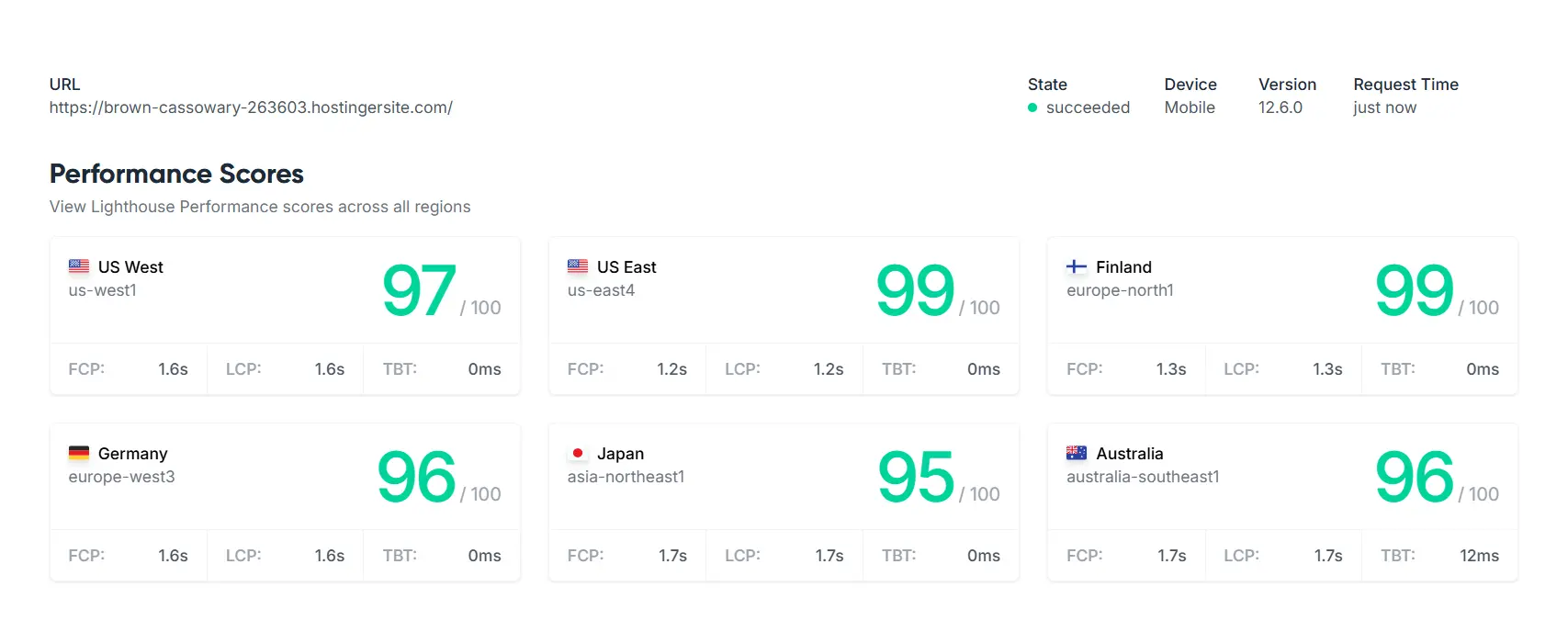
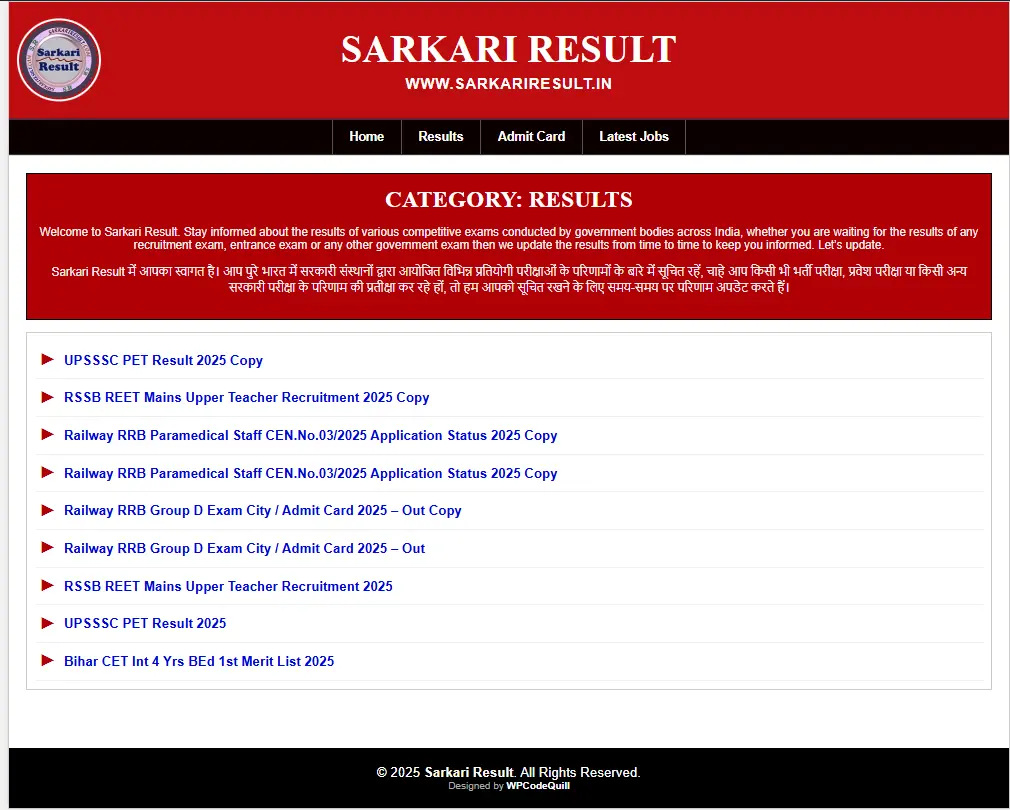
5.0 (1 Reviews)
|
49+ sales
|
Verified Author
$44.00 $16.72

Why Choose ExamPress Pro: Job Portal & Exam Notification WP Theme?

Mobile-First Responsive Design

Powerful WordPress Customizer

Classic, Modern & SEO-Friendly Layouts

Social Integration

How It Works

01
Log in
Log in your WordPress administration dashboard. Go to Appearance > Themes > Add New.
02
Upload Theme
Upload the wp-pagalworld-theme.zip file. Install and activate the theme.
03
Theme License
Open the Theme License section and enter your valid license key.
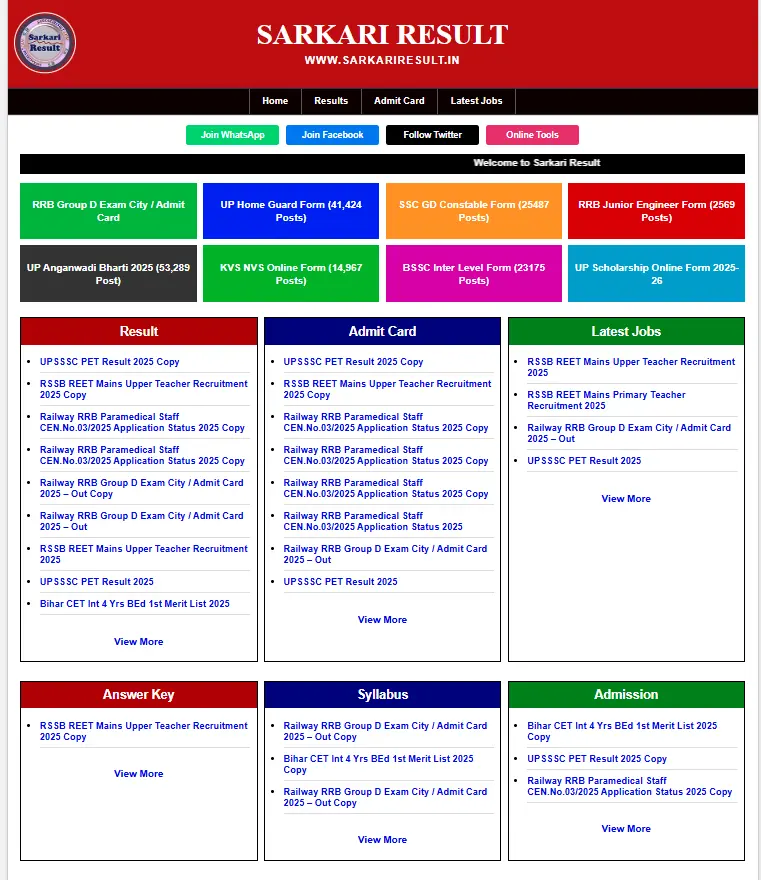
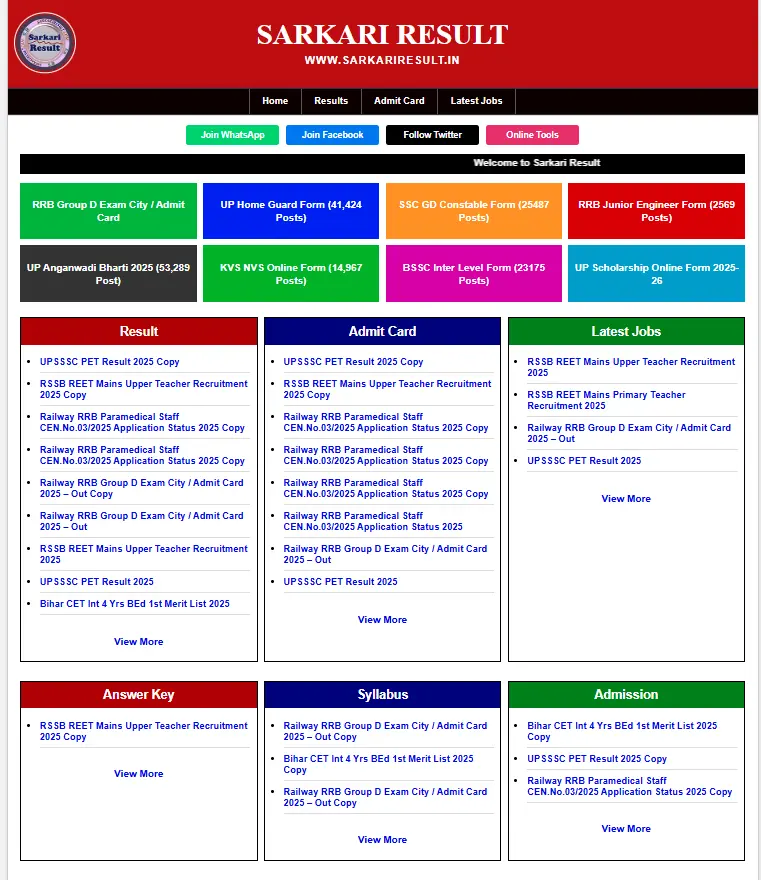
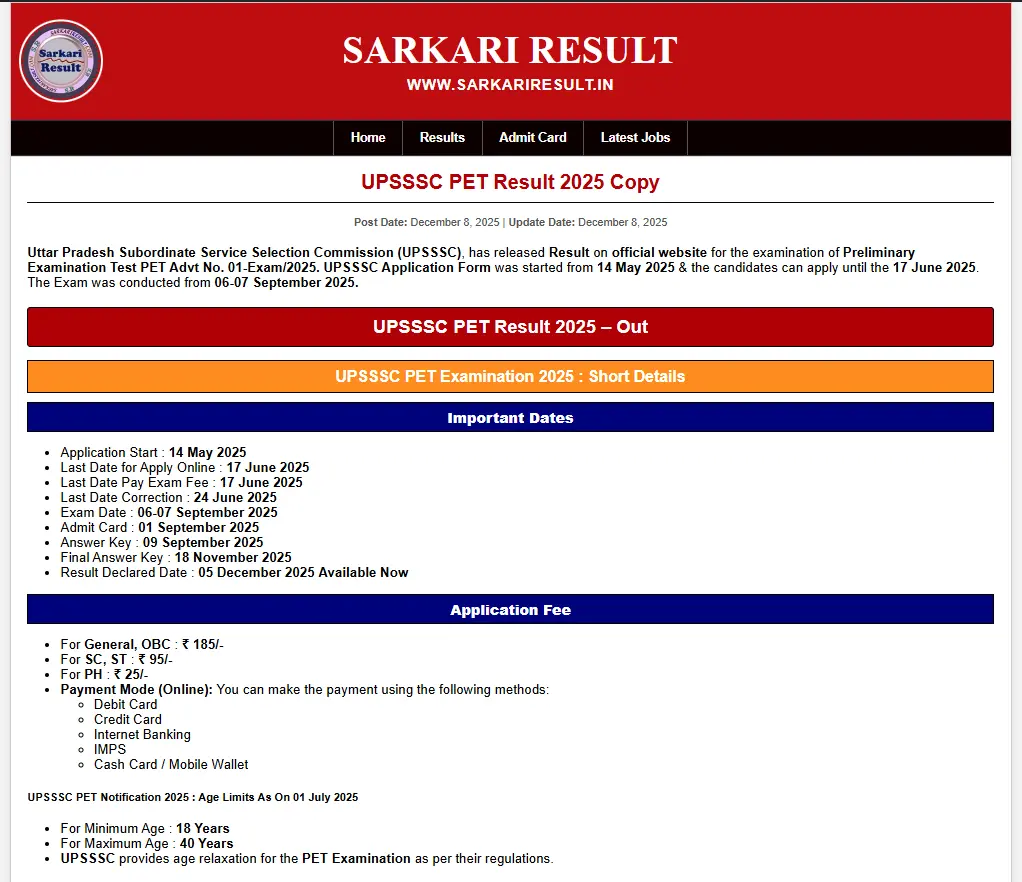
Live Screenshots
ExamPress Pro: Job Portal & Exam Notification WP Theme

Build a high-performance job board, recruitment directory, or exam notification platform with ExamPress Pro. Fast, SEO-friendly, and designed for educational institutes and HR agencies.
Changelog
v1.2.0 - 12 Dec 2025

[NEW] Added 3 Templates Classic, Mordarn and SEO Layout ). [NEW] Added 8-Box colored BG modification. [NEW] Added Box BG Color manage. [NEW] Added "Boxed" layout styling. [NEW] Fixed Customizer Panel for Global Colors, Header, and Footer.

v1.0.0 - 08 Dec 2025

[NEW] Initial Release of ExamPress Pro. [NEW] Added "Sarkari" style 3-column grid layout (Result, Admit Card, Latest Jobs). [NEW] Added 8-Box colored grid for top notifications. [NEW] Integrated License Activation System (API Check & Auto-Reset). [NEW] Added Mobile-Friendly Hamburger Menu with white toggle button. [NEW] Added "Boxed" layout styling (1200px max-width). [NEW] Added Auto-styling for H2, H3, and H4 tags inside posts. [NEW] Added Customizer Panel for Global Colors, Header, and Footer. [NEW] Added Marquee scrolling text support.

View Full Changelog
FAQ
1. What is ExamPress Pro?
2. Can I display Latest Jobs, Results, and Admit Cards on the homepage?
3. Is ExamPress Pro mobile friendly?
4. Can I customize the colors and website layout?
View All FAQs

ExamPress Pro – Job Portal & Exam Notification WordPress Theme

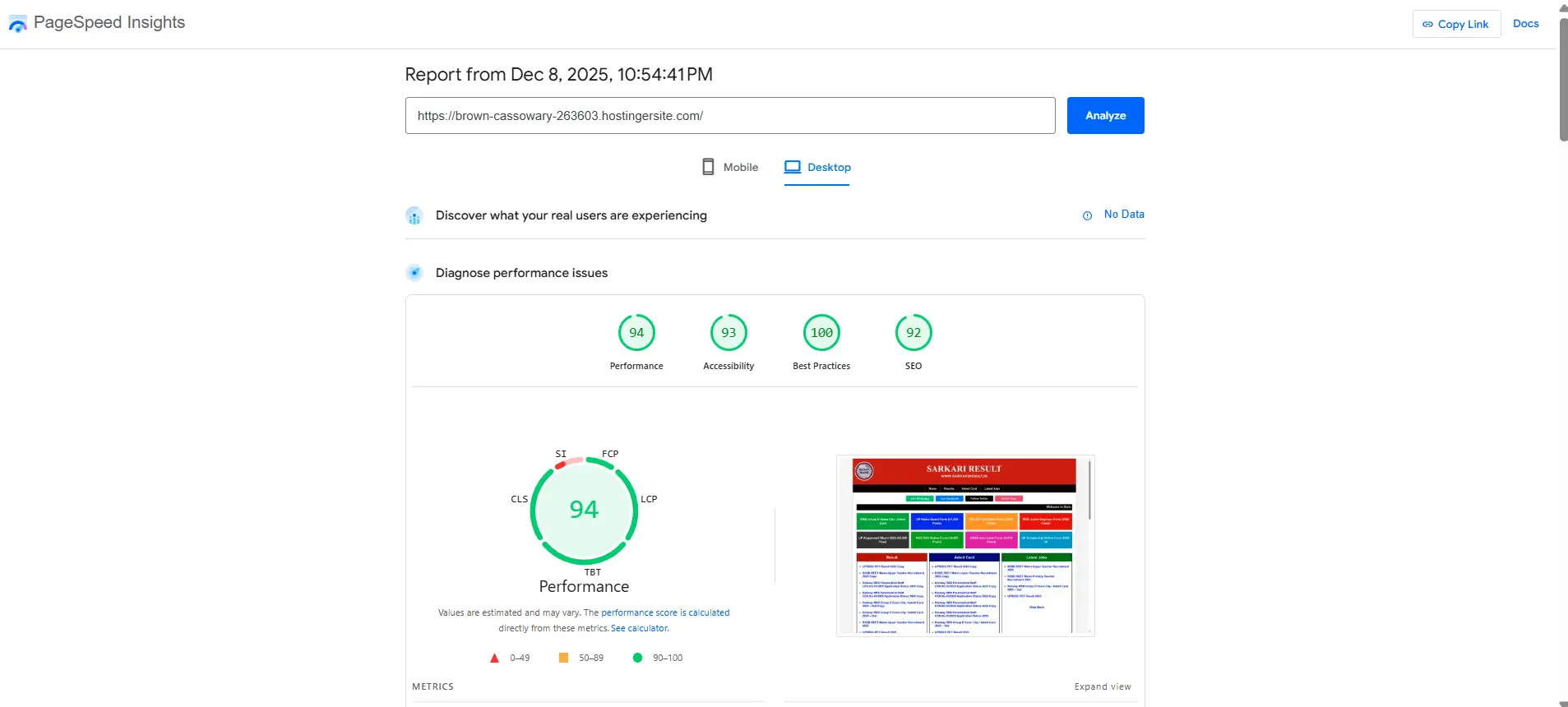
ExamPress Pro is a fast, responsive, and SEO-friendly Job Portal WordPress Theme designed specifically for recruitment agencies, educational institutions, government job boards, exam result websites, and corporate notification platforms.

Built around a high-conversion data grid layout, the theme helps you organize massive amounts of information such as job vacancies, exam results, admit cards, university answer keys, and the latest recruitment notifications in a clean, user-friendly interface.

Whether you are launching a new staffing website or upgrading an existing WordPress employment portal, ExamPress Pro provides a robust, ready-to-use foundation for publishing time-sensitive education and HR-related content.

For a detailed look at the theme's features, setup process, and SEO configuration, read the complete ExamPress Pro setup guide on the WPCodeQuill developer blog.

Build Your Own Professional Job Board Website

ExamPress Pro is engineered for websites that manage high volumes of daily updates. Its structured homepage layout makes it incredibly easy for visitors to find Latest Jobs, Results, Admit Cards, Interview Schedules, and important HR notifications.

The theme automatically organizes selected WordPress categories into dedicated homepage sections, helping you create a familiar, authoritative job portal experience without needing to manually design each section using page builders.

If you are planning a larger data-driven platform with automated job fetching and an independent administration panel, explore our Automated Recruitment PHP Script as an enterprise-level alternative.

Professional Recruitment Grid Layout

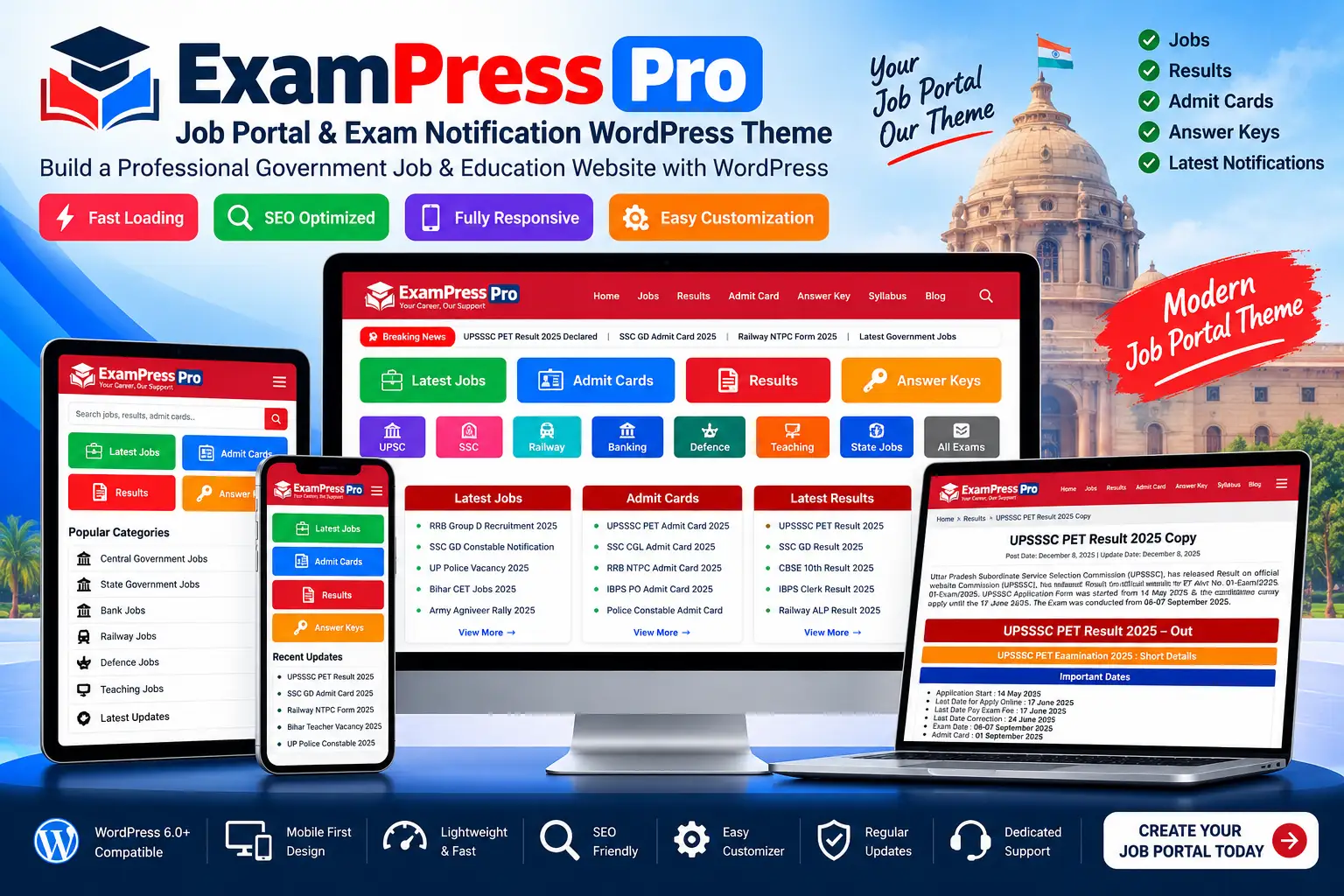
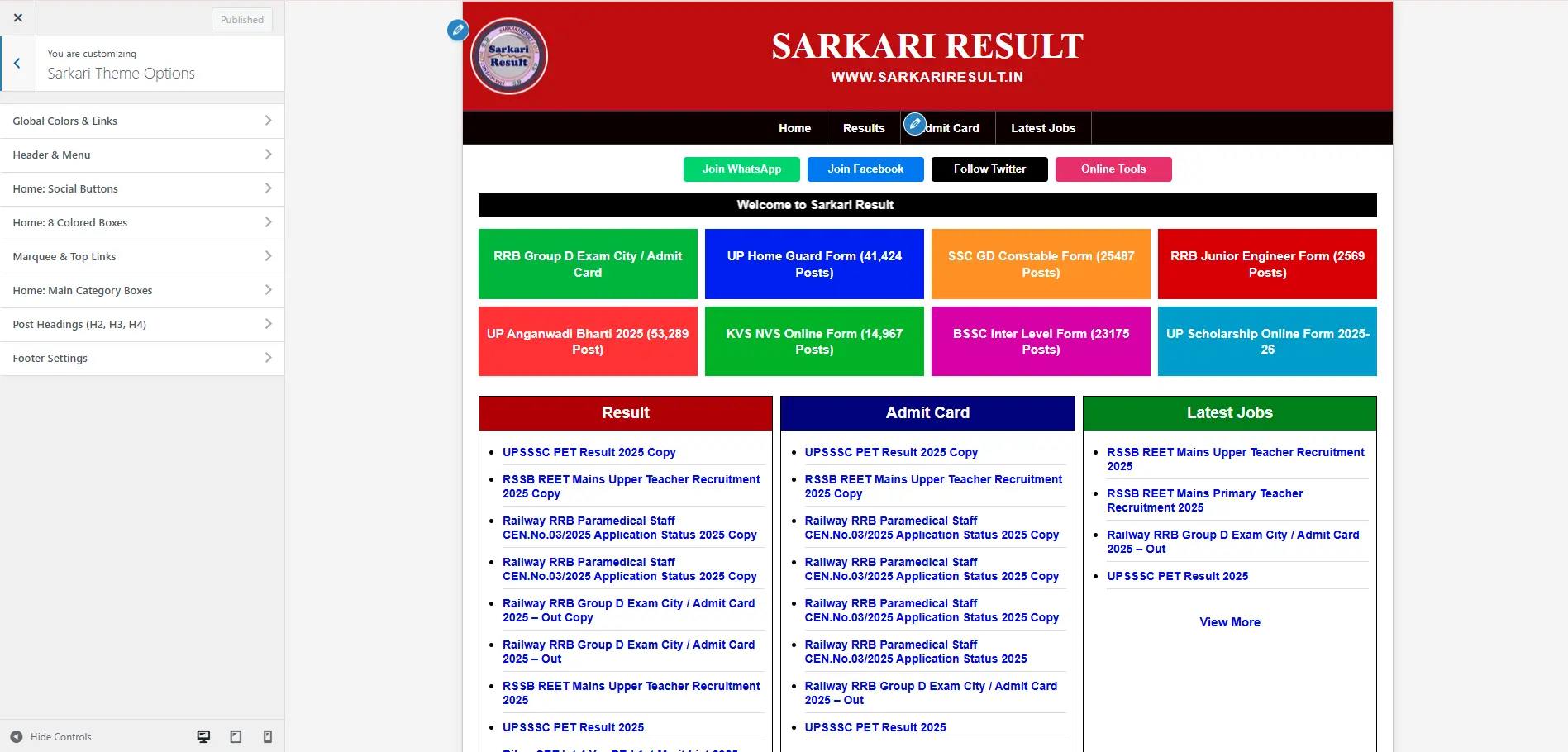
The theme features a dedicated 3-column data-heavy grid layout optimized for categorizing critical updates such as Exam Results, Admit Cards, and New Job Postings.

Simply assign your WordPress category IDs to the homepage settings, and the theme will automatically populate the grid with your latest published posts.

  • Dedicated Results & Merit List section
  • Dedicated Admit Card & Hall Ticket section
  • Dedicated Latest Jobs & Vacancies section
  • Automated category-based content rendering
  • Structured, symmetrical homepage content organization

8-Box Quick Links Grid

Highlight high-priority examinations, massive recruitment drives, or trending educational content with the 8-Box Quick Links Grid.

This highly visible section can be customized to prominently display important categories such as corporate hiring, teaching jobs, railway exams, banking recruitment, or university admissions.

Auto-Colored Post Headings

Save hours of formatting time with the built-in Auto-Colored Heading System. ExamPress Pro automatically styles H2, H3, and H4 headings with predefined, professional visual treatments.

This ensures a consistent visual hierarchy for lengthy job notifications, syllabus breakdowns, and examination criteria without writing custom CSS for every single post.

Mobile-First Responsive Design

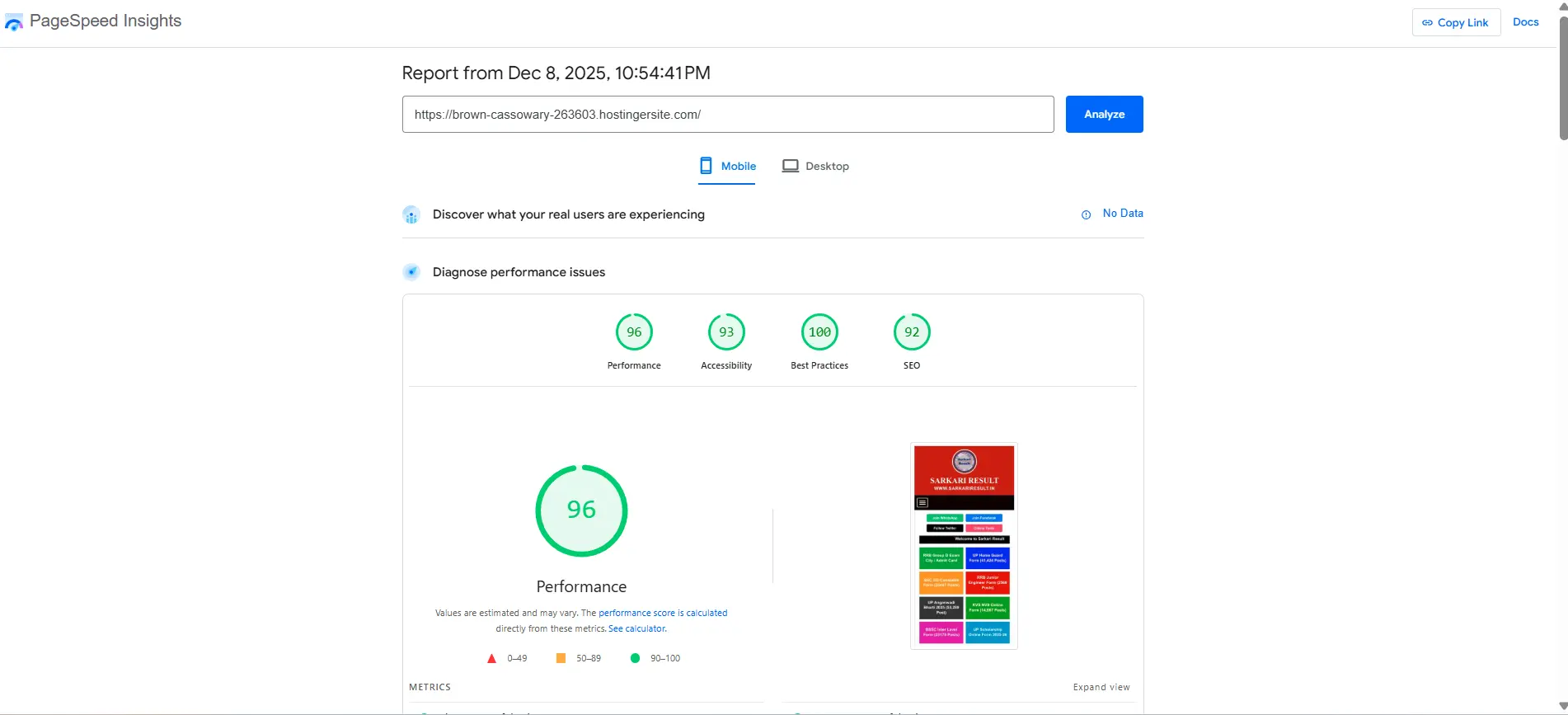
Modern job seekers browse primarily on their phones. ExamPress Pro utilizes a strict mobile-first responsive layout designed to make complex data tables, job requirements, and notification grids easy to read on smartphones, tablets, and desktop displays.

It includes a touch-friendly toggle navigation menu and horizontally scrolling data tables to ensure perfect usability on smaller screens.

Homepage Slider & Advanced Search

Help candidates discover important content instantly with the built-in homepage slider and live search functionality. Feature urgent job openings in the slider while allowing users to query your entire database for specific exams, application forms, or university results.

Scrolling Marquee for Breaking Updates

Display urgent HR announcements and breaking notifications with the built-in scrolling marquee tape. Use it to highlight critical alerts such as application deadlines, sudden exam postponements, interview dates, or server maintenance messages.

Native WordPress Customizer Integration

Customize your job portal directly through the native WordPress Customizer. Configure supported elements including header colors, menu backgrounds, typography, footer text, and social links with live previews—no coding required.

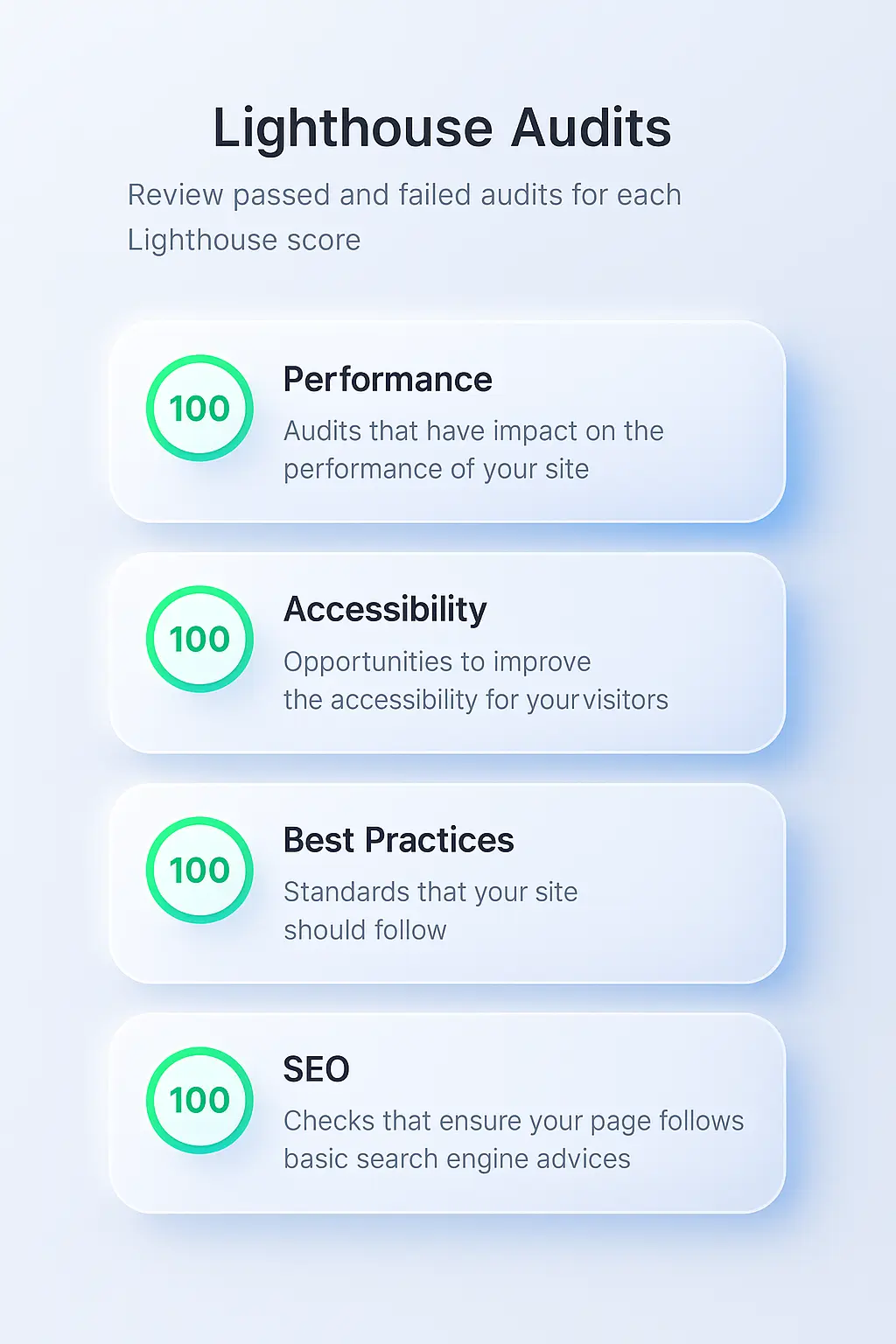
The theme avoids heavy third-party page builders, ensuring your code remains lightweight and your Core Web Vitals remain in the green.

Classic, Modern & SEO-Optimized Layouts

ExamPress Pro includes multiple homepage architectures, including Classic, Modern, and strictly SEO-focused layouts. Choose the structural flow that best aligns with your content publishing strategy.

You can also toggle a boxed-layout design and apply custom hex codes to content boxes to match your agency or institution's branding.

Social Media & Community Integration

Build a loyal audience by leveraging built-in social media integration. Configure dedicated sharing and follow buttons for platforms like WhatsApp, Telegram, Facebook, and Twitter.

This allows job seekers to instantly share vital exam notifications and job vacancies into their private study groups, driving viral organic traffic back to your domain.

SEO-Friendly Foundation for High-Traffic Portals

ExamPress Pro provides a clean HTML5 foundation for building a highly visible SEO-friendly recruitment website. Its category-based URL structure, semantic HTML tags, and clean navigation help search engine crawlers map your site efficiently.

For maximum organic search performance, we recommend pairing ExamPress Pro with an industry-standard SEO plugin like Yoast SEO or Rank Math to inject proper JobPosting and Article structured data.

Explore more WordPress development tutorials and technical SEO guides on the WPCodeQuill Blog to scale your traffic.

Secure API License Protection

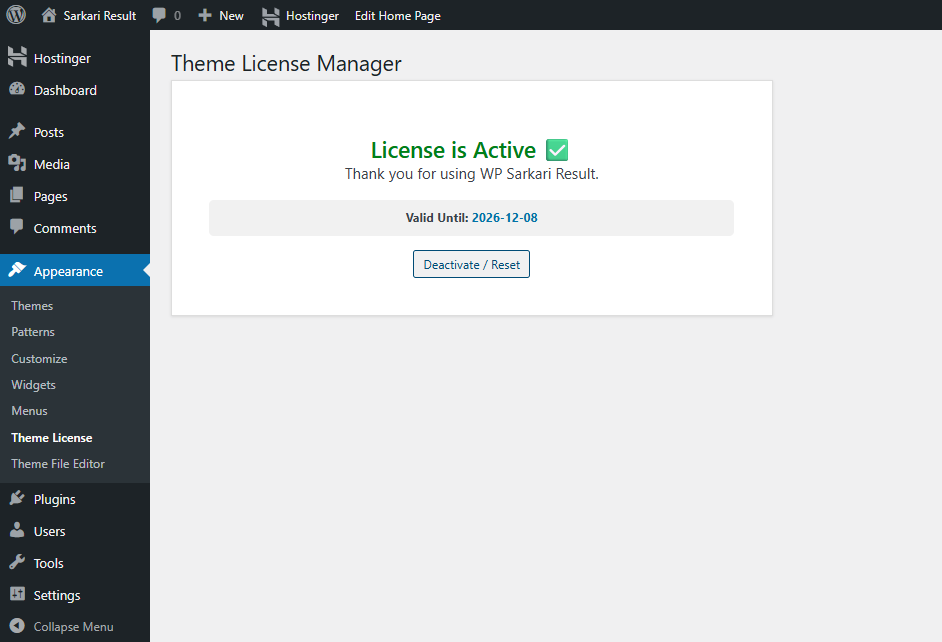
The theme includes a secure, API-based license activation system to validate authorized developers and protect your purchase. Once validated, all premium Customizer functionalities are permanently unlocked.

The license manager is cleanly integrated directly into your WordPress administration dashboard under a dedicated Theme License panel.

Easy WordPress Installation

Deploying ExamPress Pro takes less than two minutes using the standard WordPress installation flow:

  1. Log in to your WordPress administration dashboard.
  2. Navigate to Appearance > Themes.
  3. Click Add New followed by Upload Theme.
  4. Upload the exampress-pro.zip file.
  5. Install and activate the theme.
  6. Go to Appearance > Theme License and enter your WPCodeQuill purchase key.
  7. Navigate to Appearance > Customize to configure your brand colors.
  8. Assign your Result, Admit Card, and Latest Jobs categories to the homepage grid.

Ideal for HR Agencies & Education Portals

ExamPress Pro is the definitive solution for developers, educational bloggers, university administrators, and HR professionals who need to build a professional job board, recruitment directory, or exam notification database.

It is perfectly suited for handling high-frequency updates covering corporate hiring, competitive examinations, merit lists, interview schedules, syllabus breakdowns, and career guidance articles.

Why Choose ExamPress Pro?

  • Recruitment Grid Layout: Organize Results, Admit Cards, and Vacancies in a highly readable 3-column architecture.
  • 8-Box Quick Links: Highlight trending exams and priority recruitment drives.
  • Auto-Colored Headings: Automatically style H2, H3, and H4 tags for perfect typography.
  • Mobile Responsive: Flawless rendering on smartphones, tablets, and 4K displays.
  • Dynamic Slider: Feature urgent job application deadlines prominently.
  • Live Search Functionality: Help visitors instantly query your database.
  • Scrolling Marquee: Broadcast breaking educational news and HR alerts.
  • No Bloat Customizer: Tweak colors and layouts without heavy page builders slowing down your site.
  • Multiple Architecture Templates: Choose from Classic, Modern, or SEO-centric layouts.
  • Social Integration: Native WhatsApp and Telegram sharing buttons.
  • API License Protection: Secure, one-click license activation.

Technical Requirements

  • WordPress: 6.0 or higher
  • PHP: PHP 8.2 or higher for optimal execution speed
  • Database: MySQL 5.6+ or MariaDB equivalent
  • Environment: ionCube Legacy 14.0 Extension
  • License: Valid WPCodeQuill license key required for premium features

Start Your Own Job & Exam Portal Today

If you are looking for a Job Portal WordPress Theme that combines an authoritative data grid layout, mobile responsiveness, lightning-fast load times, and deep categorization, ExamPress Pro is the ultimate foundation for your next project.

For more premium WordPress themes, PHP application scripts, and developer tools, explore the complete WPCodeQuill software marketplace.

Launch a scalable, SEO-optimized recruitment platform today with ExamPress Pro.


System Requirements

Before installing, please ensure your server meets the following criteria:

  • WordPress Version: 6.0 or higher
  • PHP Version: 8.2 or higher
  • PHP Extension: ionCube Legacy (v14.0)
  • MySQL Version: 5.6 or higher
  • License Key: A valid license key from WPCodeQuill is required to activate theme settings.

Installation Instructions

Step 1: Upload & Activate

  1. Log in to your WordPress Admin Dashboard.
  2. Navigate to Appearance > Themes.
  3. Click the Add New button at the top.
  4. Click Upload Theme and select the wp-sarkari-result.zip file.
  5. Click Install Now and then Activate.

Step 2: Activate License

  1. After activation, go to Appearance > Theme License.
  2. Enter your purchase License Key.
  3. Click Activate License. (You will see a green "License is Active" message).
  4. Note: Without activation, the Customizer settings will be locked.

Step 3: Setup Homepage

  1. Go to Settings > Reading.
  2. Under "Your homepage displays", select A static page.
  3. For "Homepage", create a new page named "Home" and select it.
  4. Save Changes.

Step 4: Configure Categories

  1. Go to Posts > Categories and note the ID of your main categories (Result, Admit Card, Jobs).
  2. Go to Appearance > Customize > Sarkari Theme Options > Home: Main Category Boxes.
  3. Enter the correct Category ID for each box (Box 1, Box 2, Box 3).
  4. Click Publish. Your homepage will now automatically show posts from those categories.

Complete Update History

v1.2.0 — 12 December 2025
Added feature
[NEW] Added 3 Templates Classic, Mordarn and SEO Layout ).
[NEW] Added 8-Box colored BG modification.
[NEW] Added Box BG Color manage.
[NEW] Added "Boxed" layout styling.
[NEW] Fixed Customizer Panel for Global Colors, Header, and Footer.
v1.0.0 — 08 December 2025
Initial Release feature
[NEW] Initial Release of ExamPress Pro.
[NEW] Added "Sarkari" style 3-column grid layout (Result, Admit Card, Latest Jobs).
[NEW] Added 8-Box colored grid for top notifications.
[NEW] Integrated License Activation System (API Check & Auto-Reset).
[NEW] Added Mobile-Friendly Hamburger Menu with white toggle button.
[NEW] Added "Boxed" layout styling (1200px max-width).
[NEW] Added Auto-styling for H2, H3, and H4 tags inside posts.
[NEW] Added Customizer Panel for Global Colors, Header, and Footer.
[NEW] Added Marquee scrolling text support.

Frequently Asked Questions

ExamPress Pro is a WordPress theme designed for Sarkari Result, government job, admit card, exam result, answer key, and educational information websites.
Yes. The theme provides dedicated sections for Latest Jobs, Results, and Admit Cards and can display posts based on your selected WordPress categories.
Yes. The theme features a responsive, mobile-friendly design that adapts to smartphones, tablets, laptops, and desktop computers.
Yes. ExamPress Pro Pro includes WordPress Customizer options for supported colors, header, menu, footer, social links, and other design settings. It also provides multiple layout options.
ExamPress Pro requires WordPress 6.0 or higher, PHP 8.2 or higher, MySQL 5.6 or higher, and ionCube Loader 14.0 or higher. A valid WPCodeQuill license key is required for theme activation.
ramesh82 Verified buyer 31 Mar 2026
ye WordPress theme sach me Excellent work kar raha hay, and Support bhi badiya hay.
Admin reply:
Thank you so much, Ramesh82! We’re thrilled to hear you had a great experience with WPCodeQuill. Your support motivates us to keep delivering the best WordPress plugins, Themes, PHP Scripts and services. If you ever need assistance or have suggestions, we’re always here to help.
Please login to submit a review.
Need Help?

Our dedicated support team is available 24/7 to assist you.

Contact Support

1,000+

Happy Customers

100%

Safe & Secure Checkout

100%

Secure Product

24/7

Dedicated Support

Trusted by WordPress Professionals
and Site Owners Worldwide