Limited Time 🎉 Launch Offer – Save 45% on your first purchase. Use code NEWUSER
WPCodeQuill - Digital Marketplace for PHP Scripts and Themes
★★★★★ Trusted by 1000+ Users
Instant Download
Secure Payments
Lifetime Updates
Verified Code
24/7 Support
WPCodeQuill
Login / Register
Trending Product

QuillMusic – MP3 Music WordPress Theme

QuillMusic – No1 MP3 & Music Download WordPress Theme

5.0 (1 Reviews)
|
34+ sales
|
Verified Author
₹2,868.00 ₹1,089.84

Why Choose QuillMusic – MP3 Music WordPress Theme?

Responsive music grid

Mobile-friendly interface

Modern card-based design

Google Love SEO friendly

How It Works

01
Log in
Log in your WordPress administration dashboard. Go to Appearance > Themes > Add New.
02
Upload Theme:
Upload the quillmusic-wordpress-theme.zip file. Install and activate the theme.
03
Theme License
Open the Theme License section and enter your valid license key.
Live Screenshots
QuillMusic – MP3 Music WordPress Theme

QuillMusic – No1 MP3 & Music Download WordPress Theme
Changelog
v1.2.1 - 05 Jul 2026

Fixed: Auto Songs Details Fetching. Fixed: Fix Homepage Category.

v1.1.0 - 24 Mar 2026

Fixed: Song External Upload Problems. Fixed: Custom MP3 Meta Box Singer. Fixed: Auto-fetch ID3 tags when uploading MP3 files. Fixed: Fix more UI CSS Style.

v1.2.0 - 24 Mar 2026

Fixed: Songs upload and download. Fixed: Fix more issues.

View Full Changelog
FAQ
1. What is QuillMusic Theme?
2. Can I upload MP3 files and automatically detect song information?
3. Can I add an external MP3 URL?
4. Is WP QuillMusic Theme mobile and SEO friendly?
View All FAQs

QuillMusic – MP3 Music WordPress Theme

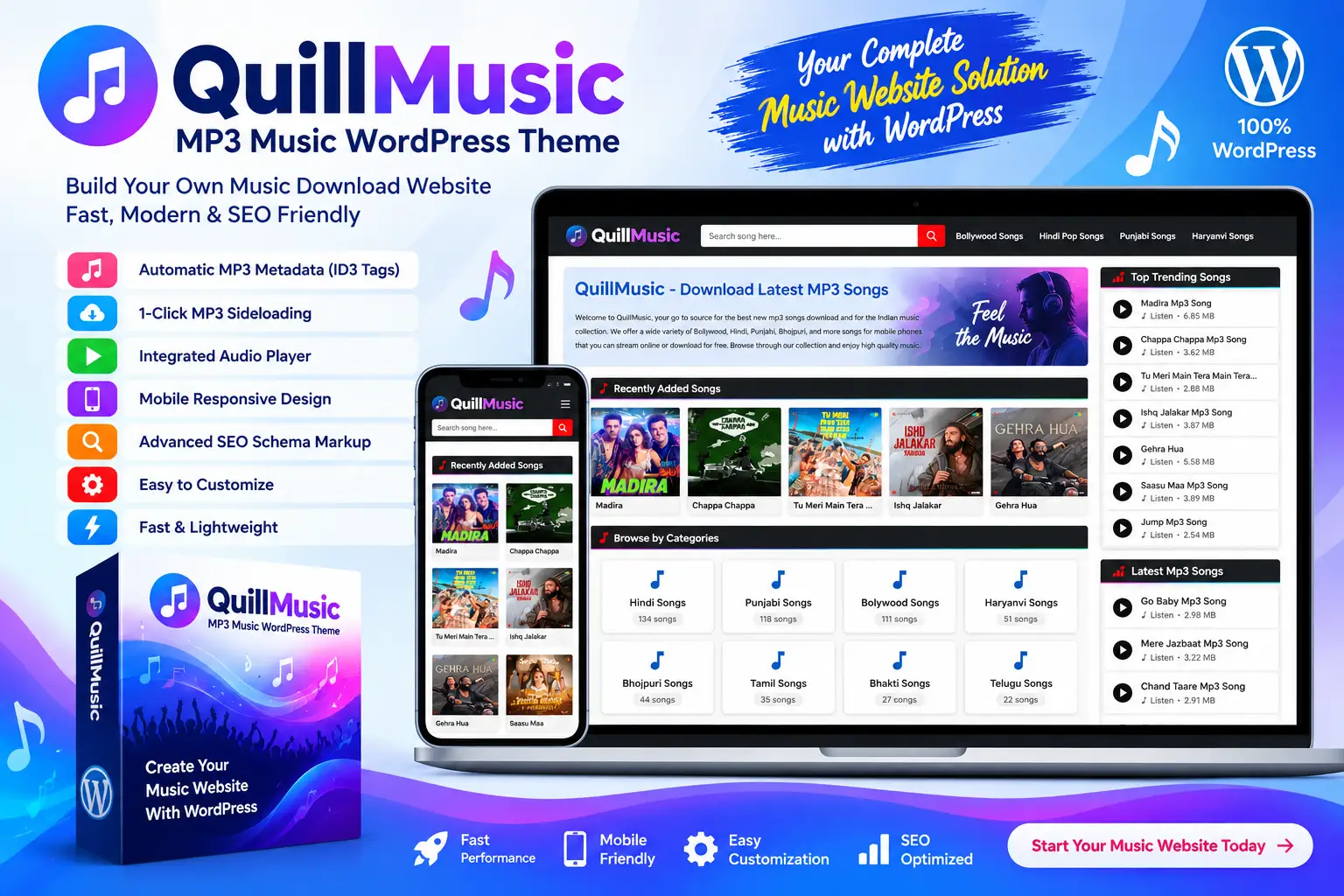
QuillMusic is a fast, lightweight, mobile-first MP3 Music WordPress Theme designed for music portals, song websites, music blogs, artists, DJs, and entertainment platforms. It provides a modern interface, responsive music layouts, automatic MP3 metadata extraction, external MP3 importing, an integrated audio player, and advanced SEO Schema markup.

With QuillMusic, you can build a professional music website where publishing and organizing songs is simple and efficient. Upload an MP3 file or provide an external MP3 URL, and the theme can automatically process available audio information to reduce repetitive manual data entry.

Live Demo

Experience QuillMusic in action. Explore the modern front-end music layout and the WordPress administration features included with the theme.

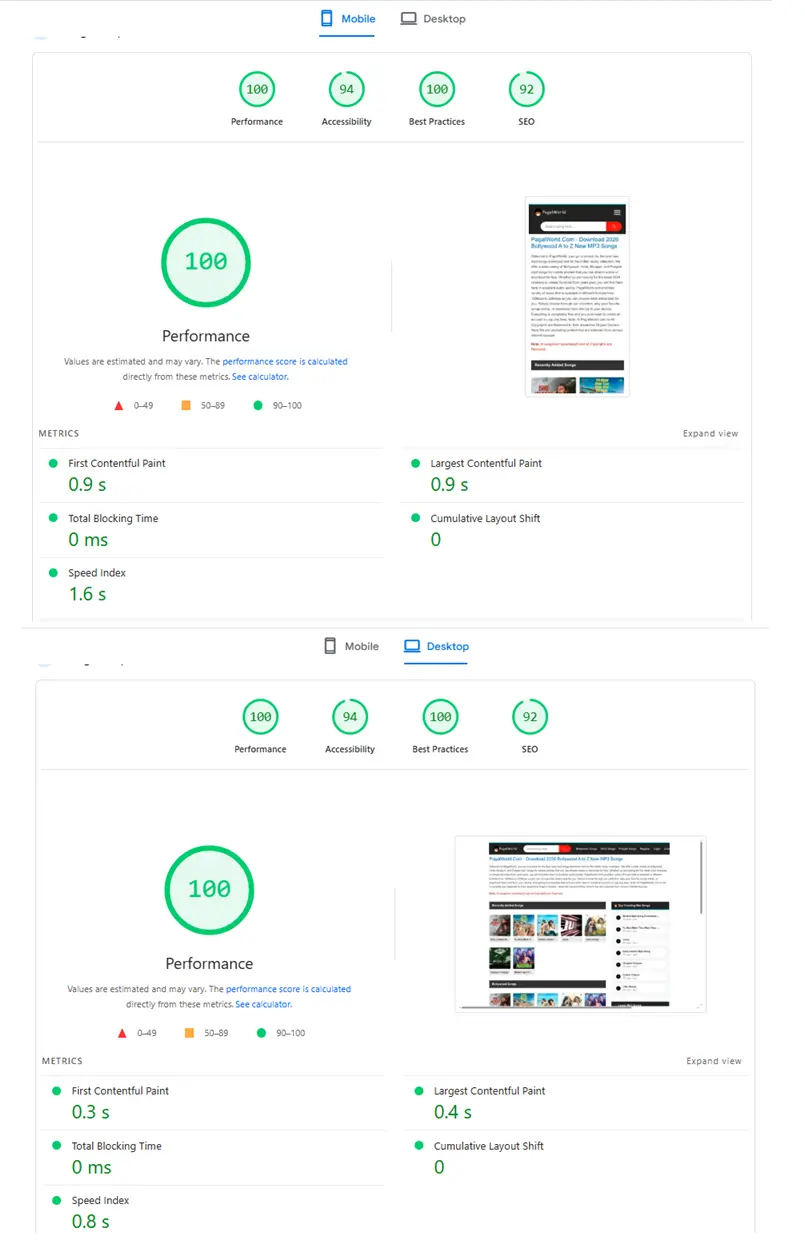
QuillMusic WordPress Theme Speed Test Results

Build Your Own MP3 Music Website

Create a modern MP3 music portal with WordPress without developing the complete music interface from scratch. QuillMusic is designed specifically for websites that publish and organize songs, albums, artists, and other music-related content.

Its responsive layout helps visitors browse your music content across smartphones, tablets, laptops, and desktop computers while maintaining a clean and modern experience.

1-Click MP3 Sideloading

Save time when adding external music files with the built-in MP3 Sideloading feature. Paste an external MP3 URL and QuillMusic can automatically download the file to your server in the background.

If you prefer not to store the file locally, the external URL can also be used according to your configured workflow. Always make sure you have the necessary rights or permission to host and distribute the audio files you use.

Automatic ID3 Tag Detection

QuillMusic includes a Smart ID3 Tag Auto-Fill system that reads available metadata from uploaded MP3 files. This can automatically populate information such as the singer, album, and track title.

This makes publishing music faster and helps keep song information more consistent across your website.

  • Automatic track title detection
  • Automatic singer information
  • Automatic album information
  • MP3 metadata extraction
  • Reduced manual data entry

Custom Song Details & MP3 Meta Box

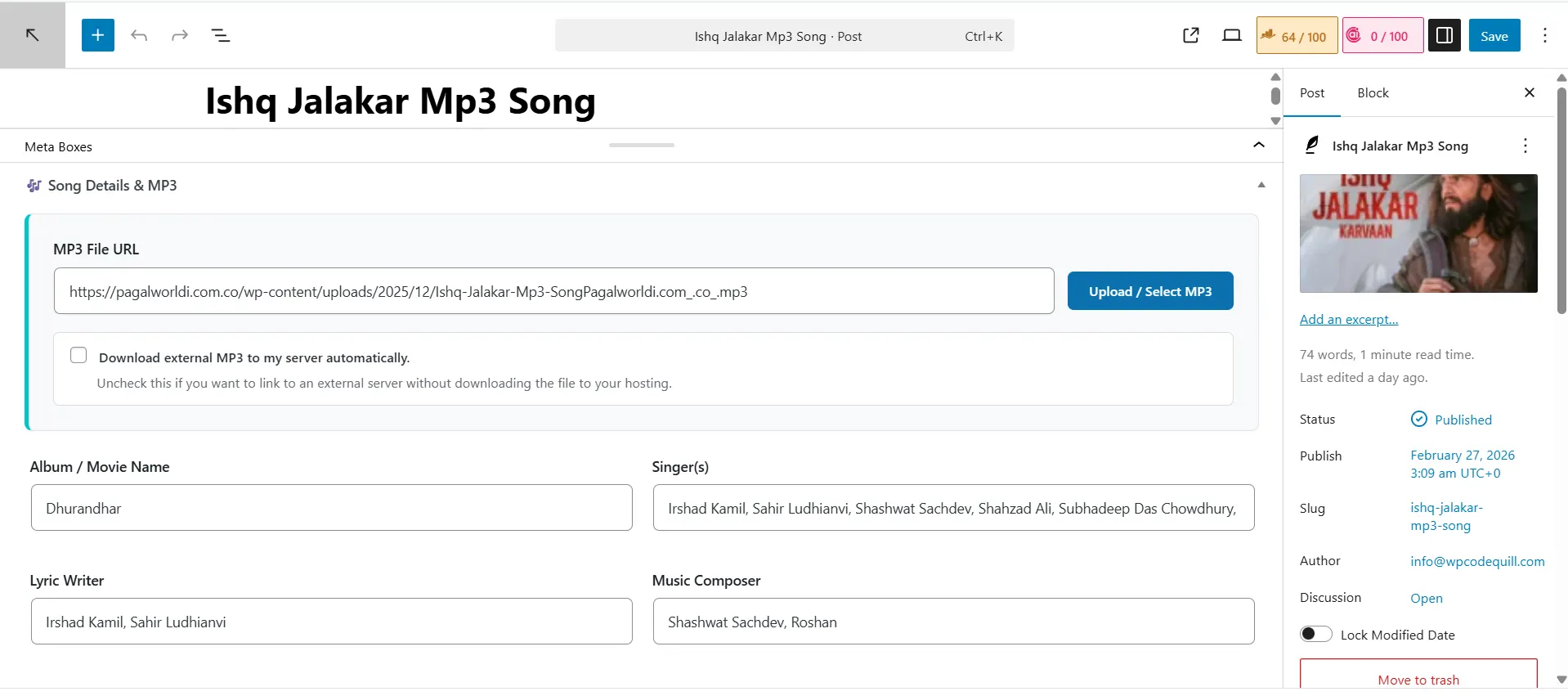
Manage important music information through the dedicated Song Details & MP3 meta box. Add structured information such as album, singer, lyricist, composer, and MP3 source directly from the WordPress post editor.

This makes QuillMusic especially useful for websites publishing large numbers of songs where consistent content formatting is important.

Integrated Inline Audio Player

Keep visitors engaged with the built-in inline audio player. Visitors can preview available tracks directly from your website without needing to leave the current page.

The integrated player provides a convenient way to let users listen to music previews while browsing your song content.

Advanced SEO Schema Markup

QuillMusic includes structured SEO Schema markup designed specifically for music websites. The theme supports structured data such as MusicRecording, BreadcrumbList, WebSite, SearchAction, and CollectionPage schema.

This gives search engines additional structured information about your website and music content. For the best SEO results, combine the theme with original, useful content, descriptive titles, optimized images, and a properly configured SEO strategy.

Modern Responsive Music Design

QuillMusic includes a modern card-based interface with a responsive 5-column Flexbox music grid. The layout adapts to different screen sizes so visitors can browse songs comfortably on desktop, tablet, and mobile devices.

  • Responsive music grid
  • Mobile-friendly interface
  • Modern card-based design
  • Desktop and tablet support
  • Mobile sidebar navigation
  • Fluid responsive layouts

WordPress Theme Customizer

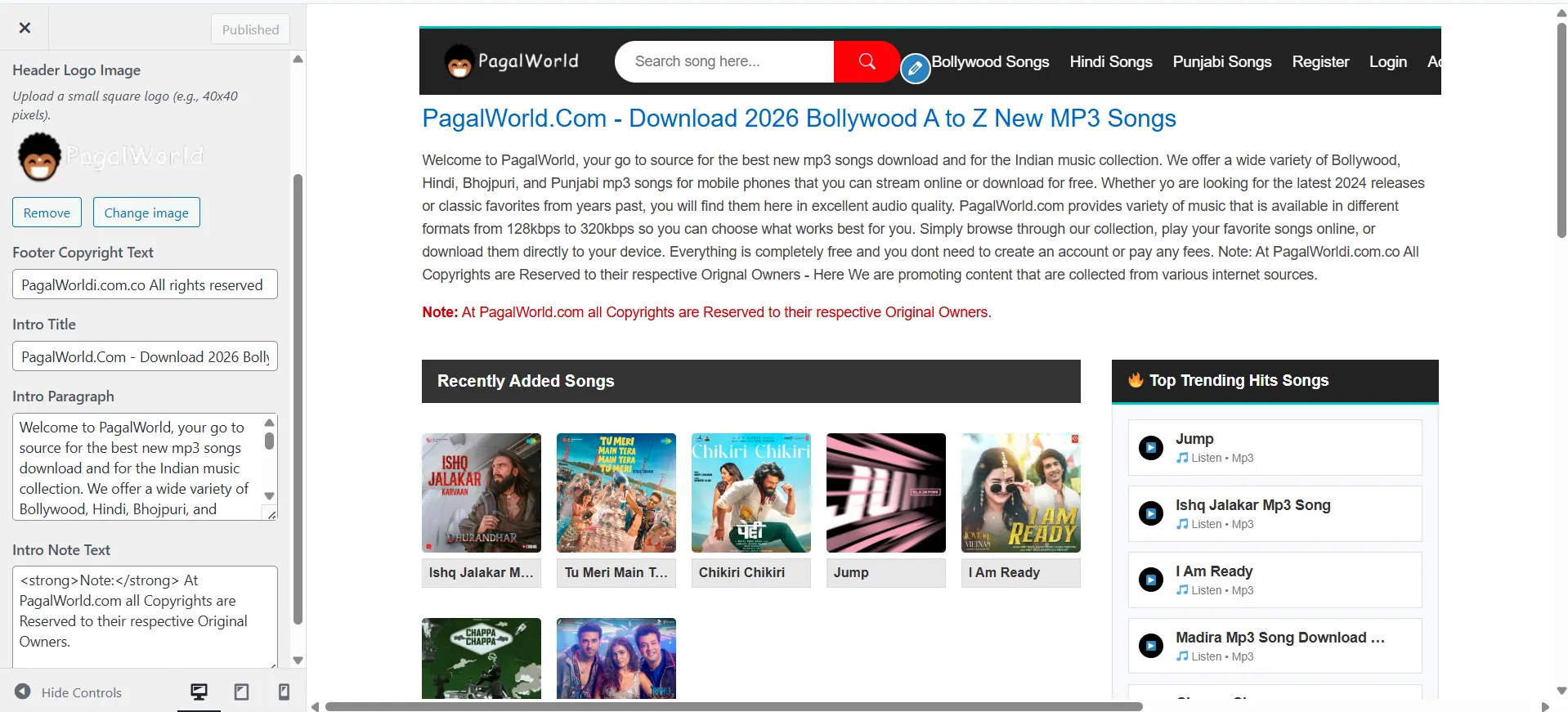
Customize important parts of your website directly from the WordPress Customizer without editing theme files manually.

You can configure your website logo, homepage introduction text, footer copyright text, and other supported theme options from the familiar WordPress customization interface.

Powerful Music Publishing Workflow

Publishing songs is designed to be straightforward. Create a new WordPress post, open the custom Song Details & MP3 section, upload your audio file or add an external URL, and configure the available song information.

The combination of MP3 metadata detection and dedicated music fields helps reduce repetitive work when publishing a large music library.

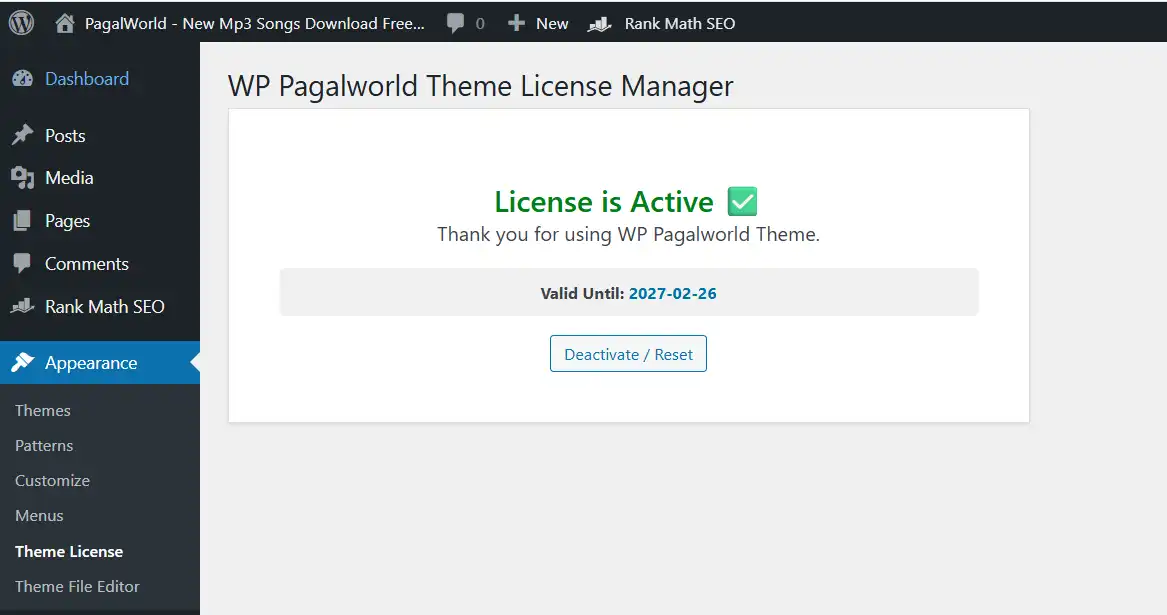
License Protection System

QuillMusic includes a built-in API-based license verification system for authorized installations. License activation is available through the dedicated Theme License section in the WordPress administration dashboard.

Premium features can be unlocked after entering a valid activation key associated with your purchase.

Easy WordPress Installation

Installing QuillMusic uses the standard WordPress theme installation process.

  1. Log in to your WordPress administration dashboard.
  2. Go to Appearance > Themes > Add New.
  3. Upload the QuillMusic theme ZIP file.
  4. Install and activate the theme.
  5. Open the Theme License section.
  6. Enter your valid license key.
  7. Go to Appearance > Customize to configure the theme.
  8. Create a new post and use the Song Details & MP3 box to publish your music content.

Ideal for Music Portals & Entertainment Websites

QuillMusic is suitable for developers, music publishers, artists, DJs, entertainment bloggers, and website owners who want to create a dedicated music download or music publishing website with WordPress.

It can be used for websites publishing legally authorized music, independent releases, promotional tracks, music previews, artist content, licensed audio, and other legitimate music resources.

Why Choose QuillMusic?

  • Built specifically for music and MP3 websites.
  • Mobile-first responsive design.
  • Modern 5-column Flexbox music grid.
  • Automatic MP3 ID3 metadata extraction.
  • 1-click external MP3 sideloading.
  • Dedicated Song Details & MP3 meta box.
  • Integrated inline audio player.
  • Advanced MusicRecording Schema markup.
  • BreadcrumbList and WebSite SearchAction schema.
  • Responsive mobile sidebar navigation.
  • WordPress Customizer integration.
  • Custom logo and homepage introduction options.
  • Footer copyright customization.
  • Built-in license verification system.
  • Designed for WordPress 6.0+.
  • PHP 8.2+ recommended.

Technical Requirements

  • WordPress: 6.0 or higher
  • PHP: 8.2 or higher recommended
  • PHP Extension: ionCube Loader 14.0
  • Hosting: Standard Linux, cPanel, or hPanel hosting environment
  • JavaScript: jQuery

Start Your Own Music Website

If you are looking for a fast MP3 Music WordPress Theme with automatic ID3 tag detection, external MP3 importing, an integrated audio player, responsive music layouts, and advanced music-focused Schema markup, QuillMusic provides a ready-to-use foundation for your website.

Build, organize, publish, and showcase your music content with QuillMusic for WordPress.


System Requirements


Installation Instructions

Instructions (Quick Setup)

  1. Install: Go to your WordPress Dashboard > Appearance > Themes > Add New. Upload the wp-pagalworld-theme.zip file and click Activate.

  2. Activate License: Navigate to "Theme License" in your dashboard menu and enter your activation key to unlock premium features.
  3. Customize: Go to Appearance > Customize to easily upload your site logo, update your homepage intro, and modify your footer text.
  4. Add Songs: Go to Posts > Add New. Scroll down to the custom "🎶 Song Details & MP3" box. Upload an MP3 or paste an external URL, and let the theme do the heavy lifting!

Complete Update History

v1.2.1 — 05 July 2026
Fixing fix
Fixed: Auto Songs Details Fetching.
Fixed: Fix Homepage Category.
v1.1.0 — 24 March 2026
Fixing fix
Fixed: Song External Upload Problems.
Fixed: Custom MP3 Meta Box Singer.
Fixed: Auto-fetch ID3 tags when uploading MP3 files.
Fixed: Fix more UI CSS Style.
v1.2.0 — 24 March 2026
Fixing fix
Fixed: Songs upload and download.
Fixed: Fix more issues.
v1.0.0 — 05 February 2026
Initial Release feature
Initial Release.
Added: Modern 5-column Flexbox card layout for homepage, categories, and search results.
Added: Custom MP3 Meta Box with fields for Album, Singer, Lyricist, and Composer.
Added: Auto-fetch ID3 tags when uploading MP3 files.
Added: External MP3 Sideloading (Auto-download external MP3s to local server).
Added: Integrated inline audio player in the sidebar for quick previews.
Added: Advanced SEO Schema Markup (WebSite Search Action, CollectionPage, MusicRecording, and Breadcrumbs).
Added: WordPress Customizer integration for Header Logo, Footer Text, and Homepage Intro text.
Added: Built-in License Manager with auto-verification and customizer protection.
Added: Fully responsive mobile sidebar menu and fluid grids.

Frequently Asked Questions

WP QuillMusic Theme is a fast, mobile-first WordPress theme designed for music websites, MP3 portals, song websites, and entertainment platforms. It provides a modern music-focused layout and tools that make publishing songs easier.
Yes. The theme includes an MP3 auto-fetcher and ID3 tag reader that can help retrieve available audio metadata, reducing the amount of manual information you need to enter when publishing songs.
Yes. From the Song Details & MP3 section, you can upload an MP3 file or provide an external MP3 URL when creating a song post.
Yes. The theme is designed with a mobile-first interface and includes music-focused SEO Schema markup to provide search engines with structured information about your music content.
The theme requires WordPress 6.0 or higher, PHP 8.2 or higher, ionCube Legacy 14.0, and a standard Linux/cPanel/hPanel hosting environment.
ramesh82 Verified buyer 31 Mar 2026
Bohot badiya hay ye theme song publish me bohot easy hay.
Admin reply:
Thank you so much, Ramesh82! We’re thrilled to hear you had a great experience with WPCodeQuill. Your support motivates us to keep delivering the best WordPress plugins, Themes, PHP Scripts and services. If you ever need assistance or have suggestions, we’re always here to help.
Please login to submit a review.
Need Help?

Our dedicated support team is available 24/7 to assist you.

Contact Support

1,000+

Happy Customers

100%

Safe & Secure Checkout

100%

Secure Product

24/7

Dedicated Support

Trusted by WordPress Professionals
and Site Owners Worldwide