
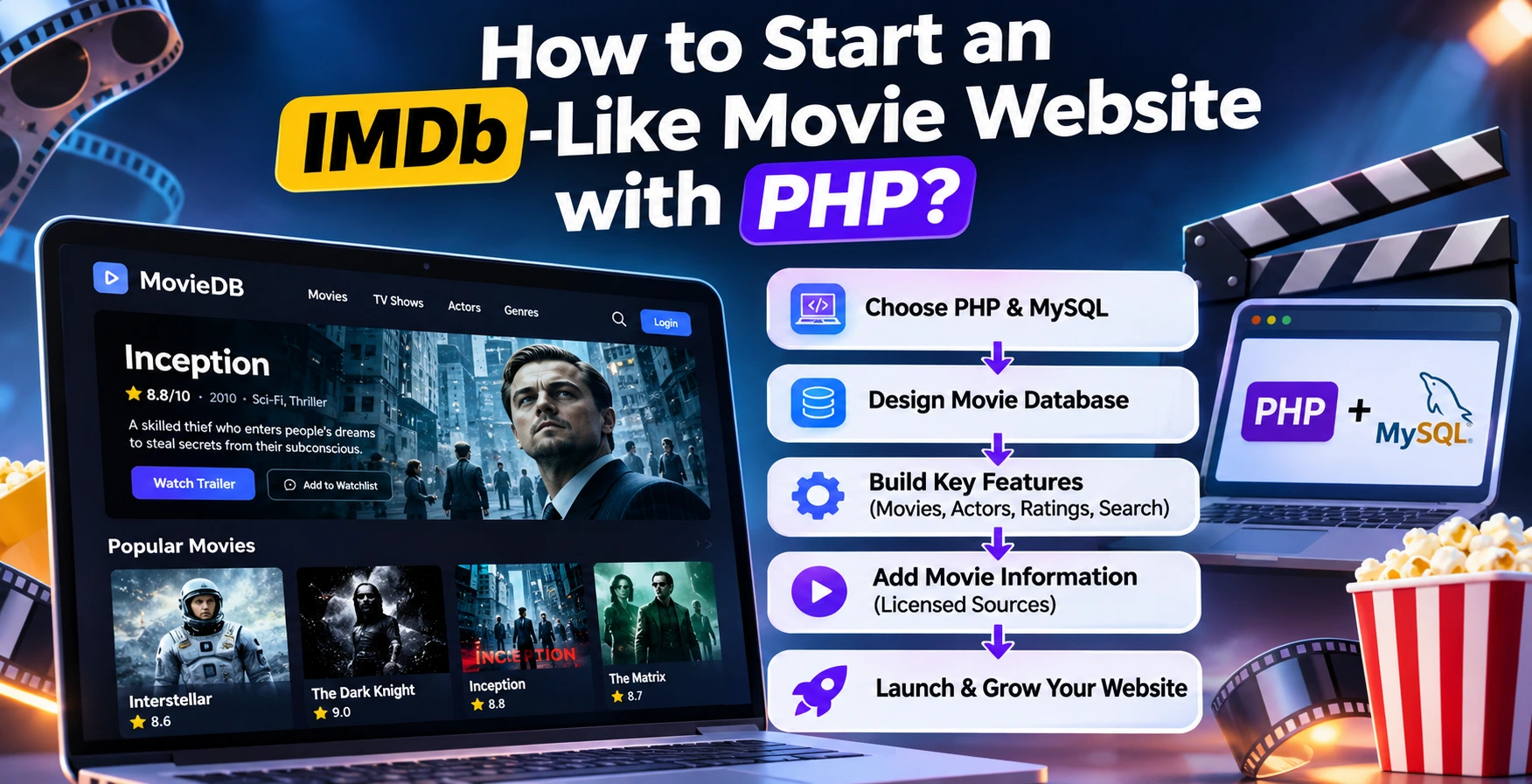
How to Start Your Own Movie Database Website Like IMDb Using a PHP Script
Have you ever thought about creating your own movie website where visitors can explore films, discover actors, read movie descriptions, check ratings, and find information about upcoming releases? Building an independent movie information website is possible without developing every feature from scratch.
With PHP, MySQL, and a suitable website management system, you can create a movie portal that organizes film information, categories, images, release dates, and other useful details. You can also expand it with search functionality, user reviews, ratings, and movie discovery features.
If you are planning to launch your own movie database website like IMDb, this guide explains the technology, development requirements, database structure, hosting considerations, monetization opportunities, and important copyright rules.
1. What Is a Movie Database Website?
A movie database website is an online platform that organizes information about films and makes it accessible through searchable pages. Popular examples include IMDb and The Movie Database (TMDB).
Instead of publishing only entertainment news, a movie database provides structured information about individual movies, actors, directors, production companies, genres, and release dates.
A well-designed movie information platform may include:
- Movie titles and descriptions.
- Movie posters and promotional images.
- Release dates and running times.
- Genres and categories.
- Actor and director profiles.
- Movie ratings and user reviews.
- Trailers and officially authorized video links.
- Search and filtering functionality.
- Upcoming movie information.
- Related movies and recommendations.
The objective is to help visitors discover information about films through an organized and easy-to-use interface.
2. Why Start Your Own Movie Website?
The entertainment industry attracts audiences interested in different types of content, including Hollywood, Bollywood, regional cinema, documentaries, and international films.
Creating your own movie website allows you to focus on a particular audience instead of competing with every large entertainment platform.
Choose Your Movie Website Niche
Before purchasing software or hosting, decide what type of movie website you want to operate.
- Movie information website: Publish movie details, cast information, release dates, and descriptions.
- Movie review website: Publish original reviews, ratings, recommendations, and editorial opinions.
- Movie news portal: Cover film announcements, entertainment news, and upcoming releases.
- Regional cinema database: Focus on Bengali, Hindi, Tamil, Telugu, or other regional film industries.
- Movie discovery platform: Help users discover films through genres, actors, ratings, and recommendations.
Starting with a specific niche can make it easier to develop useful content and establish a recognizable website identity.
3. What Technology Do You Need to Build an IMDb-Like Website?
PHP and MySQL are practical technologies for building a custom movie information platform. They allow developers to create dynamic pages, store structured information, manage users, and build administrative functionality.
PHP
PHP handles the server-side functionality of your website. It can process search requests, retrieve movie information, authenticate users, and generate dynamic pages.
MySQL or MariaDB
A database stores your movie records and related information. A properly designed database makes it easier to manage thousands of movie entries and retrieve information efficiently.
HTML, CSS, and JavaScript
These technologies help create the website interface. You can use them to develop responsive movie cards, search interfaces, navigation menus, filters, and interactive elements.
Recommended Technology Stack
| Technology | Purpose |
|---|---|
| PHP 8.2+ | Backend development |
| MySQL / MariaDB | Database management |
| HTML5 | Page structure |
| CSS3 | Website design |
| JavaScript | Interactive features |
| Apache / Nginx | Web server |
| SSL certificate | HTTPS security |
4. Essential Features of an IMDb-Like Movie Database
A movie database should offer more than a collection of posters and descriptions. Its information architecture and search functionality are important parts of the user experience.
Movie Management System
Administrators should be able to create, edit, publish, and organize movie records. Each movie should have its own dedicated page containing relevant information.
Recommended movie fields include:
- Movie title and original title.
- Release date and country.
- Movie description and synopsis.
- Genre and language.
- Director and production company.
- Cast and crew information.
- Movie poster and permitted artwork.
- Runtime and age classification.
- Official trailer URL.
- External reference identifiers.
Actor and Director Profiles
Create separate profile pages for actors, directors, writers, and other film professionals. These profiles can display biographies and their associated movie credits.
Movie Search and Filters
Visitors should be able to search for films by title and filter results by genre, release year, language, or other relevant attributes.
User Reviews and Ratings
Allow registered visitors to submit original reviews and ratings. Consider moderation, duplicate submissions, spam protection, and clear rating methodology.
Related Movies
Recommend related movies based on genre, actors, directors, or other verified relationships. This can help visitors discover additional content.
5. How to Design a Movie Database Using MySQL
Database design is one of the most important parts of developing an IMDb-style website. Avoid placing all movie information in one large database table.
Instead, use separate tables for different types of information and connect them through unique identifiers.
Suggested Database Structure
| Database table | Purpose |
|---|---|
| movies | Stores movie information. |
| actors | Stores actor profiles. |
| directors | Stores director information. |
| genres | Stores movie categories. |
| movie_cast | Connects movies with actors. |
| movie_genres | Connects movies with genres. |
| reviews | Stores visitor reviews. |
| ratings | Stores individual user ratings. |
| users | Stores registered user accounts. |
Example: Movie Database SQL Structure
The following is a simplified example of a movie table for a custom PHP application.
CREATE TABLE movies (
    id BIGINT UNSIGNED AUTO_INCREMENT PRIMARY KEY,
    title VARCHAR(255) NOT NULL,
    original_title VARCHAR(255),
    slug VARCHAR(255) NOT NULL UNIQUE,
    release_date DATE,
    runtime_minutes SMALLINT UNSIGNED,
    language VARCHAR(100),
    description TEXT,
    poster_url VARCHAR(500),
    created_at TIMESTAMP DEFAULT CURRENT_TIMESTAMP,
    updated_at TIMESTAMP DEFAULT CURRENT_TIMESTAMP
        ON UPDATE CURRENT_TIMESTAMP
);
This is only a starting point. A complete movie database should also include properly indexed relationship tables, foreign keys, validation, and suitable storage for external identifiers.
6. How to Get Movie Information and Metadata
One of the biggest challenges when starting a movie database website is obtaining accurate movie information and images.
You should use authorized data sources instead of copying movie information or downloading images from other websites without permission.
Option 1: Use TMDB API
The Movie Database (TMDB) API documentation explains how developers can retrieve movie, television, and people information programmatically.
Its API can help populate movie information such as titles, descriptions, release information, and artwork, subject to its applicable terms and licensing requirements.
Important considerations:
- Create an account and obtain the appropriate API credentials.
- Review the current API terms before using its data.
- Follow the required attribution and branding rules.
- Contact TMDB regarding commercial licensing if your website generates revenue.
- Cache responses appropriately and respect API rate limits.
TMDB states that its free API usage is for non-commercial purposes with attribution. Commercial projects require the appropriate licensing arrangement.
Official resource: TMDB API FAQ.
Option 2: Create Your Own Movie Database
You can manually create movie entries using information you have permission to publish. This approach gives you greater editorial control and allows you to focus on a specific film industry or regional audience.
Option 3: Obtain Licensed Data
If you want to operate a commercial movie database at a larger scale, consider purchasing data or image licensing from an authorized provider.
Do not assume that publicly accessible movie information or downloadable datasets can automatically be used for commercial purposes.
Can You Use IMDb Data?
IMDb provides datasets for limited personal and non-commercial use under specific conditions. Its documentation restricts commercial reuse and the creation of republished movie databases using those datasets.
Read the official IMDb data usage policy before considering its datasets.
7. How to Build Your Movie Website Step by Step
Once you have selected your website concept and technology, follow these steps to launch your platform.
Step 1: Choose a Domain Name
Select a memorable domain name that reflects your movie website's identity. Avoid names that could imply an official connection with IMDb or another established entertainment brand.
Step 2: Purchase Suitable Web Hosting
Choose hosting that supports your PHP version, database requirements, storage needs, and expected traffic.
For a small project, compatible shared hosting may be sufficient. A larger database with frequent API requests and image delivery may eventually require VPS or managed cloud hosting.
Compare available plans and specifications through the WPCodeQuill hosting offers page. Always verify current prices and server specifications with the hosting provider.
Step 3: Configure PHP and MySQL
Set up your hosting environment, create a database, configure PHP, enable HTTPS, and verify that the required extensions are available.
Step 4: Install Your PHP Website Script
You can choose between custom development and a ready-made PHP application.
Custom development is suitable when you require a specialized relational movie database, advanced search, actor relationships, and custom rating functionality.
A ready-made movie portal script can provide a quicker starting point for managing categories, content, advertising, and downloadable files. However, verify that the software actually includes the database features you require.
Step 5: Design Your Homepage
Create a clean homepage with:
- Search bar.
- Featured movie sections.
- Popular movie categories.
- Recently added movie records.
- Upcoming movie information.
- Recommended movie collections.
Step 6: Add Movie Information
Start with a small collection of accurately researched and properly licensed movie records. Make sure every entry has useful information and a unique URL.
Step 7: Configure Search Engine Optimization
Provide descriptive page titles, useful meta descriptions, readable URLs, appropriate structured data, canonical URLs, and XML sitemaps.
Step 8: Test Before Launch
Check the website on mobile and desktop devices. Test search, navigation, forms, database queries, page loading, HTTPS, and administrative permissions.
8. Movify: A Ready-Made Movie Portal PHP Script from WPCodeQuill
If your goal is to launch a movie portal without developing every content-management feature from the beginning, you can explore ready-made PHP solutions.
Movify – Movie Portal PHP Script with Admin Panel is a product developed by WPCodeQuill for managing movie-oriented content websites.
It provides a PHP-based website management framework with content organization, advertising management, SEO configuration, download tracking, and an administrative dashboard.
Movify Features
- Content Management: Manage uploaded files, categories, folders, and website content.
- SEO Manager: Configure global SEO templates, dynamic placeholders, and SEO-friendly URLs.
- XML Sitemap: Generate a sitemap for supported website content.
- Advertising Management: Configure up to ten advertising placements.
- Download Tracking: Monitor downloads with AJAX-powered counters.
- Admin Dashboard: Manage website settings through a centralized administration interface.
- Brand Customization: Configure website branding, colors, logos, and supported image watermarks.
- System Monitoring: Monitor selected server resources and PHP extension compatibility.
Movify Technical Requirements
| Requirement | Specification |
|---|---|
| PHP | 8.2 or higher |
| Database | MySQL 5.7+ / MariaDB |
| GD Library | Required |
| mysqli | Required |
| cURL | Required |
| mbstring | Required |
| fileinfo | Required |
| IonCube Loader | Version 14 |
How to Install Movify
- Purchase and download the Movify package.
- Extract the downloaded archive.
- Upload the application files to your hosting account's public_html directory.
- Create a MySQL database and database user.
- Open yourdomain.com/install.php in your browser.
- Enter the required database and administrator information.
- Follow the installation instructions.
- Delete install.php immediately after successful installation.
Always consult the official installation documentation and verify file permissions and security settings before making the website publicly accessible.
Is Movify a Complete IMDb Clone?
No. Movify is documented as a movie portal and content-management PHP script. Its published features do not establish that it includes a complete IMDb-style relational movie database, actor and director relationship management, user movie ratings, or built-in TMDB synchronization.
If you specifically need those features, you should plan additional development or choose a suitable specialized database application.
Explore the product: Movify – Movie Portal PHP Script with Admin Panel.
Review the available features, server requirements, license terms, and support information before purchasing.
9. How Can You Monetize a Movie Database Website?
Once your platform attracts a relevant audience, you can explore several legitimate monetization methods.
Display Advertising
Display advertisements can generate revenue when visitors view your pages. However, approval is not guaranteed, and revenue depends on factors such as traffic quality, audience location, advertiser demand, and website content.
Affiliate Marketing
Recommend legitimate streaming subscriptions, movie-related products, entertainment services, and other relevant offers through authorized affiliate programs.
Sponsored Content
Entertainment companies and relevant businesses may pay for clearly disclosed sponsored articles or promotional placements.
Premium Memberships
Offer additional features such as personalized watchlists, advanced search filters, or an ad-free experience through a paid membership.
Entertainment Partnerships
Explore authorized partnerships with film distributors, streaming services, and entertainment publishers.
Always follow applicable advertising policies, affiliate disclosure requirements, and copyright rules. Never distribute unauthorized copyrighted movies or streaming links.
10. SEO Tips for Ranking Your Movie Website on Google
Search engine optimization is an ongoing process. Publishing movie pages alone does not guarantee organic traffic or search visibility.
Create Useful Movie Pages
Every movie page should provide meaningful information rather than automatically generated descriptions with no additional value.
Use Descriptive URLs
For example:
example.com/movie/inception
example.com/actor/leonardo-dicaprio
example.com/genre/science-fiction
Implement Structured Data Correctly
Use relevant Schema.org structured data when it accurately represents the visible page content. Validate your implementation using Google's Rich Results Test where applicable.
Optimize Movie Images
Use appropriately licensed images, descriptive filenames, suitable alt text, and modern image formats. Compress images to improve page loading performance.
Create an XML Sitemap
Generate an XML sitemap containing your canonical and indexable pages. Submit it through Google Search Console.
Use Google Search Console
Monitor indexing, search performance, crawl issues, and page experience using Google Search Console.
Publish Original Editorial Content
Consider adding movie reviews, director interviews, film industry analysis, original recommendations, and useful entertainment guides. These can provide additional value beyond basic movie metadata.
Follow Google's people-first content guidance. Do not publish large volumes of repetitive, automatically generated movie pages simply to target search queries.
11. Common Mistakes to Avoid
- Using copyrighted movie posters without permission: Check image licensing and usage rights.
- Copying IMDb content: Do not assume IMDb information is available for unrestricted commercial reuse.
- Ignoring API licensing: Review commercial API terms before integrating external movie databases.
- Choosing unsuitable hosting: Check PHP compatibility, database capacity, storage, and resource limits.
- Publishing duplicate movie pages: Use canonical URLs and a consistent content structure.
- Ignoring website security: Protect administrator accounts, database credentials, and upload functionality.
- Overloading pages with advertisements: Maintain a useful browsing experience.
- Expecting instant Google rankings: Search visibility takes time and depends on many factors.
Conclusion
Building your own IMDb-style movie information website with PHP is a practical project when you start with the right database structure, authorized movie information, suitable hosting, and a clear content strategy.
PHP and MySQL provide a flexible foundation for developing movie pages, actor profiles, genres, search functionality, and user-generated reviews. You can start with a smaller collection and gradually expand the platform as your requirements grow.
If you prefer a ready-made movie portal management solution, explore Movify by WPCodeQuill. Its documented features include content management, SEO configuration, advertising management, download tracking, and an administrative dashboard.
Remember to verify software capabilities, licensing requirements, and hosting compatibility before launching. Building a sustainable entertainment website requires more than software: it requires original value, responsible content management, and a good experience for visitors.
Start planning your movie website today and build a platform that gives movie enthusiasts a useful place to discover films.
Disclosure: This article may contain affiliate links. WPCodeQuill may earn a commission when visitors purchase eligible products or services through qualifying links, at no additional cost to the buyer. Product features and licensing information should be verified on the relevant official pages before purchase.
Important Links
Frequently Asked Questions
Q: Can I create a movie database website using PHP?
Yes. PHP can power a movie information website with MySQL or MariaDB storing movie records, actors, genres, reviews, and other related information.
Q: How much does it cost to start a movie website?
The cost depends on your domain, hosting, software license, development requirements, API licensing, and ongoing maintenance. A ready-made script may reduce initial development work, while a custom IMDb-style platform requires additional development and licensing considerations.
Q: Can I use TMDB API for my movie website?
Yes, subject to TMDB's applicable API terms and licensing. Its free API access is intended for non-commercial use with attribution. Commercial projects should contact TMDB regarding appropriate licensing.
Q: Is Movify suitable for building a movie portal?
Movify provides movie-oriented content management, categories, advertising controls, SEO configuration, and download tracking. It can be considered for a movie portal, but it is not documented as a complete IMDb-style movie metadata database.
Q: Do I need programming knowledge to install a PHP movie script?
Not necessarily. Some PHP applications include installation instructions and an administration dashboard. However, familiarity with hosting control panels, databases, PHP requirements, and website security is useful.
Q: Can I earn money from a movie information website?
Yes. Possible monetization methods include display advertisements, affiliate marketing, sponsorships, and premium memberships. Actual earnings are not guaranteed.
Q: Can I use IMDb datasets for a commercial movie database?
IMDb's published non-commercial datasets have restrictions that do not permit their use to create a commercial movie information database. Review its official licensing information before using any IMDb data.
Q: Which database is suitable for a movie website?
MySQL and MariaDB are practical options for many PHP-based movie websites. A properly normalized database with indexed relationships can support movie records, cast information, genres, and reviews.
Q: Should I develop a custom website or buy a ready-made PHP script?
Choose custom development when you need specialized movie database relationships, ratings, and integrations. Choose a ready-made script when its existing features match your requirements and you want to reduce initial development work.
Q: Can I build a movie website without distributing movies?
Yes. You can operate an informational movie database featuring movie descriptions, cast information, reviews, release dates, and links to authorized streaming providers without hosting or distributing copyrighted movies.


Discussion (0)
Join the Conversation
Please log in to post a comment.
Log In to Comment