
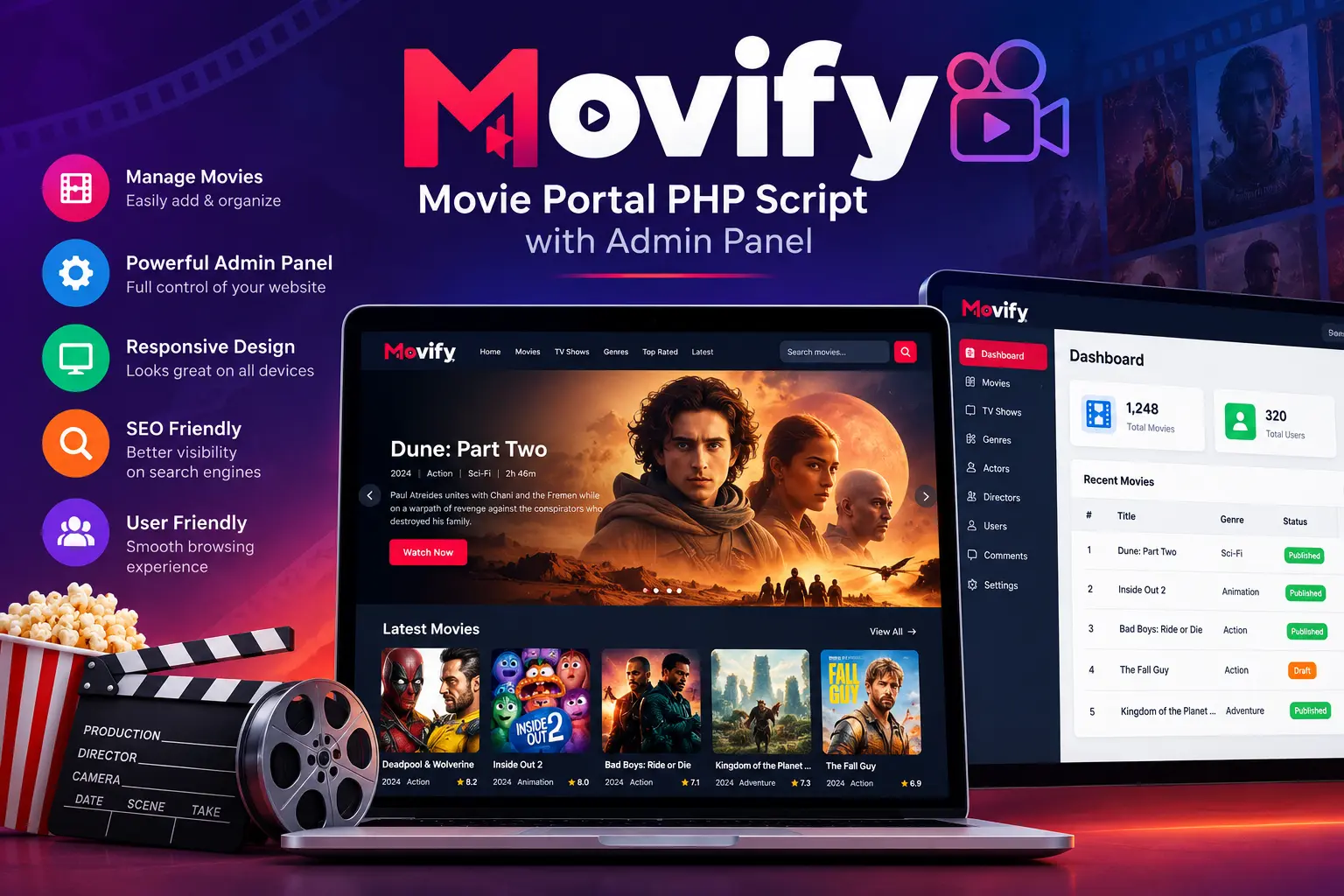
Movify – Movie Portal PHP Script with Admin Panel
Building a movie and entertainment website requires more than choosing a domain name and installing a website template. You need a suitable website structure, an effective content management workflow, a user-friendly interface, reliable hosting, and a way to maintain your content as your website grows.
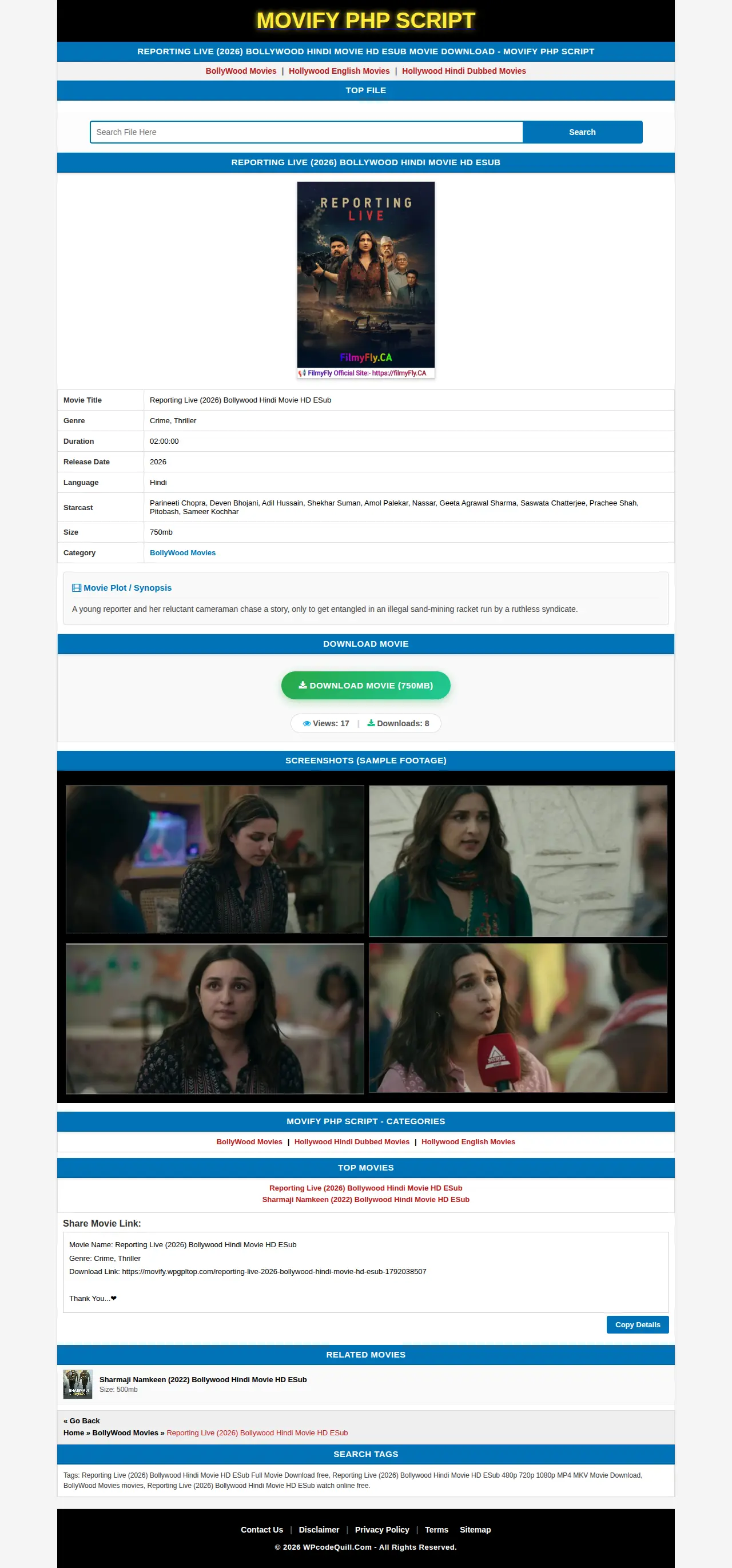
Movify – Movie Portal PHP Script with Admin Panel is presented on WPCodeQuill as a PHP script for creating a movie portal. It is an option worth investigating if you are planning to build an independent entertainment website using a PHP-based solution rather than developing an entire application from scratch.
Before purchasing any movie portal script, however, it is important to understand what the software actually includes, which administrative functions are available, what server requirements apply, and whether the licensing terms match your project.
This guide explains what a movie portal PHP script is, what to evaluate in Movify, how to plan your website, and which technical and legal considerations should not be overlooked.
What Is Movify – Movie Portal PHP Script?
Movify is listed by WPCodeQuill under the product name Movify – Movie Portal PHP Script with Admin Panel. Its stated product category indicates a PHP-based movie portal application with an administrative component.
A movie portal is a website that organizes movie-related information into a structured browsing experience. Depending on its intended purpose, an entertainment portal might publish movie descriptions, release information, genres, cast details, reviews, trailers, and other editorial content.
A PHP-based application can provide the foundation for managing website functionality and connecting the frontend with a database. However, the exact functionality depends on the individual script and its implementation.
For Movify, prospective buyers should consult the current product documentation and screenshots to confirm the available modules before making a purchase.
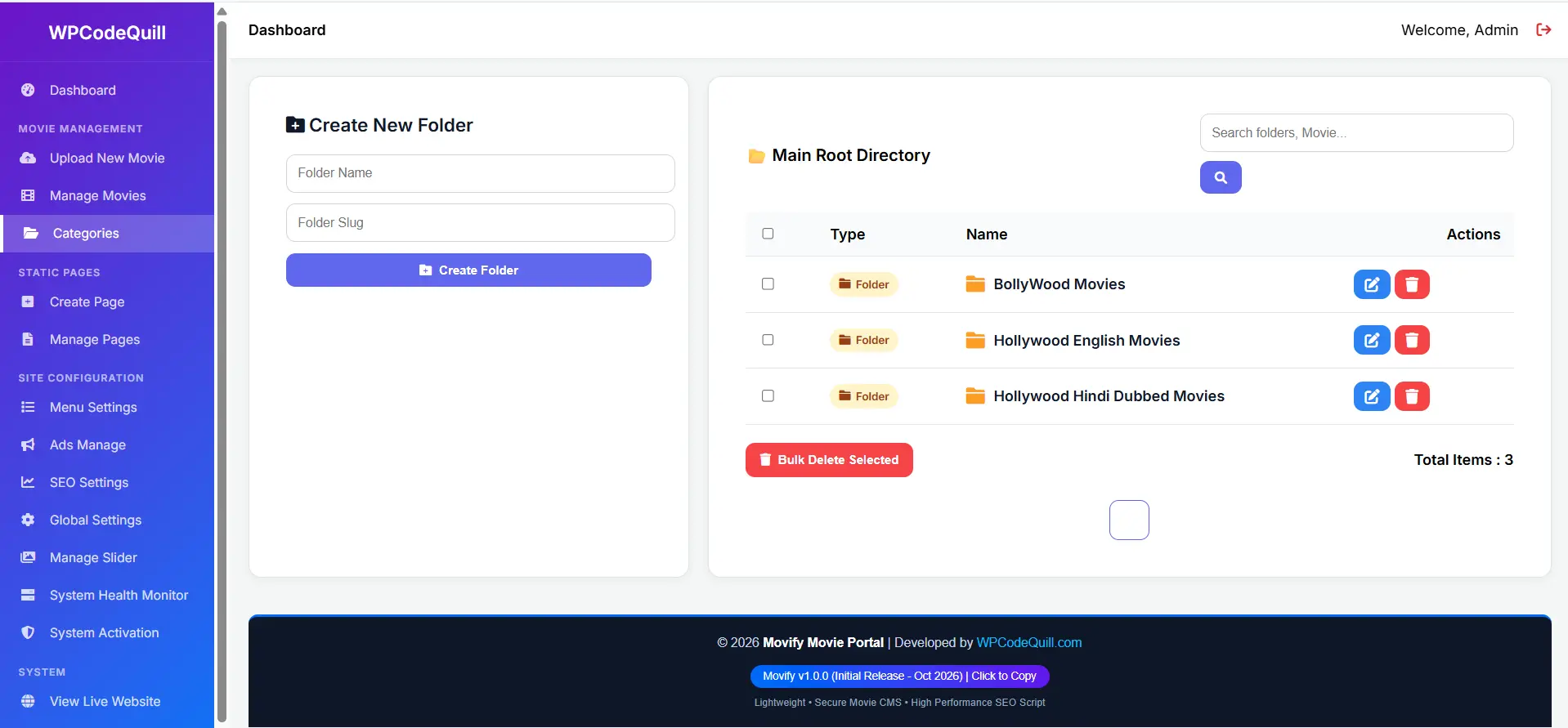
Why Consider a Movie Portal PHP Script?
Developing a complete movie website from the beginning requires planning, frontend development, backend programming, database design, testing, and ongoing maintenance.
A ready-made PHP script can reduce some of this initial development work by providing an existing application structure. Instead of beginning with an empty project, a developer can evaluate an existing solution and determine whether it meets the requirements of the intended website.
1. A dedicated website foundation
A movie portal needs a content structure that makes entertainment information easy to discover. Movie titles, categories, individual content pages, images, and supporting information should be organized logically.
When evaluating Movify, check whether its existing content structure supports the type of movie information you intend to publish.
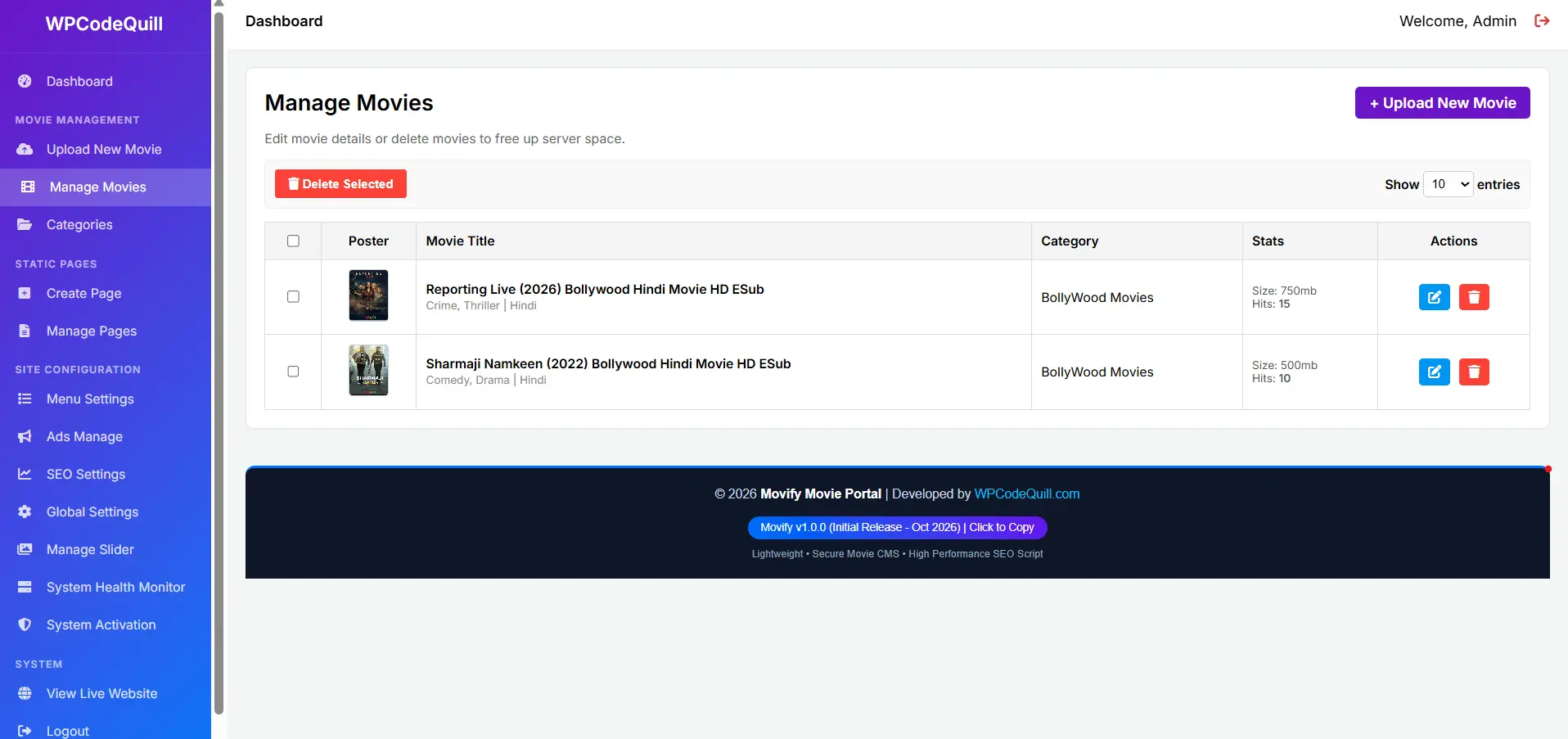
2. Administrative content management
Managing an entertainment website involves regular publishing and maintenance. An administrative interface can make these tasks easier when it provides suitable tools for creating, editing, organizing, and maintaining website content.
Check the Movify product screenshots or documentation to identify which administrative operations are actually included.
3. Reduced initial development work
Using an existing application may reduce the amount of initial coding required compared with developing every component independently.
Nevertheless, customization, additional integrations, design changes, security reviews, and server configuration may still require technical knowledge or professional development assistance.
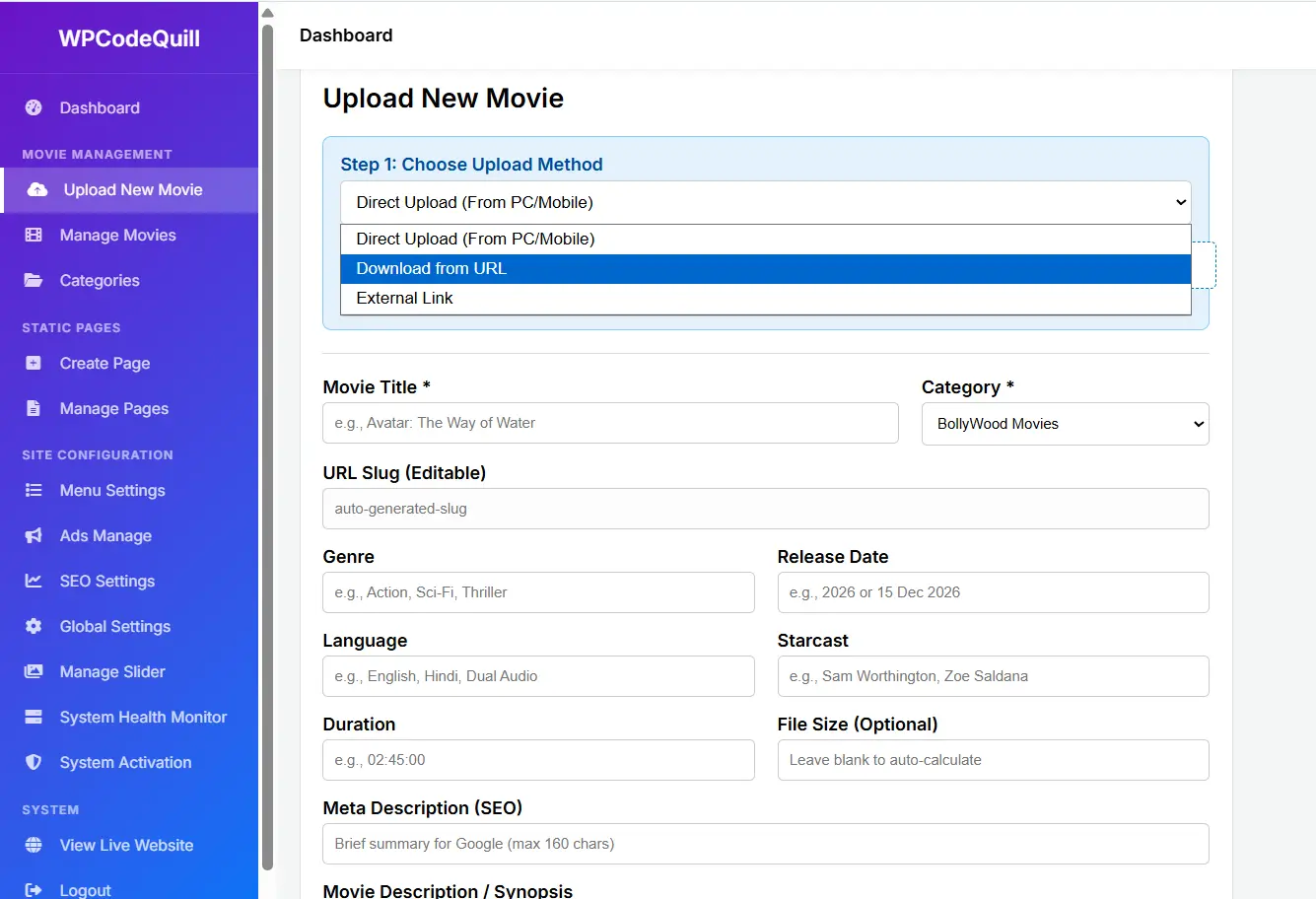
Important Features to Check Before Buying Movify
A product name alone cannot establish the complete functionality of a PHP application. Before choosing Movify, review the following requirements and compare them with the features documented by the seller.
1. Movie and content management
Check whether administrators can create, edit, publish, unpublish, and delete movie-related entries.
For an organized entertainment portal, useful content-management capabilities may include:
- Movie title and description management.
- Genre and category organization.
- Release date and language information.
- Featured images and poster management.
- Content editing and publishing controls.
- Search and content-filtering options.
These are recommended evaluation criteria, not a confirmed list of Movify features.
2. Admin panel and website settings
An administrative dashboard should make routine website management understandable and efficient.
Look for documentation showing whether the application offers:
- Dashboard overview and administrative navigation.
- Movie and category management.
- Website title and branding settings.
- Administrator account management.
- Media management.
- Configuration and maintenance options.
Also check whether different administrator roles can have different permissions. This becomes particularly important when multiple people contribute to a website.
3. Responsive frontend design
Visitors may access an entertainment portal from smartphones, tablets, laptops, and desktop computers. A responsive interface helps website content adapt to different screen sizes.
Before purchasing, inspect available screenshots or a live demonstration. Pay attention to movie cards, navigation, images, content pages, search interfaces, and mobile layouts.
4. Search engine optimization
Search visibility depends on the quality of the website's content and its technical implementation. A movie portal should provide descriptive page titles, useful URLs, meaningful headings, image descriptions, internal navigation, and crawlable content.
Check whether Movify supports the SEO controls your publishing strategy requires, including:
- Custom page titles and meta descriptions.
- Readable URL structures.
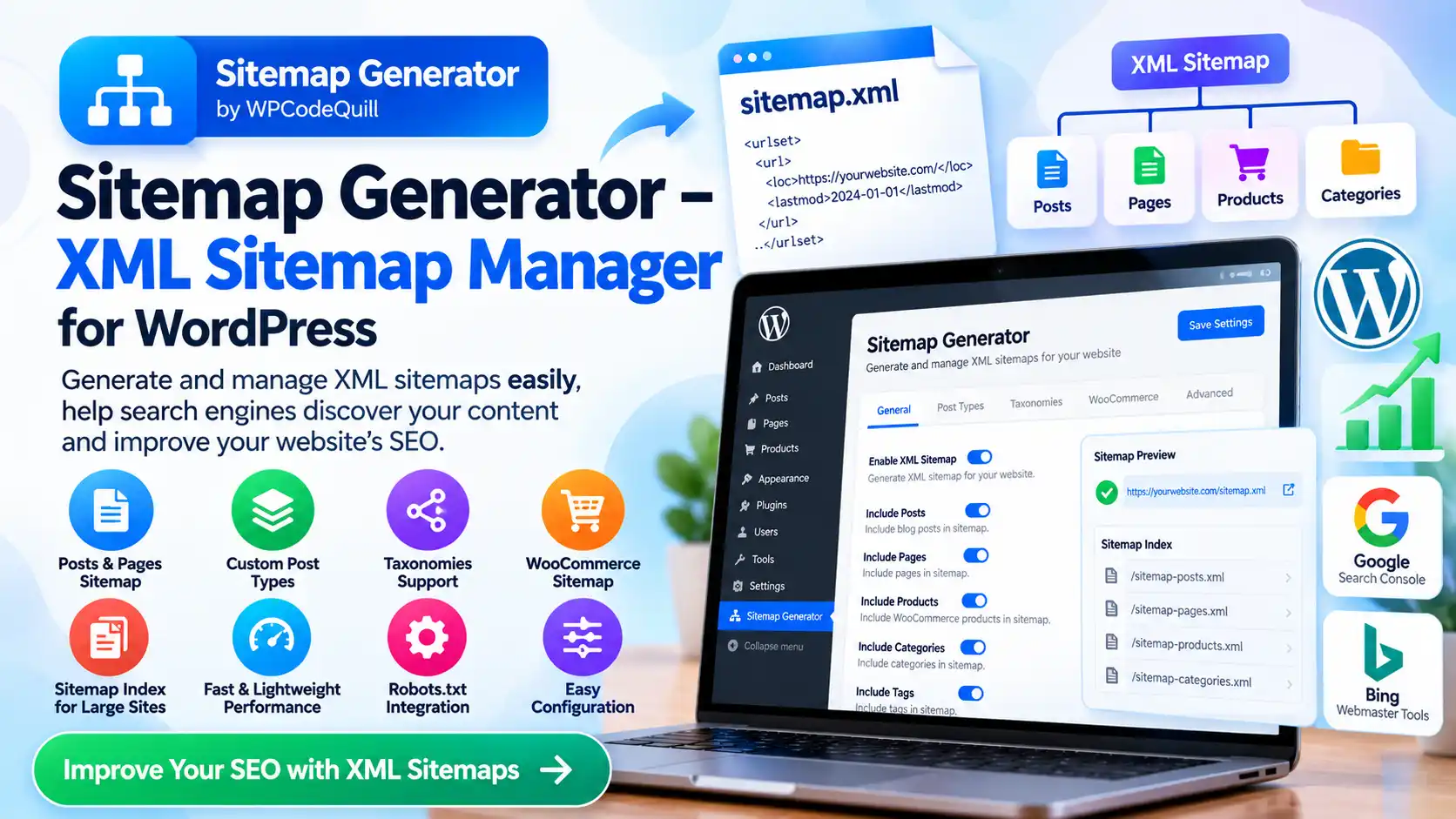
- XML sitemap generation or compatibility.
- Canonical URL management.
- Breadcrumb navigation, where appropriate.
- Social sharing metadata.
Do not assume that a script automatically guarantees search rankings or indexing. Useful original content, website performance, technical accessibility, and ongoing maintenance remain important.
5. Security and application maintenance
A public-facing PHP website must be maintained carefully, particularly if it includes administrator accounts, media uploads, user-submitted information, or third-party integrations.
Check whether the software uses secure authentication, appropriate authorization checks, input validation, output escaping, protected database queries, and secure session handling.
If media uploads are supported, examine file-type validation, upload size limits, storage permissions, and protection against executable files being uploaded into publicly accessible directories.
How to Start a Movie Website Using a PHP Script
Launching a movie portal involves more than uploading application files. A structured implementation process helps reduce configuration problems and makes the website easier to maintain.
Step 1: Define your website's purpose
Decide what type of entertainment website you want to operate. Possible approaches include:
- Movie information and discovery portal.
- Film review and editorial website.
- Entertainment news publication.
- Movie database and catalog.
- Legally authorized trailer and media portal.
Your website's purpose will influence its content structure, hosting requirements, design, and future development needs.
Step 2: Choose a domain and hosting plan
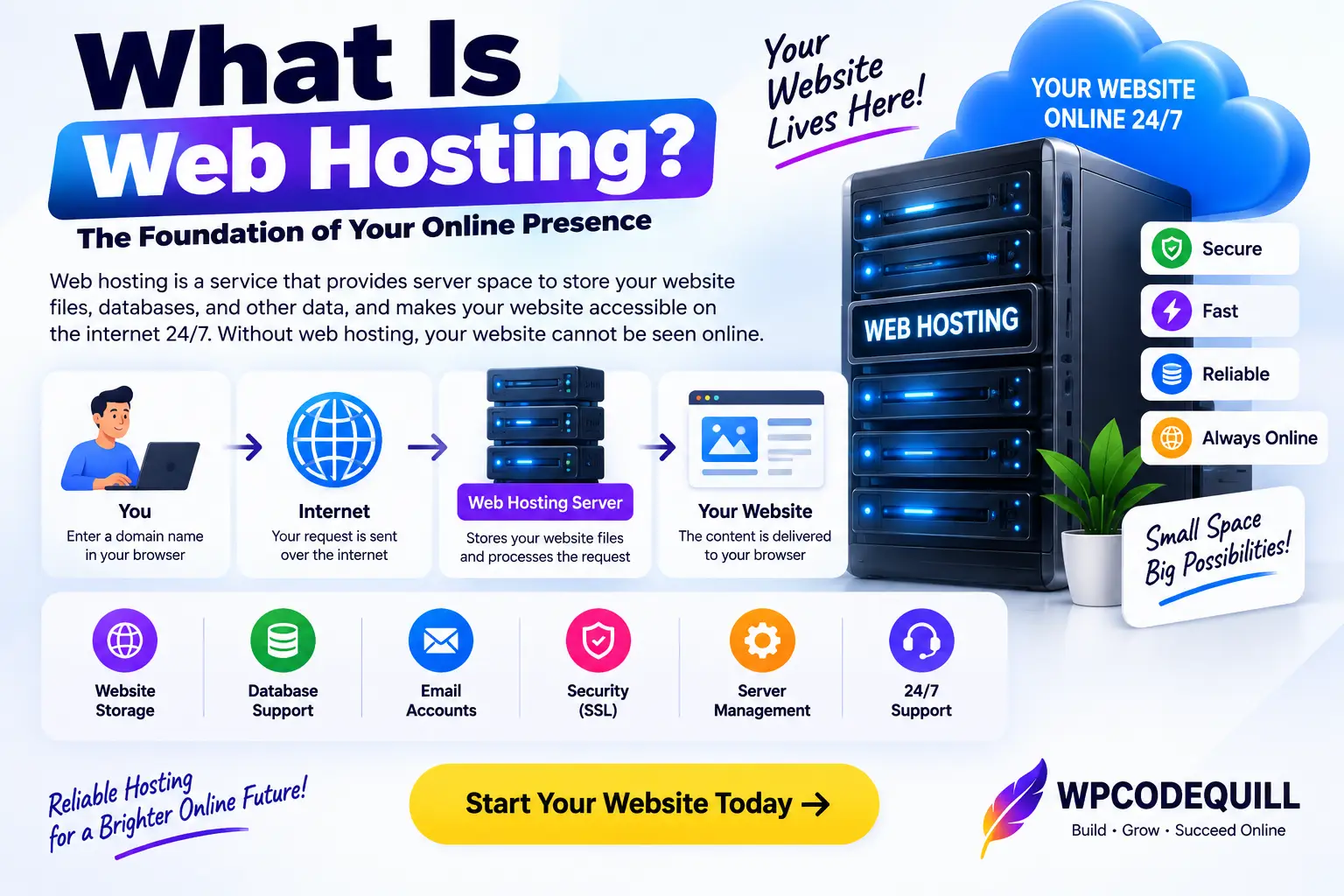
Select a domain name that reflects your brand and is easy to remember. Choose hosting based on the application's documented server requirements and expected website traffic.
Before purchasing hosting, verify PHP compatibility, database support, storage capacity, memory limits, SSL availability, backup facilities, and the ability to configure the required PHP extensions.
Step 3: Review Movify's installation requirements
Read the current product documentation before uploading the script. Confirm the supported PHP version, database version, required extensions, file permissions, and installation procedure.
Do not assume that every PHP script supports every hosting environment. Compatibility should be established using the actual product documentation.
Step 4: Install and configure the application
Follow the official installation instructions supplied with the purchased software.
Depending on the documented installation process, this may involve uploading application files, creating a database, configuring database credentials, and completing an installation wizard.
Use secure database credentials and avoid leaving installation files or setup interfaces publicly accessible after installation.
Step 5: Configure the administrative account
Set a strong administrator password and review the available account-security options. If the application supports multiple users, assign permissions according to each person's responsibilities.
Do not share administrator credentials unnecessarily.
Step 6: Organize your content
Create a logical category structure and prepare original, informative movie-related content. Use descriptive titles, useful summaries, properly licensed images, and clear navigation.
Prioritize content that answers visitors' questions instead of publishing repetitive pages simply to increase the number of URLs on your website.
Step 7: Test the complete website
Before launching publicly, test the homepage, individual content pages, navigation, search, administrative functions, media handling, mobile layouts, and contact options.
Also verify that important pages are accessible to search engines and that private administrative pages are not accidentally exposed.
Technical Requirements to Consider
The precise server requirements for Movify should be taken from its current product documentation. The following checklist can help you evaluate whether your hosting environment is suitable.
| Requirement | What to verify |
|---|---|
| PHP | Supported PHP version and required extensions |
| Database | Supported MySQL or compatible database version |
| Web server | Apache, Nginx, LiteSpeed, or documented alternatives |
| Storage | Application files, images, backups, and media requirements |
| SSL | HTTPS configuration and valid certificate |
| Memory | Required PHP memory and execution limits |
| Extensions | Required PHP extensions and server dependencies |
One important consideration is PHP lifecycle support. PHP branches eventually stop receiving security updates. Select a currently supported PHP version that is also compatible with the application, and keep the hosting environment updated.
Movie Website Security: What Should You Know?
Security is particularly important for websites that accept administrator logins, database operations, and uploaded media files.
Consider the following practices when operating a PHP movie portal:
- Use HTTPS across the entire website.
- Keep PHP and server software updated.
- Use strong passwords and secure administrator sessions.
- Restrict administrative access through proper authorization.
- Validate uploaded files instead of trusting file extensions.
- Use prepared statements for database queries.
- Escape output to reduce cross-site scripting risks.
- Maintain regular database and file backups.
- Remove unused installation files and unnecessary permissions.
- Review third-party libraries and dependencies for updates.
OWASP provides additional recommendations for safely handling file uploads, including user authorization, file validation, storage restrictions, and upload-size controls.
Copyright and Legal Considerations for Movie Websites
One of the most important responsibilities of an entertainment website owner is respecting intellectual property rights.
Creating a movie information website does not automatically give you permission to upload, distribute, stream, or provide downloadable copies of copyrighted films.
In India, the Copyright Act, 1957 establishes rights relating to cinematograph films, including reproduction and communication to the public. Section 51 addresses copyright infringement.
Before publishing protected material, obtain the necessary authorization or ensure that an applicable legal exception permits the intended use.
For a legitimate entertainment portal, consider publishing:
- Original movie reviews and commentary.
- Film information written in your own words.
- Lawfully obtained promotional material.
- Authorized trailer embeds.
- Licensed movie posters and images.
- Entertainment news supported by reliable sources.
Do not assume that embedding, linking to, or storing media automatically makes its use lawful. Check the applicable rights and permissions for each type of content.
Is Movify the Right Choice for Your Project?
Movify may be worth evaluating if you are looking for a dedicated PHP movie portal application with an admin panel and prefer to begin with an existing software product.
However, suitability depends on the actual functionality, code quality, documentation, licensing conditions, hosting compatibility, and support arrangements.
Before purchasing, consider the following questions:
- Does the application support the content structure I need?
- Can I manage the website efficiently through its admin panel?
- Does the frontend work properly on mobile devices?
- Are the PHP and database requirements compatible with my hosting?
- Is the source code customizable?
- Are installation instructions and documentation available?
- What are the permitted website installations under the license?
- How long are updates and technical support provided?
- Are future customization requirements manageable?
If these requirements match your project and the product documentation confirms the necessary capabilities, Movify may be a suitable starting point for further evaluation.
Where to Find Movify?
Movify is listed on WPCodeQuill under the Movie Portal PHP Script category.
Visit the official product page to review the latest available product description, screenshots, pricing, licensing details, documentation, and purchasing information.
View Movify – Movie Portal PHP Script with Admin Panel
Before completing your purchase, read the product terms and confirm any technical or licensing questions with the seller.
Conclusion
Building a successful entertainment website requires a combination of suitable software, reliable hosting, useful content, security practices, and responsible publishing.
Movify – Movie Portal PHP Script with Admin Panel is a product to consider if you want to explore an existing PHP-based foundation for a movie website. However, making the right purchasing decision means looking beyond the product name and confirming the actual functionality, installation requirements, licensing terms, and available support.
Take time to review the official product information and determine whether it matches your website's objectives. A well-planned movie portal should prioritize useful information, simple navigation, secure administration, and legally authorized content.
Explore Movify on WPCodeQuill: View the official Movify product page.
Editorial disclosure: This article discusses a product listed on WPCodeQuill. Readers should review the product listing and applicable commercial terms before purchasing. Product features and specifications should be confirmed directly with the seller.
Frequently Asked Questions
Q: What is Movify PHP Movie Portal Script?
Movify is listed by WPCodeQuill as a PHP-based movie portal script with an admin panel. Consult its product documentation for the complete feature list and technical specifications.
Q: What is a Movie Portal PHP Script?
A movie portal PHP script is a web application built using PHP that provides a foundation for creating and managing a movie-related website. Its functionality depends on the particular application.
Q: Does Movify include an admin panel?
The Movify product title identifies it as a movie portal PHP script with an admin panel. The precise dashboard functions should be confirmed using the official product screenshots and documentation.
Q: Can I create a movie information website using PHP?
Yes. PHP can be used to develop movie information websites, entertainment portals, review platforms, and other content-driven applications. The available functionality depends on the application's code and integrations.
Q: Do I need hosting to install a PHP movie portal script?
A self-hosted PHP application generally requires a compatible web server, PHP runtime, database where applicable, and sufficient storage. Check the individual script's installation documentation for its exact requirements.
Q: Is a movie portal PHP script automatically SEO friendly?
No. Search engine visibility depends on the website's technical structure, content quality, crawlability, performance, and other factors. Check the actual SEO controls offered by the application.
Q: Can I publish movie downloads through a movie portal?
Only when you have the necessary rights or authorization to distribute the relevant material, or another applicable legal basis. A website script does not provide copyright permission.
Q: How can I check Movify's compatibility before buying?
Review the official product documentation for PHP, database, web server, and extension requirements. Contact WPCodeQuill support if any compatibility information is unclear.


Discussion (0)
Join the Conversation
Please log in to post a comment.
Log In to Comment