
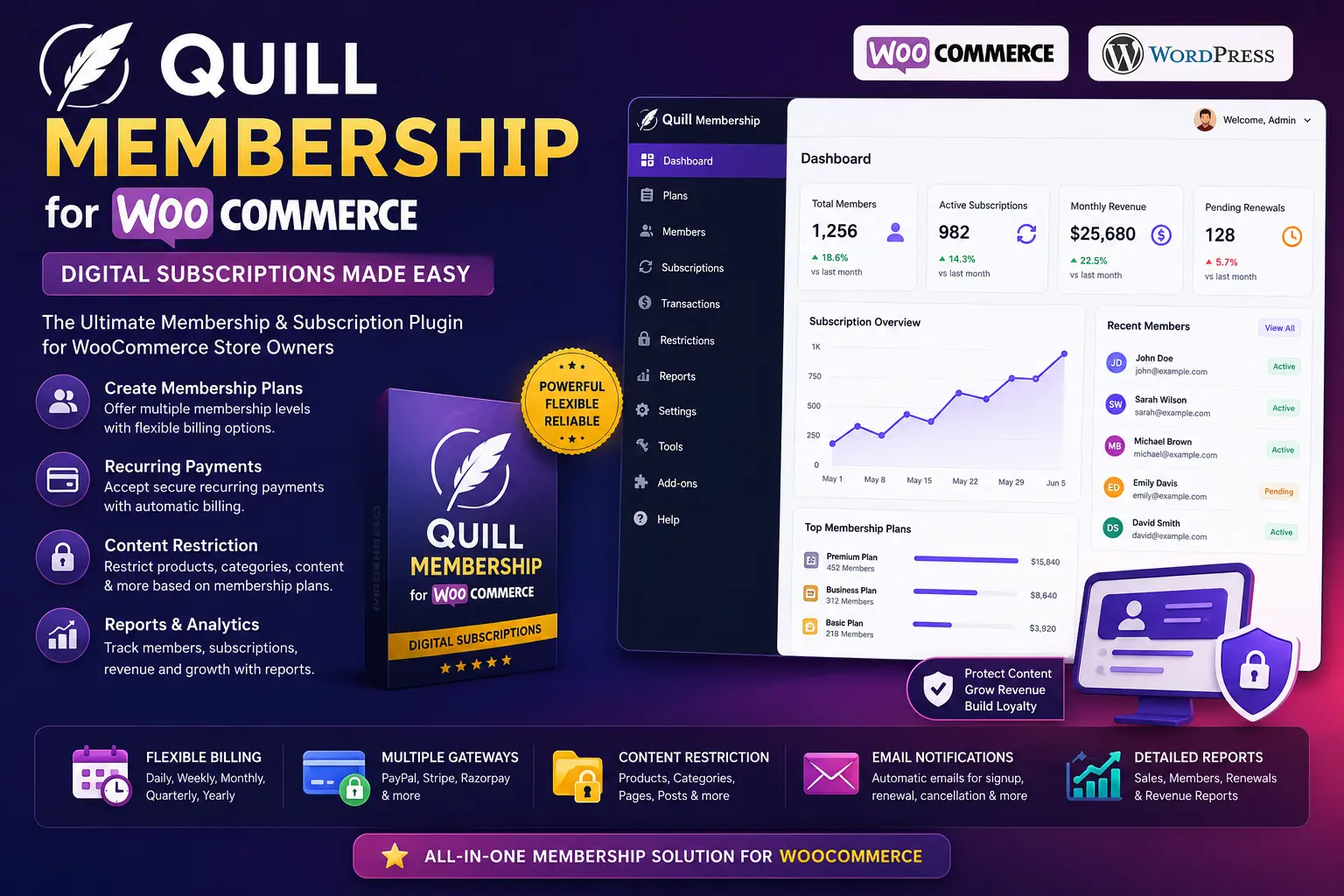
Quill Membership for WooCommerce Plugin: The Best Guide to Digital Subscriptions
In the highly competitive world of digital commerce, relying solely on one-off sales is a risky strategy. Web traffic fluctuates, ad costs rise, and customer acquisition becomes more expensive every year. The most successful online businesses have recognized a fundamental truth: recurring revenue is the lifeblood of sustainability. By transitioning your website from a standard storefront into a gated, premium community, you stabilize your income and build a loyal audience. This is exactly where the Quill Membership for WooCommerce Plugin steps in.
Managing memberships, restricting premium content, and handling subscription billing can be a technical nightmare if you are using the wrong tools. Many webmasters find themselves cobbling together multiple conflicting add-ons, leading to bloated databases, slow page load times, and a frustrating user experience. The Quill Membership for WooCommerce Plugin cuts through the noise, offering a streamlined, performance-optimized solution tailored specifically for WordPress and WooCommerce.
In this comprehensive guide, we will explore the immense value of digital subscriptions, dive deep into the core mechanics of the Quill Membership for WooCommerce – Digital Subscription features, and provide you with an actionable, step-by-step roadmap to launch your own profitable membership site today.
The Power of Digital Subscriptions in E-Commerce
Before diving into the technical setup of the plugin, it is crucial to understand why digital subscriptions are dominating the modern web. The subscription business model is not new—magazines and gym memberships have used it for decades—but its application to digital products and services has revolutionized the creator economy.
When you sell a standalone digital product, such as an e-book or a standalone software script, the transaction ends at checkout. You must constantly find new customers to maintain your revenue. However, with a digital subscription model, you focus on Customer Lifetime Value (LTV). By offering ongoing value—whether through monthly premium tutorials, exclusive code snippets, or a private community forum—customers pay you consistently month after month.
For WordPress site owners, managing this process natively is highly advantageous. Instead of paying 10% to 15% platform fees to third-party subscription services like Patreon or Substack, hosting your own membership ecosystem ensures you keep 100% of your profits (minus standard payment gateway fees). This autonomy allows for total control over your branding, your SEO, and most importantly, your customer data.
What is the Quill Membership for WooCommerce Plugin?
The Quill Membership for WooCommerce Plugin is a robust, lightweight extension designed to transform your existing WooCommerce store into a fully functional membership management system. Rather than reinventing the wheel, it elegantly piggybacks on the rock-solid e-commerce architecture of WooCommerce, which is renowned for its secure checkout and user management capabilities.
At its core, the plugin acts as an intelligent gatekeeper. It allows you to create specific "Membership Plans" that act as WooCommerce products. When a user purchases one of these plans, their WordPress user role and access permissions are instantly and automatically upgraded. If their subscription expires or a recurring payment fails, the plugin automatically revokes their premium access, requiring zero manual intervention from the site admin.
Because it is built with strict adherence to the guidelines laid out in the WordPress Plugin Developer Handbook, the script ensures maximum compatibility with your existing themes and page builders. It avoids heavy database queries, ensuring your server response time—a critical factor for SEO—remains lightning-fast.
Why Choose Quill Membership for WooCommerce – Digital Subscription?
If you search the WordPress repository, you will find dozens of membership plugins. However, many of them suffer from severe feature bloat. They include built-in forums, custom styling engines, and unnecessary heavy JavaScript libraries that slow down your front-end performance.
The Quill Membership for WooCommerce – Digital Subscription system takes a different approach. It focuses heavily on doing one thing perfectly: access control tied to e-commerce transactions. Here is why developers and store owners prefer it:
- Zero Lock-in: Because it utilizes standard WordPress user roles and capabilities, you are not locked into a proprietary database structure. If you ever need to migrate, your user data is clean and accessible.
- Digital-First Focus: While you can use it for physical products, the plugin shines when handling digital downloads. You can easily restrict access to specific PDF files, video directories, or premium software downloads.
- Unobtrusive Codebase: The plugin does not load unnecessary assets on pages where membership functions are not active, preserving your Time to First Byte (TTFB).
- Seamless WooCommerce Sync: It natively understands WooCommerce order statuses (Processing, Completed, On Hold, Cancelled) and adjusts user access in real-time based on these triggers.
Key Features That Drive Conversions and Retention
To run a profitable membership site, you need features that not only acquire customers but keep them engaged. The Quill Membership for WooCommerce Plugin is packed with conversion-oriented functionalities.
1. Advanced Content Restriction
You can restrict entire pages, blog posts, custom post types, or even specific categories and tags. Do you have a library of premium tutorials? You can lock the entire "Premium" category with a single click. Unregistered users will see a customizable call-to-action (CTA) prompting them to purchase a membership, while logged-in members will see the full content.
2. Unlimited Tiered Access Levels
Create a logical upgrade path for your customers. You can build unlimited tiers—for example, a Basic Plan (access to articles), a Pro Plan (access to articles and video downloads), and an Elite Plan (access to everything plus direct consultation). As users move up the tiers, their permissions expand automatically.
3. Member-Only Discounts on Other Products
One of the best ways to retain subscribers is to offer them perks. With this plugin, you can easily configure global discounts. For instance, active members might get an automatic 20% discount on any standalone physical or digital products in your WooCommerce store. This incentivizes users to keep their membership active even if they are primarily interested in buying individual items.
4. Automated Expiration and Revocation
Administering a membership site manually is impossible at scale. The plugin handles time-based expirations flawlessly. If a user buys a 30-day pass, access is revoked exactly 30 days down to the minute. If they are on a recurring digital subscription and their credit card fails, access is paused until they update their billing details.
Step-by-Step Guide: Setting Up Your Membership Site
Getting your digital subscription platform off the ground is easier than you might think. Follow this practical, step-by-step guide to configure the Quill Membership for WooCommerce Plugin.
Step 1: Install the Prerequisites
Ensure that your WordPress installation is up to date and that you have the official WooCommerce plugin installed, activated, and configured with your basic store details and currency settings.
Step 2: Install and Activate Quill Membership
Upload the Quill Membership plugin via your WordPress dashboard (Plugins > Add New > Upload Plugin). Once activated, you will see a new "Memberships" tab appear within your WooCommerce settings panel.
Step 3: Create a Membership Plan Product
Navigate to Products > Add New. Give your plan a compelling title, such as "Pro Developer Monthly Access." Scroll down to the Product Data meta box. You will notice a new product type option for "Membership." Select this. Set your pricing structure (e.g., $19.99/month). Ensure you mark the product as "Virtual" so WooCommerce doesn't try to calculate shipping costs.
Step 4: Configure Content Restrictions
Go to the content you want to hide. This could be a specific page, a premium blog post, or a custom tool. In the WordPress editor, scroll down to the Quill Membership Restriction settings. Check the box for the specific membership plan(s) that should have access. You can also define the snippet of text that non-members will see—make sure this text highlights the value of subscribing!
Step 5: Test the User Flow
Never launch without testing. Open an incognito browser window. Try to visit a restricted URL. Ensure you see the paywall message. Add the membership product to your cart, proceed through checkout using a test payment gateway (like Stripe Test Mode), and verify that your new test account can now view the restricted content.
Tips and Best Practices for a Successful Digital Subscription
Software is only as good as the strategy behind it. To maximize your MRR (Monthly Recurring Revenue) with the Quill Membership for WooCommerce Plugin, implement these proven best practices:
- Optimize Your Paywall SEO: Hiding content from non-members shouldn't mean hiding it from Google. Utilize structured data to tell search engines that your content is premium. Follow Google's documentation on paywalled content to ensure you do not get penalized for cloaking.
- Create a World-Class Onboarding Experience: When a user buys a digital subscription, redirect them immediately to a custom "Welcome Dashboard" rather than the default WooCommerce account page. Provide links to your best content so they experience immediate value.
- Leverage Premium Utility Tools: People stay subscribed when a platform saves them time or money. Consider adding exclusive web applications behind your paywall. For example, deploying the Image Converter Website Maker Plugin to offer an ad-free, high-speed image processing tool strictly for your paying members is a massive value-add.
- Send Engagement Emails: Use an SMTP plugin to send automated emails when new content is added to the membership tier. If members forget you exist, they will cancel.
Common Mistakes to Avoid in the Subscription Model
Many first-time membership site creators fall into predictable traps. Study the table below to ensure your digital subscription business remains profitable and user-friendly.
| Common Mistake | Why It Hurts Your Business | The Optimal Solution |
|---|---|---|
| Overcomplicating Pricing Tiers | Having 7 different subscription levels confuses buyers. Analysis paralysis leads to abandoned checkouts. | Stick to a maximum of 3 tiers (e.g., Basic, Pro, Lifetime). Highlight the middle tier as the "Best Value." |
| Ignoring Churn (Failed Payments) | If credit cards expire and you don't follow up, you lose customers who actually wanted to stay. | Configure automated "Dunning" emails in your payment gateway to remind users to update their cards. |
| Neglecting Alternative Payments | In international markets, many users cannot or will not use standard credit cards, limiting your audience. | Integrate alternative options, such as the Crypto Manual Payments Gateway for WooCommerce, to capture privacy-focused or unbanked digital subscribers. |
| Promising Too Much Content | If you promise daily content and fail to deliver, members will feel cheated and cancel. | Under-promise and over-deliver. Promise one high-quality piece of content per week, and occasionally drop surprise bonuses. |
Expanding Your Digital Ecosystem
Once your core membership site is running smoothly via the Quill Membership for WooCommerce Plugin, it is time to think about scale. A successful subscription platform is rarely static; it evolves based on user feedback and technological advancements.
If you find that your members are requesting highly specific features that fall outside standard plugin capabilities—such as specialized calculators, custom API bridges, or unique data dashboards—do not try to hack the core plugin. Instead, utilize professional custom WordPress development services to build modular add-ons that integrate safely with your ecosystem.
Furthermore, you can dramatically increase the perceived value of your top-tier subscription plans by including white-label licenses for premium software. You can browse our premium PHP scripts and WordPress themes, secure developer rights, and offer these tools as free downloads exclusively to your top-tier digital subscribers. This strategy transforms your membership from a simple content library into an indispensable business toolkit for your users.
Frequently Asked Questions (FAQs)
1. Will the Quill Membership for WooCommerce Plugin slow down my website?
No. The plugin is engineered to be extremely lightweight. It hooks directly into the native WordPress user role matrix and WooCommerce order status triggers. It does not load unnecessary scripts on the front end, ensuring your site remains fast and passes Core Web Vitals assessments.
2. Can I use this plugin to sell physical products to members?
Yes, absolutely. While the Quill Membership for WooCommerce – Digital Subscription features are optimized for digital content, you can easily offer exclusive physical merchandise (like t-shirts or printed books) that only logged-in members can see and purchase.
3. What payment gateways are supported?
Because the plugin relies on WooCommerce to process the actual transactions, it supports virtually any payment gateway that is compatible with WooCommerce. Whether you use Stripe, PayPal, Authorize.net, or local gateways like Razorpay, the plugin will seamlessly detect the order status to grant or revoke access.
4. How do I handle users upgrading from a Basic to a Pro plan?
When a user purchases a higher-tier membership, the plugin automatically upgrades their user permissions to reflect the new tier. If you are using WooCommerce Subscriptions alongside this, pro-rated billing can also be configured natively.
5. Can I manually add members who pay offline?
Yes. As a site administrator, you have full control over user profiles. You can manually assign a membership plan to any registered user directly from the WordPress dashboard, making it easy to handle offline payments, bank transfers, or contest winners.
6. Is the access restriction secure against technical users?
Yes. The content restriction is handled server-side via PHP before the page is ever rendered. Unlike cheap JavaScript-based paywalls that can be bypassed by simply disabling scripts in the browser, Quill Membership completely blocks the content from being served to unauthorized users.
Conclusion
Transitioning from one-time sales to a robust, recurring revenue model is the most effective way to secure the financial future of your digital business. The Quill Membership for WooCommerce Plugin provides the exact blend of power, flexibility, and simplicity needed to make this transition seamless. By offering granular control over your content and integrating flawlessly with the world's most popular e-commerce platform, it empowers you to build a premium, highly profitable community.
Whether you are monetizing digital art, locking down premium software tools, or curating high-level educational content, the Quill Membership for WooCommerce – Digital Subscription features ensure your intellectual property is protected and monetized efficiently. Do not leave your revenue to chance. Take control of your customer lifecycle, implement intelligent access restrictions, and start building your digital membership empire today.






Discussion (0)
Join the Conversation
Please log in to post a comment.
Log In to Comment