
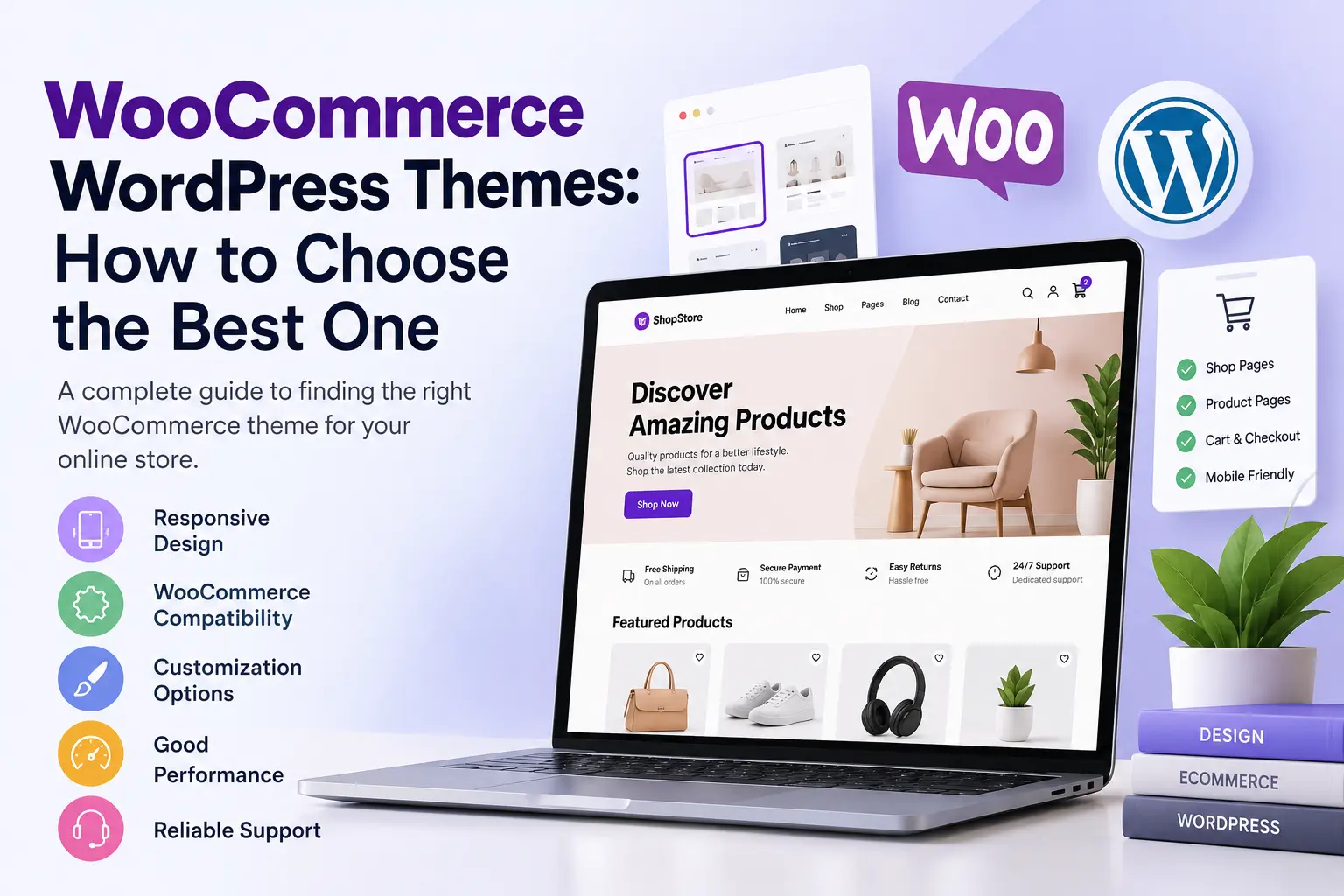
How to Choose the Best WooCommerce WordPress Theme for Your Online Store
Choosing the right design is one of the most important decisions when building an online store. Your website needs to do more than look attractive. It should make it easy for visitors to discover products, understand product information, navigate categories, and complete purchases without unnecessary difficulties.
This is why choosing suitable WooCommerce WordPress themes deserves careful consideration.
Whether you are launching a small online shop, selling physical products, building a digital marketplace, or creating a business website, your WordPress theme plays an important role in the overall shopping experience.
Many store owners explore ThemeForest WooCommerce themes because they want professionally designed layouts, flexible customization options, and ecommerce-focused functionality. However, a marketplace listing alone does not guarantee that a theme will be suitable for every business.
In this guide, you will learn what to look for when choosing a WooCommerce theme, how to evaluate its features, what to check before purchasing, and how to select a suitable design for your business.
What Is a WooCommerce WordPress Theme?
A WooCommerce WordPress theme is a website design framework that determines how your online store looks and how its different sections are presented.
WooCommerce is an e-commerce plugin for WordPress. It provides essential store functionality, including product management, shopping carts, checkout, customer accounts, order management, and downloadable product delivery.
The theme controls how these features look.
For example, it can influence:
- Homepage layout and product sections.
- Shop and product category pages.
- Individual product page design.
- Product image presentation.
- Navigation menus and website headers.
- Shopping cart and checkout appearance.
- Typography, colors, spacing, and buttons.
- Mobile and tablet layouts.
WooCommerce can work with many WordPress themes. However, a theme with appropriate WooCommerce integration can provide better control over the appearance and behavior of important shopping pages.
Why Choosing the Right WooCommerce Theme Matters
A website theme affects how customers interact with your store. A confusing product layout or difficult navigation can make it harder for visitors to find what they want.
1. Better Shopping Experience
Customers should be able to understand your products without navigating through unnecessary sections. A well-organized theme can present product images, descriptions, prices, variations, and purchase options in a clear format.
2. Responsive Website Design
Many customers browse online stores using smartphones and tablets. A responsive WooCommerce theme adapts its layout to different screen sizes. Product grids, menus, images, forms, and shopping controls should remain usable on smaller screens.
Always test the actual demonstration website on a mobile device before making your decision.
3. Professional Brand Presentation
Your website represents your business. A consistent design, readable typography, appropriate colors, and organized product categories can help establish a professional appearance.
4. Flexible Customization
Your store may grow over time. A suitable theme should provide reasonable customization options for layouts, colors, typography, navigation, and homepage sections.
Block themes can offer additional flexibility through the WordPress Site Editor, depending on the theme's implementation.
5. Search-Friendly Website Structure
A well-organized website makes it easier for visitors to navigate between products and categories. Look for clean page structures, descriptive navigation, accessible content, and compatibility with your preferred SEO tools.
Remember that a theme alone cannot guarantee higher Google rankings. Search visibility also depends on content quality, technical SEO, website performance, indexing, competition, and other factors.
Important Features to Look for in WooCommerce WordPress Themes
Before purchasing a premium theme, evaluate the following features.
Responsive Layout
Check how the homepage, shop pages, product pages, and checkout look on different devices. Do not rely only on a promotional screenshot. Open the live demo and test its actual navigation and shopping experience.
WooCommerce Compatibility
The theme should integrate correctly with WooCommerce. Check important areas such as:
- Shop archive pages.
- Product category pages.
- Single product pages.
- Product galleries.
- Shopping cart.
- Checkout.
- Customer account pages.
- Product reviews and ratings.
Also check whether the theme has been tested with the WooCommerce version you intend to use.
Customization Options
Look for useful customization features, including:
- Header and footer editing.
- Homepage layout controls.
- Color and typography settings.
- Product grid customization.
- Navigation options.
- Sidebar and widget support where applicable.
- Block patterns and reusable sections.
Performance Considerations
A theme should avoid unnecessary scripts, excessive animations, and large assets that make the shopping experience difficult. Before purchasing, inspect the demo and consider testing it using tools such as Google PageSpeed Insights.
Remember that hosting, plugins, image sizes, caching, and third-party scripts also affect website performance.
Accessibility
Customers should be able to navigate and understand your website comfortably. Look for readable text and sufficient contrast, keyboard-friendly navigation, clear form labels, descriptive buttons, appropriate image alternative text, and consistent page structures.
Documentation and Support
Check whether the developer provides installation instructions, customization documentation, changelogs, and a support process. These resources become particularly important when you encounter compatibility problems or need to update your store.
ThemeForest WooCommerce Themes: What Should You Check?
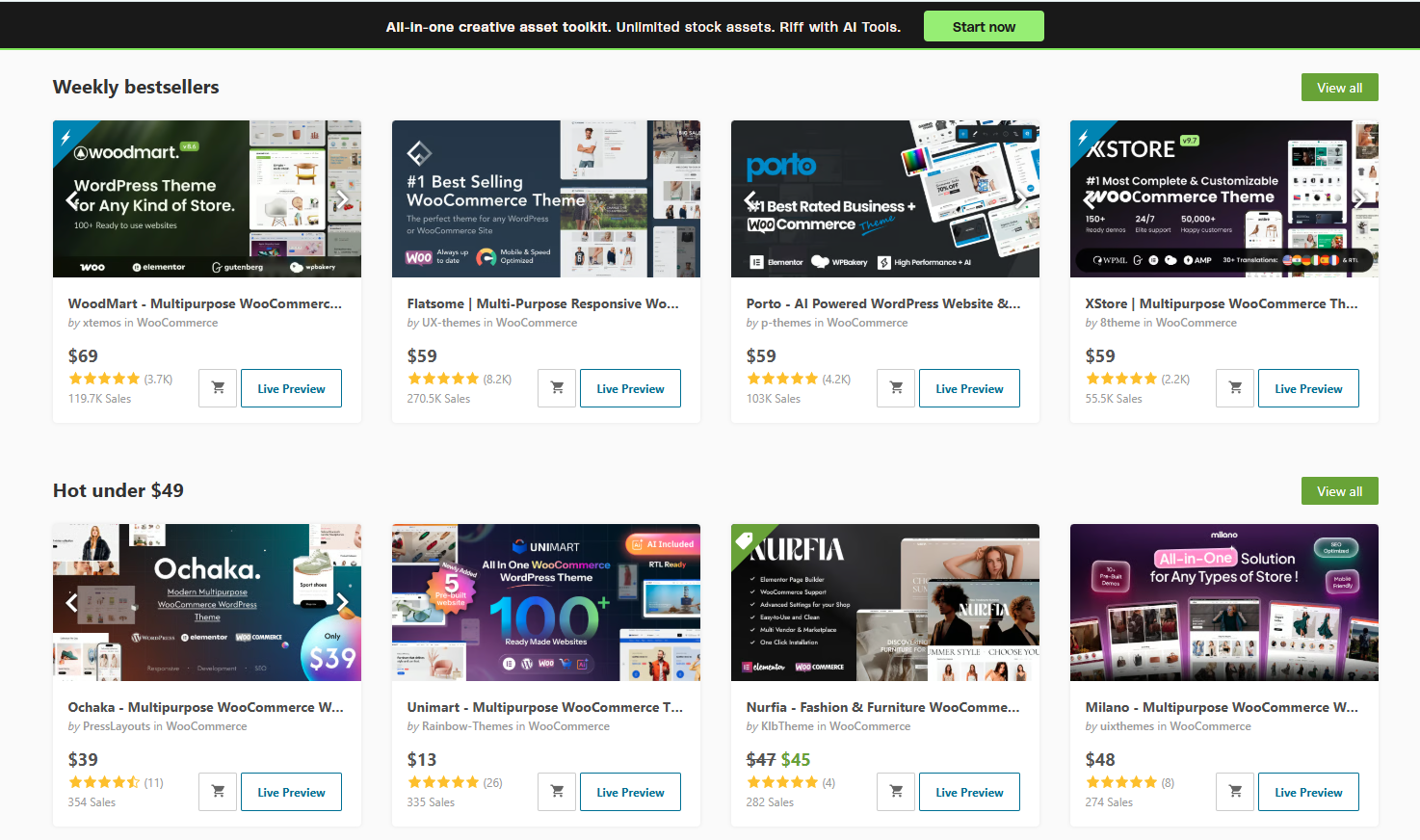
ThemeForest is one of the marketplaces buyers may explore when looking for premium WordPress and WooCommerce themes.
It can be useful for discovering different website designs, ecommerce layouts, and industry-specific templates. However, you should evaluate each theme independently instead of selecting one simply because it has an attractive preview.
Check the Live Demo
Visit the actual demonstration website and explore more than the homepage. Check product category navigation, individual product layouts, product filtering and sorting, cart functionality, checkout presentation, mobile navigation, and footer design.
Review Update History
Check when the theme was last updated and whether its developer documents compatibility changes. An actively maintained theme is generally preferable to one that has not received meaningful updates for a long period.
Understand the License
ThemeForest offers Regular and Extended licenses under its Standard License framework. The appropriate license depends on how the item is incorporated into the final product. Buyers should read the current license terms and FAQs rather than assume that one purchase permits unlimited use across multiple websites or client projects.
Read the ThemeForest Standard License.
Check Included Features Carefully
Some themes advertise extensive functionality through bundled plugins or optional extensions. Find out which features are included, which require additional purchases, and which depend on third-party plugins.
Different Types of WooCommerce Themes for Different Businesses
Not every online store needs the same design. Your theme should match your products, customers, and business model.
1. Fashion and Clothing Stores
Fashion stores benefit from attractive product photography, clear size and color variations, category navigation, and useful product filtering.
2. Electronics Stores
Electronics websites often need structured product specifications, comparison information, category filters, and clear availability details. A theme should make technical information easy to understand.
3. Digital Product Stores
Digital product stores sell downloadable items such as software, WordPress plugins, themes, templates, graphics, and ebooks.
Useful elements include:
- Organized digital product categories.
- Clear product descriptions.
- Screenshots and feature highlights.
- Pricing and purchase information.
- Download-related product information.
- Customer account access.
- A straightforward checkout experience.
4. Multi-Product Online Stores
A general ecommerce store may sell products across multiple categories. Prioritize flexible navigation, consistent product cards, category organization, search functionality, and responsive layouts.
5. Digital Marketplaces
A digital marketplace may offer products from multiple creators or vendors. Before choosing a theme, determine whether you need only a product storefront or a complete multi-vendor system.
A theme can provide the visual foundation, but vendor registration, commissions, product submissions, and marketplace management usually require additional functionality.
Recommended WooCommerce Theme for Digital Product Businesses
If your business focuses on selling digital products, you may want a theme designed specifically for that purpose rather than a generic physical-product storefront.
One option available through WPCodeQuill is DigitalStore Pro – WooCommerce Digital Marketplace WordPress Theme.
The theme is positioned for entrepreneurs, developers, agencies, and businesses selling downloadable digital assets.
According to its product documentation, DigitalStore Pro includes:
- WooCommerce integration for digital ecommerce websites.
- Full-Site Editing support.
- Modern SaaS-inspired design.
- Responsive storefront layouts.
- Product grids and category sections.
- Customizable website sections.
- A product-focused marketplace presentation.
- Support for selling plugins, themes, PHP scripts, software, templates, and other digital resources through WooCommerce.
Its intended use case is particularly relevant to developers and digital entrepreneurs who want to build a branded digital product storefront.
Explore DigitalStore Pro – WooCommerce Digital Marketplace WordPress Theme
Before purchasing, review the live preview, included files, system requirements, license terms, and current product documentation to confirm that it meets your requirements.
How to Install a WooCommerce WordPress Theme
Once you have selected a suitable theme, you can install it through your WordPress dashboard.
Step 1: Prepare Your WordPress Website
Log in to your WordPress administrator dashboard. Before changing your active theme, create a backup of your website, including its database and files.
Step 2: Open the Themes Section
Navigate to Appearance → Themes and select the option to add a new theme.
Step 3: Upload Your Theme ZIP File
If you purchased a premium theme, download the installation ZIP file from the appropriate provider. Click Upload Theme and select the ZIP file from your computer.
Make sure you upload the actual installable theme package rather than a larger documentation or bundle archive.
Step 4: Install and Activate
Click Install Now. After WordPress finishes installing the theme, click Activate.
If the theme requires WooCommerce, install and activate the WooCommerce plugin as instructed by the theme documentation.
Step 5: Configure Your Store
Review the theme settings and customize the website. Configure your website logo, navigation menus, homepage sections, product categories, shop page, product layouts, header, footer, and mobile navigation.
Step 6: Test the Shopping Process
Before making your website publicly available, test the complete shopping experience. Check product pages, cart updates, checkout forms, payment methods, customer emails, and order management.
For downloadable products, also verify that customers receive the correct download access after a successful purchase.
Common Mistakes to Avoid When Buying a WooCommerce Theme
Ignoring Mobile Usability
A theme may look impressive on a desktop but perform poorly on smartphones. Always test the live demo at different screen sizes.
Choosing Too Many Features
Some themes include extensive animations, page builders, bundled plugins, and unnecessary design options. Additional functionality is not automatically better. Choose features that support your actual business requirements.
Ignoring Compatibility
Check the theme's supported WordPress and WooCommerce versions. Also consider compatibility with your payment gateway, shipping extensions, page builder, and other essential plugins.
Not Checking the License
Read the license agreement before purchasing. Do not assume that a single license allows unlimited installation, client redistribution, or resale.
Expecting Guaranteed SEO Results
An SEO-friendly theme can provide a useful technical foundation, but it cannot replace helpful content, proper technical configuration, internal linking, and ongoing SEO work.
Forgetting Website Backups
Always back up your website before installing a new theme or performing major design changes. This provides a recovery option if something goes wrong.
Final Thoughts
Choosing the right WooCommerce WordPress theme is about finding a practical balance between design, functionality, usability, compatibility, and long-term maintenance.
Whether you explore ThemeForest WooCommerce themes or other premium theme marketplaces, take time to inspect the complete demonstration website and understand what is included in the purchase.
For physical stores, prioritize product presentation, filtering, and checkout usability. For digital businesses, focus on downloadable product organization, clear product information, and a storefront that supports your business model.
If you are planning to build a digital product marketplace, consider exploring DigitalStore Pro from WPCodeQuill as one possible starting point.
Ultimately, choose a theme that supports your customers' needs and gives your business room to grow. A useful, accessible, and well-maintained online store is more valuable than a design that simply looks impressive in a screenshot.
Frequently Asked Questions
Q: What is the best WooCommerce WordPress theme?
The best theme depends on your products, business model, customization requirements, and budget. Compare WooCommerce compatibility, responsive design, performance, accessibility, documentation, and ongoing maintenance before selecting one.
Q: Are ThemeForest WooCommerce themes worth buying?
They can be suitable options when they meet your technical and design requirements. Review the live demo, update history, documentation, compatibility, included plugins, support, and license terms before purchasing.
Q: Can I use any WordPress theme with WooCommerce?
WooCommerce can work with many WordPress themes. However, themes with appropriate WooCommerce integration may provide better control over store-specific layouts and features.
Q: Which WooCommerce theme is suitable for digital products?
Look for a theme with clear product presentation, digital product categories, responsive layouts, WooCommerce compatibility, and a straightforward shopping experience. DigitalStore Pro is one option to evaluate for a digital marketplace.
Q: Are free WooCommerce themes good enough?
Yes. A well-maintained free theme may be sufficient for a small or newly launched store. Premium themes may provide additional design options, layouts, documentation, or support, depending on the product.
Q: Do WooCommerce themes affect website speed?
They can influence performance through their stylesheets, scripts, layouts, images, and additional functionality. However, hosting, plugins, caching, and website configuration also contribute to overall loading speed.
Q: Can I change my WooCommerce theme later?
Yes. You can change your active WordPress theme. However, some layout settings, theme-specific features, widgets, and customizations may not transfer automatically. Back up your website and test the new theme before making the change on a live store.
Q: Do I need a separate plugin to sell digital products?
WooCommerce supports downloadable products through its built-in product settings. Additional plugins may be necessary for specialized requirements such as advanced licensing, subscriptions, vendor management, or complex download restrictions.



Discussion (0)
Join the Conversation
Please log in to post a comment.
Log In to Comment