

Adsterra Ad Network: A Practical Guide for Website Publishers
Website owners have more ways to monetize their traffic than ever before. Google AdSense remains one of the best-known options, but it is not the only advertising platform available to publishers. Depending on a website's audience, content, traffic sources, and monetization goals, an alternative ad network may also be worth evaluating.
The Adsterra Ad Network is one such platform. It provides advertising and monetization solutions for publishers, including display banners, native banners, Popunder ads, Social Bar, and Smartlink formats. Adsterra's publisher platform also provides statistics and placement-level reporting that can help publishers evaluate how their traffic performs.
However, choosing an ad network should not be based simply on promises of high earnings. The right approach is to understand how an advertising platform works, what ad formats it offers, how those formats affect user experience, what traffic you have, and which policies apply to your website.
This guide explains the Adsterra Ad Network from a publisher's perspective, including how it works, available ad formats, setup steps, monetization considerations, AdSense comparisons, privacy considerations, and common mistakes to avoid.
What Is the Adsterra Ad Network?
Adsterra is an online advertising network that connects advertisers with publishers. For publishers, the platform provides ways to monetize website and other eligible traffic by displaying or distributing advertising campaigns.
Adsterra currently presents publisher monetization options including Popunder, Social Bar, Native Banners, Smartlink, and traditional banner formats. Its official publisher page also describes reporting tools that allow publishers to examine metrics such as CPM, CTR, revenue, clicks, traffic sources, and placement performance.
In simple terms, the process looks like this:
- Create a publisher account.
- Add your website or eligible traffic source.
- Select an appropriate advertising format.
- Generate the advertising code or link.
- Place it on your website.
- Receive visitors and advertising impressions, clicks, or other qualifying activity.
- Monitor performance through the publisher dashboard.
The exact revenue generated depends on factors such as traffic volume, visitor geography, device type, advertising demand, ad format, placement, user engagement, and the applicable pricing model. Therefore, there is no universal amount that every website will earn.

Why Are Publishers Looking for an Alternative to AdSense?
The phrase alternative to AdSense can mean different things to different website owners.
Some publishers are looking for another monetization option because they want to test additional advertising formats. Others may have traffic that performs differently across advertising networks, while some website owners simply want to diversify their revenue instead of depending on a single source.
It is important to distinguish between replacing AdSense and diversifying advertising revenue. They are not necessarily the same strategy.
A publisher might use one advertising network as the primary monetization platform and evaluate another network for specific pages, traffic types, or formats. Before doing that, the publisher should check whether the contracts, policies, and technical requirements of all networks involved permit the intended setup.
Google also makes clear that publishers using Google publisher products must comply with its applicable policies, including requirements concerning content, behavior, privacy, and other standards.
Therefore, an alternative network should not be viewed as a way to bypass advertising policies. A website should continue to maintain legitimate traffic, useful content, transparent practices, and a good user experience regardless of the advertising provider.
How Does Adsterra Work for Publishers?
Adsterra's publisher workflow is relatively straightforward. The company describes a process in which publishers register, add a website, select advertising formats, place the resulting code, and monitor performance through statistics.
1. Create a Publisher Account
The first step is to register as a publisher through Adsterra's official platform.
During registration, you provide the information requested by the platform and verify your account as required.
2. Add Your Website
After accessing the publisher dashboard, you can add the website you want to monetize. Adsterra's current publisher documentation describes adding a website through the Websites section and selecting the website category and advertising format.
Make sure the website information you submit is accurate. Your site should also have a clear structure, working navigation, original content, and pages that provide genuine value to visitors.
3. Choose an Advertising Format
This is one of the most important decisions because different ad formats produce different user experiences.
For example, a technology blog may prefer conventional banners or native advertising, while another website may find a different format more suitable for its audience.
4. Add the Advertising Code
Once the appropriate ad placement has been created, copy the supplied code and add it to your website according to the network's instructions.
On WordPress, this may involve a theme location, widget, custom HTML block, advertising plugin, or another suitable integration method.
5. Monitor Results
Do not judge a placement solely by the first day's revenue. Collect enough data to understand how different pages, devices, countries, and placements perform.
Adsterra's publisher statistics include filters and metrics intended to help publishers analyze traffic and advertising performance.
Adsterra Ad Formats Explained
One of the main reasons publishers consider Adsterra is its range of advertising formats. The platform's official ad-format documentation currently lists Popunder, In-Page Push, Interstitial, Banner, Native, Social Bar, and Smartlink formats.
| Ad Format | Basic Idea | Potential Use |
|---|---|---|
| Banner | Traditional display advertising | Blogs, news sites, content pages |
| Native Banner | Advertising designed to fit the surrounding content style | Articles and content-heavy websites |
| Popunder | Advertising opens separately from the primary page | Selected traffic-focused websites |
| Social Bar | Interactive notification-style advertising | Mobile and desktop traffic |
| Smartlink | A monetized link that can be attached to eligible elements | Selected traffic and landing-page scenarios |
| In-Page Push | Push-style advertising displayed directly on a webpage | Web traffic monetization |
| Interstitial | Full-screen advertising between user interactions | Specific navigation or transition points |
Adsterra itself emphasizes that different formats can serve different purposes. Its publisher materials specifically describe banners, native banners, Popunder, Social Bar, and Smartlink as publisher monetization options.
Banner Ads
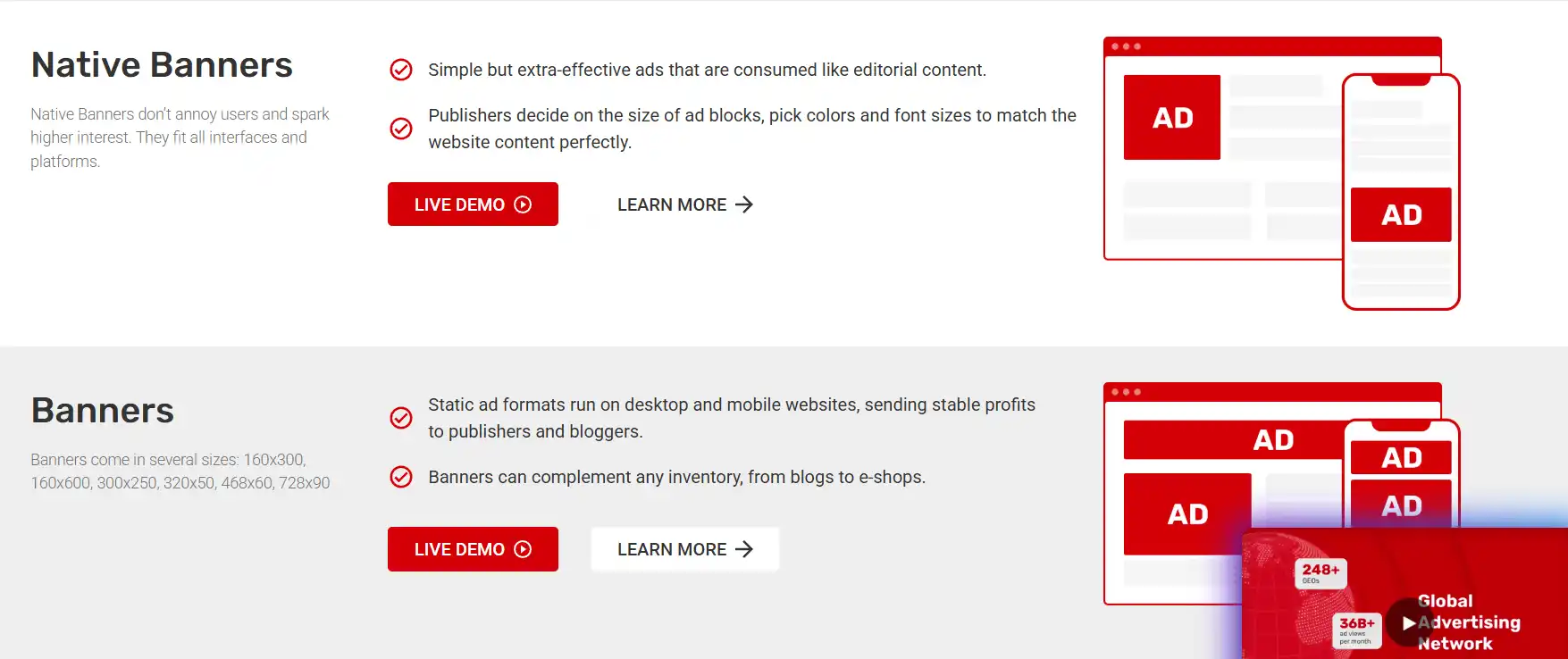
Banner advertising is one of the easiest formats for visitors to understand. A banner can be placed within an article, sidebar, header, footer, or another appropriate advertising area.
Because banner advertising is familiar and relatively easy to integrate, it can be a sensible starting point for publishers who want to test advertising without immediately introducing more intrusive formats.
Native Banners
Native advertising attempts to fit more naturally into the surrounding design. Adsterra describes its Native Banners as customizable in terms of size, colors, and font size.
For editorial websites, native placements can be useful when implemented carefully. However, advertisements should remain distinguishable from editorial content. A visitor should not be tricked into believing an advertisement is an independent article or navigation element.
Popunder Ads
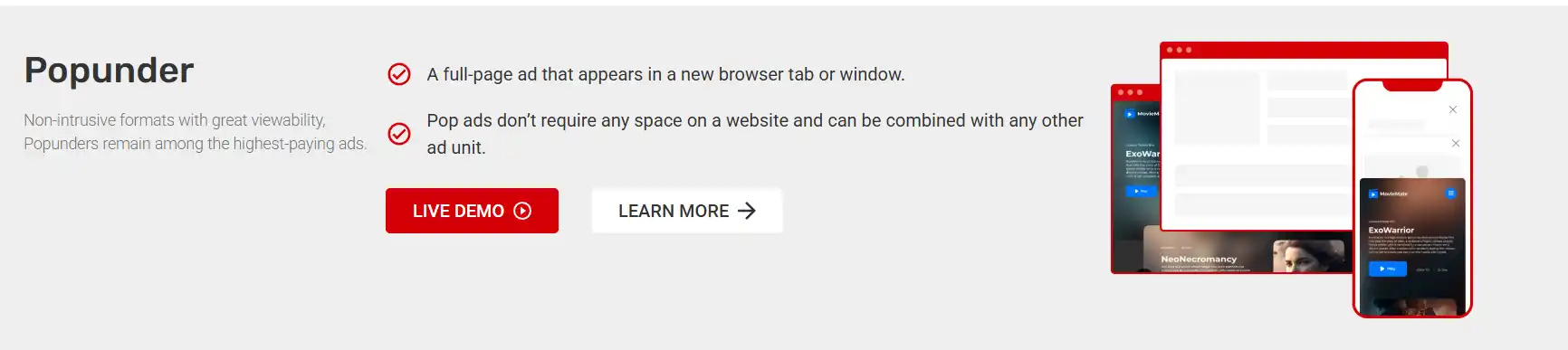
Popunder advertising uses a separate browser tab or window rather than occupying a permanent advertising area on the page. Adsterra describes Popunder as one of its publisher formats.
This format can generate additional monetization opportunities, but publishers should consider how unexpected tabs or windows affect visitors. A format that generates revenue but causes users to leave the website is not automatically a successful implementation.
Social Bar
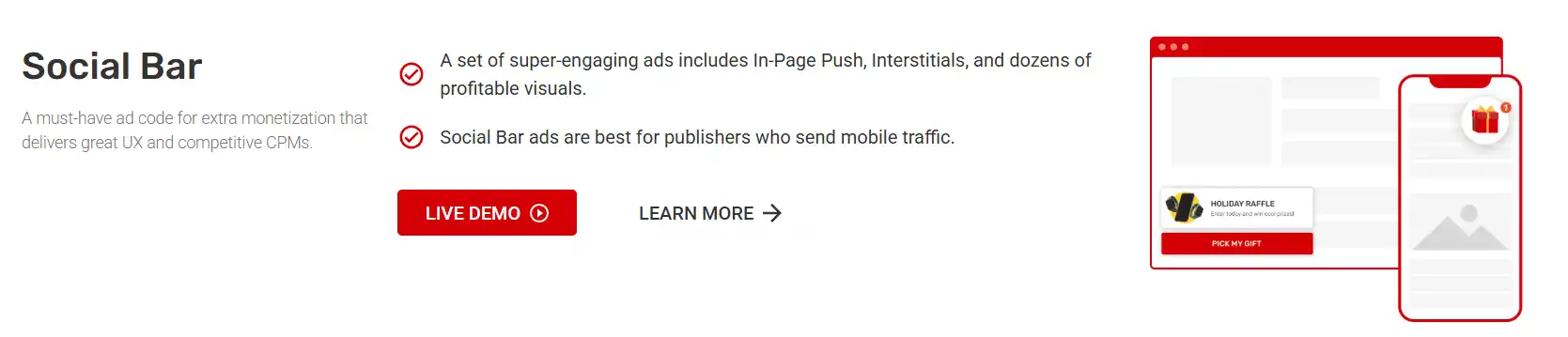
Social Bar is an Adsterra format designed around interactive notification-style advertising. The company describes it as a format that can work across devices and browsers without requiring traditional ad-space placement.
As with every advertising format, publishers should test frequency and placement rather than assuming that maximum exposure produces the best long-term result.
Smartlink
Smartlink is essentially a monetized URL that can be attached to suitable elements such as text, buttons, or images. Adsterra describes it as an option that can be used on websites and for certain social traffic scenarios.
Publishers should be especially careful with links because users need to understand where a link leads. Avoid misleading calls to action or deceptive link placement.
Is Adsterra Suitable for WordPress Websites?
WordPress publishers can integrate advertising networks by placing advertising code in suitable locations on their websites. The exact implementation depends on the theme, plugins, caching configuration, and advertising format.
If you are building or maintaining a WordPress website, technical performance matters. Advertising scripts are third-party resources, so adding excessive advertising code can affect page rendering, network requests, and user experience.
Before adding multiple advertising units, make sure the website itself is technically healthy. A slow site can hurt usability regardless of how much advertising revenue it generates.
For WordPress development, maintenance, custom plugin work, or website-related technical assistance, you can also explore WPCodeQuill WordPress and PHP development services.
Adsterra vs AdSense: What Should Publishers Compare?
It is better to compare advertising networks using measurable criteria rather than declaring one platform universally superior.
| Factor | What to Evaluate |
|---|---|
| Approval | Understand the network's current publisher requirements and review process. |
| Ad Formats | Check whether the formats fit your website and audience. |
| Traffic | Consider country, device, source, volume, and visitor behavior. |
| User Experience | Evaluate whether advertisements interrupt navigation or reading. |
| Revenue | Compare actual performance using consistent periods and traffic segments. |
| Reporting | Check whether the dashboard provides useful placement and traffic information. |
| Payments | Review available payment methods, minimum thresholds, timing, and applicable terms. |
| Policy Requirements | Read the current publisher terms and advertising policies before implementation. |
Adsterra states that its publisher platform provides statistics covering metrics such as CPM, CTR, revenue, clicks, and filtering by traffic characteristics.
Google AdSense, meanwhile, has its own publisher policies and restrictions. Google states that publishers are responsible for complying with its policies when using Google publisher products, and violations can lead to actions affecting ad serving or the account.
Consequently, the practical question is not simply "Which network pays more?" A better question is: Which monetization setup produces an acceptable balance between revenue, traffic quality, policy compliance, website performance, and user experience for my particular site?
How to Start Using Adsterra on a Website
Step 1: Prepare Your Website
Before applying to an ad network, make your website useful and easy to navigate.
- Use a clear navigation structure.
- Publish original, useful content.
- Make important pages easy to find.
- Use HTTPS.
- Fix broken links and major technical errors.
- Make the site mobile-friendly.
- Provide appropriate privacy and legal information.
- Avoid deceptive buttons and misleading links.
Google's Search documentation recommends creating helpful, reliable, people-first content rather than content primarily designed to manipulate search rankings.
Step 2: Register as a Publisher
Use Adsterra's official publisher platform to register and submit your website. Adsterra currently describes the publisher process as registration followed by website addition and ad-code implementation.
Step 3: Select a Suitable Format
Start with a format that fits your website instead of installing every available format at once.
For example, a long-form technology blog could initially test one or two banner placements and possibly a native format. A site with different visitor behavior might require another approach.
Step 4: Place Ads Carefully
Do not place advertisements so close to navigation controls that visitors could accidentally click them. Do not make advertising look like a system notification, download button, or website navigation element.
Keep the main content accessible. Advertising should support the website rather than overwhelm it.
Step 5: Measure Performance
Track revenue alongside user experience. Useful measurements can include:
- Revenue per traffic segment
- CPM or effective CPM
- CTR
- Page views
- Session engagement
- Bounce or abandonment behavior
- Mobile versus desktop performance
- Performance by advertising placement
Adsterra's statistics documentation explains that publishers can use filters for domains, countries, placements, dates, devices, and other dimensions when analyzing advertising performance.
How to Improve Adsterra Monetization Without Overloading Your Website
Increasing the number of advertisements is not automatically the same as increasing long-term revenue. A better approach is controlled testing.
Test One Change at a Time
If you simultaneously change your theme, advertising format, traffic source, ad placement, and content strategy, it becomes difficult to determine what actually changed the results.
Instead, test one major variable at a time whenever practical.
Separate Mobile and Desktop Performance
A placement that looks acceptable on a large monitor may dominate the screen on a smartphone.
Review your advertising implementation on real mobile devices or responsive browser testing. Pay attention to sticky elements, overlapping content, accidental clicks, and page navigation.
Use Relevant Content as the Foundation
Advertising works with traffic. It does not replace the need for valuable content.
Google's guidance emphasizes original information, comprehensive coverage, useful analysis, expertise, and people-first content.
If your website has useful content that attracts visitors through search, referrals, communities, social networks, or direct traffic, advertising has a stronger foundation than it does on a site built mainly around displaying ads.
Improve Website Performance
Third-party advertising can introduce additional scripts and requests. Monitor Core Web Vitals, page loading behavior, layout stability, and mobile performance after installing advertising.
If you are also reviewing your hosting infrastructure, the WPCodeQuill web hosting comparison guide explains factors such as server resources, caching, backups, scalability, and WordPress requirements.
Privacy and Compliance Considerations
Advertising can involve cookies, local storage, tracking technologies, advertising identifiers, or other data processing depending on the network, configuration, user, and jurisdiction.
Publishers should therefore understand the privacy requirements applicable to their audience rather than simply copying a generic privacy policy.
For publishers using Google advertising products, Google currently has specific consent requirements for personalized advertising in the European Economic Area, the United Kingdom, and Switzerland. Google states that applicable publishers must use an appropriate certified Consent Management Platform when serving personalized ads in those regions.
These Google requirements do not automatically define every legal obligation for every website or advertising provider. If your site serves international visitors, review the applicable privacy laws, advertising-network requirements, and your actual data-processing practices.
At a minimum, your privacy documentation should accurately describe the technologies and third parties actually used by your website. Do not claim that your website uses a particular provider or tracking system unless it really does.
Can You Use Adsterra as an Alternative to AdSense?
Yes, publishers may evaluate Adsterra as an alternative to AdSense, but the suitability depends on the website.
Adsterra offers several formats and publisher monetization tools, while AdSense has its own advertising ecosystem, policies, eligibility requirements, and product-specific rules.
Instead of assuming that one platform will always produce better results, compare actual results from your own website.
A useful evaluation period can consider:
- Revenue generated from comparable traffic.
- Revenue by country.
- Revenue by device.
- Performance of individual ad formats.
- Changes in page speed.
- User engagement.
- Visitor complaints or usability problems.
- Policy or compliance requirements.
This approach gives you evidence that is more relevant to your website than generic earnings screenshots or claims made for another publisher's traffic.
Adsterra for News, Blog, Download, and Content Websites
Different website types can have very different advertising requirements.
News Websites
News sites often have frequent page views and returning visitors. Conventional banners and carefully positioned native advertising may fit editorial layouts, but advertisements should never make headlines or navigation misleading.
Technology Blogs
Technology blogs can use display and native placements around tutorials, reviews, comparisons, and guides. The advertising should not obscure code examples, tables, download instructions, or important warnings.
Download Websites
Download-oriented sites require particular care. Advertising should not be presented as a fake download button or placed where users are likely to mistake an advertisement for the actual download link.
Entertainment Websites
Entertainment websites may have substantial mobile traffic, making responsive advertising particularly important. Test advertising frequency carefully because visitors may leave quickly when the experience becomes frustrating.
The correct format should ultimately be determined by the site's audience, content, traffic quality, and user experience rather than by a generic recommendation.
Common Mistakes to Avoid
1. Installing Too Many Ads Immediately
Adding every available format at once makes it difficult to understand which placements are actually useful.
2. Chasing Revenue at the Expense of UX
If visitors cannot comfortably read an article or navigate the website, additional advertising may damage the site's long-term value.
3. Using Misleading Buttons
Never make an advertisement look like a legitimate system alert, download control, navigation button, or required website action.
4. Ignoring Mobile Visitors
Always inspect advertisements on smartphones. A desktop layout does not guarantee a good mobile experience.
5. Believing Guaranteed Earnings Claims
Advertising revenue varies substantially by traffic and market conditions. Treat fixed-income promises with skepticism and use your own analytics for decision-making.
6. Ignoring Privacy Requirements
Advertising technology can involve data processing. Keep your privacy disclosures aligned with your actual implementation and applicable requirements.
7. Forgetting About Website Speed
Adding third-party advertising scripts without monitoring performance can create technical problems. Measure your site before and after implementation.
8. Building Content Only for Ads
A website should have a genuine reason for visitors to exist beyond advertising impressions. Google's Search guidance explicitly emphasizes creating content primarily for people and providing substantial value.
Best Practices for Using an Ad Network on WordPress
- Keep advertising secondary to content: Visitors should be able to find the information they came for.
- Use responsive placements: Check how every unit behaves on different screen sizes.
- Test gradually: Start with a small number of placements and expand based on evidence.
- Monitor performance: Compare advertising revenue with page performance and engagement.
- Keep advertisements distinguishable: Users should know when they are interacting with advertising.
- Protect important functionality: Ads should not cover menus, forms, checkout controls, or essential content.
- Review policies: Advertising-network terms and policies can change.
- Maintain quality content: Monetization works best when the website has a real audience and useful information.
For website owners who need help with WordPress development, migration, performance, or custom functionality, WPCodeQuill's website development services cover several WordPress and PHP-related requirements.
Frequently Asked Questions
Is Adsterra an alternative to AdSense?
Yes. Adsterra can be evaluated as an alternative to AdSense for website monetization. It provides several publisher advertising formats, including banners, native banners, Popunder, Social Bar, and Smartlink. Whether it is suitable for a particular website depends on the site's traffic, audience, content, advertising requirements, and user experience.
Is Adsterra free for publishers?
Publishers can register with Adsterra and use its publisher platform to monetize eligible traffic. Advertising networks generally earn from the advertising activity generated through publisher inventory rather than requiring the publisher to buy advertising traffic simply to participate. Review the current publisher terms for the latest conditions.
What types of ads does Adsterra offer?
Adsterra currently lists Popunder, In-Page Push, Interstitial, Banner, Native, Social Bar, and Smartlink formats among its advertising options. The exact availability of a format can depend on the publisher account, website, traffic, and platform requirements.
Can I use Adsterra with WordPress?
Yes, advertising code can generally be integrated into a WordPress website through appropriate theme, widget, plugin, or custom-code locations. The safest implementation depends on the specific ad format and your WordPress setup.
How much can I earn with Adsterra?
There is no single guaranteed amount. Earnings depend on traffic volume, visitor geography, devices, ad format, demand, engagement, placement, and other variables. Use the network's reporting and your own website analytics to evaluate actual performance rather than relying on generic earnings claims.
Which Adsterra ad format should I use?
There is no universal format that is appropriate for every website. Start with a format that fits your site's content and audience, then test its effect on revenue and user experience. Traditional banners and native formats may be easier starting points for content-heavy websites, while other formats may suit different traffic models.
Can Adsterra increase website revenue?
It can provide another monetization opportunity for eligible publishers, but actual revenue depends on the website's traffic and advertising performance. Adding an ad network does not guarantee that total website revenue will increase.
Should I use multiple ad networks?
Multiple networks can be part of a diversification strategy, but publishers should evaluate technical performance, contractual restrictions, ad quality, user experience, privacy requirements, and policy compatibility before combining networks.
Conclusion
The Adsterra Ad Network provides publishers with several ways to monetize website traffic, including banners, native advertising, Popunder, Social Bar, Smartlink, and other formats. Its publisher dashboard also provides reporting capabilities that can help website owners examine advertising performance across different placements and traffic segments.
For publishers searching for an alternative to AdSense, Adsterra is worth researching as one option among the broader advertising-network market. But the decision should be based on your own website rather than generalized claims about earnings or approval.
Start with a quality website, select advertising formats carefully, protect the user experience, monitor performance, and keep privacy and advertising requirements in mind. Most importantly, treat advertising as one part of a larger website strategy. Useful content, reliable traffic, good technical performance, and visitor trust remain the foundation of a sustainable publishing business.
For additional website infrastructure planning, you can read the WPCodeQuill web hosting comparison guide to evaluate hosting resources, performance, backups, scalability, and other factors that can affect a monetized website.
Authoritative Resources
- Adsterra Publisher Platform — official publisher information and monetization formats.
- Adsterra Ad Formats — official overview and demonstrations of available formats.
- Google Publisher Policies and Restrictions — official Google policy documentation.
- Google guidance on helpful, reliable, people-first content.
- Google consent-management requirements for publishers.




Discussion (0)
Join the Conversation
Please log in to post a comment.
Log In to Comment