
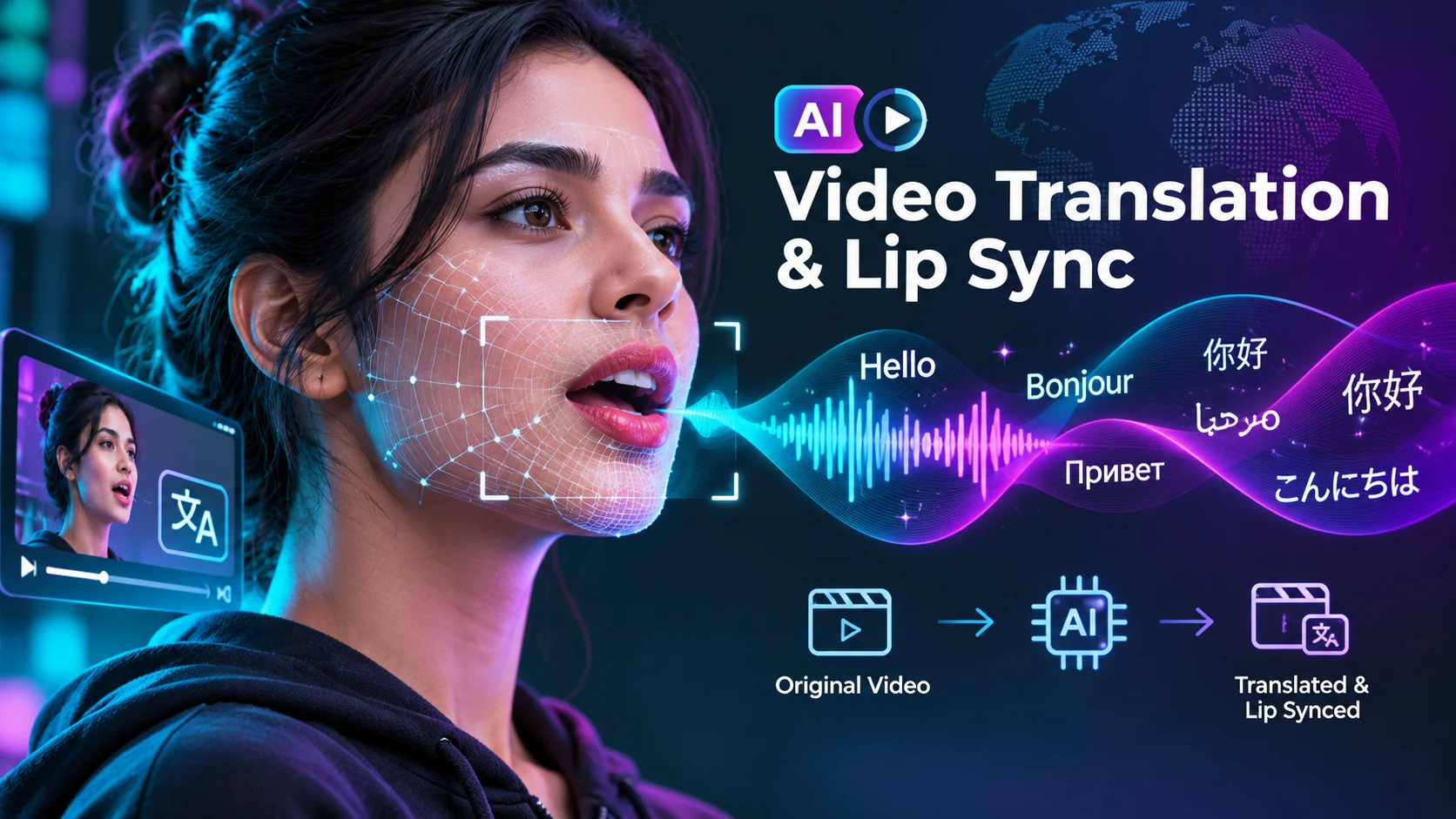
AI Video Translation with Lip Sync: The Ultimate Guide to Seamless Localization
In today's interconnected world, video content is a universal language. Yet, the barrier of spoken language often limits its reach. Imagine effortlessly translating your videos into dozens of languages, with the speaker's lips perfectly synchronized to the new audio. This isn't science fiction; it's the power of AI video translation with lip sync.
For content creators, businesses, educators, and anyone aiming to connect with a global audience, breaking down language barriers efficiently is paramount. This comprehensive guide will explore the revolutionary technology behind AI video translation with lip sync, delve into how it works, highlight its profound benefits, and help you navigate the landscape of available tools to choose the best AI video translation app for your needs.
What is AI Video Translation with Lip Sync?
At its core, AI video translation with lip sync is an advanced form of video localization that goes far beyond traditional subtitling or voiceovers. It uses artificial intelligence to:
- Translate the spoken dialogue from your original video into one or more target languages.
- Generate new audio in the target language, often with a cloned voice that retains the original speaker's tone and emotion.
- Synchronize the lip movements of the speaker in the video to precisely match the newly generated translated audio.
This process creates a highly immersive experience, making it appear as though the original speaker is naturally speaking the new language. Unlike simple voice-overs where the visual lip movements remain misaligned, lip sync technology enhances realism, engagement, and audience trust.
The Science Behind Seamless Translation: How AI Lip Sync Technology Works
The magic of AI lip sync is a sophisticated dance of multiple AI models working in harmony. The process typically involves several critical stages:
- Stage 1: Automatic Speech Recognition (ASR): The AI first transcribes the original spoken audio into text. Accuracy at this stage is foundational; any errors can cascade through the entire process. Many advanced tools allow users to edit the transcript for precision.
- Stage 2: Machine Translation: The transcribed text is then translated into the chosen target language(s) using advanced Neural Machine Translation (NMT) systems. These systems strive for not just literal translation but also contextual and cultural nuances.
- Stage 3: Voice Synthesis / Cloning: This is where the new audio is generated. High-quality tools often offer "voice cloning," which analyzes the original speaker's voice characteristics (pitch, timbre, emotion) and recreates them for the translated dialogue. This ensures the translated voice sounds like the original speaker, fostering authenticity. Alternatively, some tools use native-sounding AI voices for the target language.
- Stage 4: Lip Sync Rendering: This is the most visually complex stage. The AI analyzes the phonemes (individual speech sounds) of the newly generated audio and the facial movements of the speaker in the video. It then modifies the speaker's mouth region to match the new sounds. This can range from subtle mouth-region warping to more comprehensive facial re-rendering, with the goal of creating accurate "visemes" (visual representations of phonemes). Research from the University of London suggests that humans detect audio-visual speech mismatch at delays above 120 milliseconds, emphasizing the precision required at this stage.
- Stage 5: Audio Mixing: Finally, the new translated audio is mixed with the original video's background music, ambient sounds, and sound effects to create a cohesive and professional final product. Tools that skip this stage can result in jarring audio changes.
Beyond Words: Key Benefits of AI Video Translation with Lip Sync
Adopting AI video translation with lip sync offers a multitude of advantages for expanding your content's reach and impact:
- Global Reach & Audience Engagement: By removing language barriers and making videos feel native to local viewers, you can significantly expand your audience. Viewers are more likely to engage deeply with content that speaks to them in their own language, presented with natural lip movements. Markus Auzinger from 7hauben noted that for their cooking courses, "subtitles aren't enough," aiming for the same experience for every viewer, regardless of language, which Dubly.AI helps achieve.
- Cost & Time Efficiency: Traditional video localization, involving human translators, voice actors, and video editors, is notoriously expensive and time-consuming. AI slashes both, allowing for rapid deployment of multilingual content at a fraction of the cost. HeyGen claims their tool offers up to 80% lower costs and takes "minutes or hours per video instead of weeks or months."
- Authenticity & Brand Consistency: Advanced voice cloning capabilities ensure that your unique tone, delivery, and even the speaker's distinct voice are preserved across languages. This maintains brand identity and fosters a stronger connection with international viewers.
- Enhanced Viewer Experience: Natural lip sync prevents the jarring disconnect that often comes with mismatched audio and visuals. This leads to a more immersive and believable viewing experience, keeping audiences focused on your message rather than distractions.
- Cultural Nuance: Modern AI translation models are increasingly adept at capturing cultural context, idioms, and jargon, ensuring that the translated message is not just grammatically correct but also culturally appropriate for the target audience.
Choosing Your AI Ally: Essential Features to Look for in AI Video Translation Tools
With a growing number of AI video translation apps on the market, selecting the right one can be challenging. Consider these crucial features:
- Lip Sync Quality & Accuracy: This is paramount. Look for tools that offer "neural lip-to-speech synchronization" and "high-fidelity phoneme alignment" for realistic mouth movements. As noted by NemoVideo, the output should ideally keep audio-visual delays under 120ms. Some tools like Synthesia are praised for superior lip sync, especially for business contexts.
- Voice Cloning & Synthesis Options: Can the tool clone the original speaker's voice, or does it offer a range of natural-sounding AI voices? Vozo, for example, offers VoiceREAL™ (cloned voice) and VoiceNATIVE™ (native accent AI voice) depending on whether speaker identity or native naturalness is prioritized.
- Language Support: Ensure the platform supports your desired source and target languages. Many tools offer extensive language libraries, with some reaching over 175 languages and dialects (HeyGen).
- Editing Capabilities: The ability to review and fine-tune translated scripts, adjust timing, and correct specific wording (e.g., product names, jargon) is invaluable for professional use. Tools like Synthesia and Vozo provide intuitive editors for this purpose.
- Subtitle Features: Even with lip sync, subtitles can enhance accessibility and comprehension. Look for automatic subtitle generation, customizable styles, and the ability to upload/edit SRT/ASS files.
- On-Screen Text Translation: Some advanced tools, like Vozo's Visual Translate, can detect, erase, and translate on-screen text (overlays, graphics) while preserving layout and style, offering truly comprehensive localization.
- Integration & Workflow: Consider features like batch processing for multiple videos, API access for large-scale operations, and multilingual players for easy embedding.
- Pricing Model & Free Tiers: Evaluate whether the pricing aligns with your usage needs (per-minute, subscription, free trial limitations). Several platforms offer free plans with certain limitations, allowing you to test the waters.
Top AI Video Translation Apps and Platforms: A Comparative Look
The market for AI Video Translation tools is dynamic, with various platforms offering distinct strengths. Based on industry analysis and detailed comparative reviews, here are some leading options:
Leading AI Video Translation Tools with High-Quality Lip Sync
- Synthesia: Often cited for its exceptional lip sync quality, especially in professional and enterprise contexts. It allows free translation for videos up to 1 minute and offers extensive editing capabilities. Synthesia is highly recommended for business users prioritizing quality.
- HeyGen: Praised for realistic AI voices, lip sync, and wide language support (175+ languages). It offers seamless voice cloning and facial movement synchronization, with a free plan for up to 3 videos (3 minutes each) per month.
- Vozo: Features "LipREAL™" for precise lip sync and "VoiceREAL™" for expressive voice cloning across 160+ languages. It emphasizes context-aware translations and offers a comprehensive suite including visual text translation and an intuitive editor. Vozo provides 3 free projects to start.
- NemoVideo: Scored highly in an independent test for emotional matching and natural visual output, particularly for creator-to-camera videos. Offers 100 free credits, making it a good option for budget-conscious users or those testing the service.
- AI Studios (DeepBrain): Offers a generous free tier for AI dubbing with lip sync (up to 3 minutes/month), making it an affordable choice. While lip sync quality is solid, it might show minor jitters in highly professional settings.
- Akool: Focuses on enterprise solutions, offering "Neural Lip-to-Speech Synchronization" with "High-fidelity Phoneme Alignment" and support for 155+ languages. Trusted by Fortune 500 companies, it promises professional human-edited content quality.
Consider with Caution (or for specific use cases)
- Perso AI: Offers decent lip sync and solid voice cloning for 32+ languages. The main limitation is that the free plan allows dubbing but not export without upgrading.
- Maestra: While offering lip sync on its higher-tier business plan, its user interface for generating translated videos with cloned voices can be challenging. Best for those with large translation projects and a budget for higher-tier plans.
- ElevenLabs: Excellent for voice cloning and high-quality voiceover translation, but *does not offer visual lip sync*. Ideal if you only need superior audio dubbing without facial synchronization.
- Kapwing / VEED: These are primarily video editors with added translation functionality. While convenient for users already on their platforms, their lip sync quality might not be as refined as dedicated AI translation tools.
- Rask AI / Speechify / Murf: Reviews suggest these may have inconsistent lip sync quality, challenging user interfaces, or limited features on free plans, making them less competitive for a primary lip sync solution compared to top performers.
Note: Pricing and features are subject to change. Always verify the latest information on the respective platforms.
Real-World Impact: Practical Use Cases for AI Video Translation with Lip Sync
The applications for AI video translation with lip sync are diverse and rapidly expanding:
- Marketing & Advertising: Localize campaigns, product demos, and promotional videos to resonate deeply with target markets worldwide, improving conversion rates.
- E-learning & Corporate Training: Deliver training modules, tutorials, and educational content to employees or students across different linguistic backgrounds without extensive re-filming.
- Content Creation (YouTube, Social Media): YouTubers and social media influencers can easily repurpose content for international audiences, growing their subscriber base and engagement.
- Customer Support & Onboarding: Create multilingual explainer videos and FAQs to enhance customer experience and streamline onboarding processes globally.
- Government & Public Information: Disseminate critical information or public service announcements in multiple languages, ensuring wider understanding and accessibility.
Navigating the Landscape: Challenges and Future Trends in AI Lip Sync Translation
While remarkably powerful, AI video translation with lip sync is still evolving:
- Current Limitations:
- Quality Gaps: Achieving truly human-level lip sync and voice cloning across all languages and speaker types remains a challenge, especially for less common languages or complex phonetic structures (e.g., Arabic, Hindi).
- Emotional Accuracy: While voice cloning captures tone, perfectly replicating subtle emotional nuances and facial expressions in the translated version can be difficult.
- Ethical Concerns: The technology's ability to manipulate speech and visuals raises concerns about deepfakes and potential misuse.
- Emerging Trends:
- Hyper-Realism: Continuous advancements in AI models are pushing towards even more indistinguishable lip sync and voice cloning, blurring the lines between AI-generated and original content.
- Real-Time Translation: The ultimate goal for many is near-instantaneous translation and lip sync, enabling live multilingual communication for events, broadcasting, and video calls.
- Integrated Workflows: Expect tighter integration of these tools into larger video editing suites and content management systems, simplifying the localization pipeline.
Conclusion: Bridging Worlds with AI-Powered Video Localization
AI video translation with lip sync is more than just a technological marvel; it's a powerful enabler of global communication and connection. By making multilingual video content accessible, authentic, and affordable, it empowers creators and organizations to transcend linguistic boundaries and engage with audiences like never before. As the technology continues to advance, the future promises even more seamless and immersive localization experiences, truly revolutionizing how we share stories and information across the globe.
Ready to explore how AI can transform your video strategy? Check out our AI-powered solutions or learn more about optimizing your digital presence for global impact.
Frequently Asked Questions
Q: What is the main difference between AI video translation with lip sync and traditional dubbing?
Traditional dubbing often involves human voice actors recording new audio, which is then manually synced to the video. AI video translation with lip sync automates the entire process, from translation to voice generation (often with voice cloning) and precise lip movement synchronization, significantly reducing time and cost.
Q: Is AI video translation with lip sync accurate enough for professional use?
For many professional applications, such as marketing, e-learning, and social media content, yes. High-tier AI tools offer impressive accuracy in translation, voice cloning, and lip sync. For broadcast or highly sensitive content, a human review pass on top of AI output is often recommended for the final 10% polish.
Q: How much does AI video translation with lip sync cost?
Costs vary widely depending on the platform, video length, number of languages, and desired features (e.g., voice cloning, advanced editing). Many tools offer free trials or free plans with limitations. Paid plans can range from a few dollars to hundreds per month, often priced per minute of translated video. Always check individual platform pricing for the most current rates.
Q: Can I translate a video into multiple languages simultaneously?
Yes, many advanced AI video translation platforms like HeyGen, Vozo, and NemoVideo support batch translation into multiple target languages from a single upload, streamlining the localization workflow.
Q: What kind of video quality is best for AI lip sync?
For optimal results, use videos with at least 720p, ideally 1080p resolution. Ensure the speaker's face is well-lit and occupies a significant portion of the frame (e.g., at least 20% of the frame width) to provide the AI with sufficient data for accurate lip movement modification.


Discussion (0)
Join the Conversation
Please log in to post a comment.
Log In to Comment