Home > Blog > Best WordPress Sarkari Job Portal The...

Best WordPress Sarkari Job Portal Theme - Fast, Responsive & SEO Friendly

Best WordPress Sarkari Job Portal Theme - Fast, Responsive & SEO Friendly

WP Sarkari Result Pro: The Ultimate WordPress Theme for Job Portals, Exam Results & Admit Cards (2025 Review)

Are you trying to build the next big government job notification website? Discover why WP Sarkari Result Pro is the #1 choice for developers and bloggers who want speed, mobile responsiveness, and that iconic "Sarkari" grid layout.


Introduction: The Gold Standard for Job Portals

In the competitive world of Indian education and employment news, user experience is everything. Millions of students visit portals like Sarkari Result, Sarkari Naukri, and Free Job Alert every single day. What do these sites have in common? A specific, high-density information layout that users trust.


If you have been struggling to replicate that professional grid layout using generic magazine themes or complex page builders, your search ends here. WP Sarkari Result Pro is a high-performance, fully responsive WordPress theme designed specifically for Indian government job portals.

This isn't just a theme; it is a specialised tool optimised for speed, SEO, and mobile devices. Whether you are posting fast updates about Sarkari Naukri, Admit Cards, or Answer Keys, this theme automates the technical styling so you can focus entirely on content creation and monetization.

πŸ”Ž Live Demo Access

Want to see it in action before you read further? Check the live environment:

  • User: demo
  • Password: demo123

Why WP Sarkari Result Pro is the Best Theme for 2025

Building a job portal requires more than just a blog. You need data tables, quick links, color-coded updates, and a structure that handles high traffic. Here is why WP Sarkari Result Pro stands out from the competition: Click Here

1. The Iconic "Sarkari" Grid Layout

Students are conditioned to look for a specific layout: a 3-column structure dividing the page into Results, Admit Cards, and Latest Jobs. This theme comes with this Professional Sarkari Grid Layout pre-built. You do not need to mess with CSS or layout plugins. It organizes your content exactly how your audience expects to see it, increasing time-on-site and trust.

2. Mobile-First Engineering

Over 90% of job seekers access portals via smartphones. A theme that looks good on desktop but breaks on mobile is useless. WP Sarkari Result Pro is 100% Mobile Responsive. It features:

  • A custom vertical toggle menu designed for thumbs.
  • Optimized data tables that scroll horizontally without breaking the layout.
  • Fast-loading assets for mobile networks (4G/5G).

3. Automated Styling for Efficiency

One of the biggest time-sinks for bloggers is formatting posts. With this theme, you get Auto-Colored Post Headings. The theme automatically detects your H2, H3, and H4 tags and applies the industry-standard Red, Orange, and Blue background bars. This means you can copy-paste content, and it immediately looks professionalβ€”no coding required.


Detailed Feature Breakdown

Let’s dive deep into the toolkit that comes with WP Sarkari Result Pro.

Feature Benefit
⚑ 8-Box Quick Links Grid A customizable top section to highlight trending exams (e.g., UP Police, Anganwadi). This sits above the fold and drives massive click-through rates.
πŸ“’ Scrolling Marquee Built-in support for breaking news scrolling text, perfect for "Admit Card Out" or "Result Declared" alerts.
πŸ”’ License Protection Secure your investment with an API-based license key activation system. This ensures you get genuine updates and support.
πŸ› οΈ Powerful Customizer Change Header Colors, Menu Backgrounds, Footer Text, and Social Links directly from the WordPress dashboard without touching code.
πŸ”— Social Integration Dedicated, optimized buttons for WhatsApp, Telegram, Facebook, and Twitter to grow your community.

Homepage Slider & Search

While the grid is important, engagement is key. The theme integrates an image slider and a prominent search bar. This reduces bounce rates by allowing users to find older vacancies or specific answer keys instantly.

⚠️ System Requirements

To ensure optimal performance and security, your hosting environment must meet the following criteria. Most modern hosting providers (Hostinger, Bluehost, DigitalOcean) meet these easily:

  • WordPress Version: 6.0 or higher
  • PHP Version: 8.2 or higher (Critical for security and speed)
  • PHP Extension: ionCube Legacy (v14.0) β€” Required for license validation.
  • MySQL Version: 5.6 or higher
  • License Key: A valid key from WPCodeQuill is required to unlock the Customizer.

Step-by-Step Installation Guide

Setting up a professional job portal used to take days. With WP Sarkari Result Pro, it takes minutes. Follow this guide to get your site live.

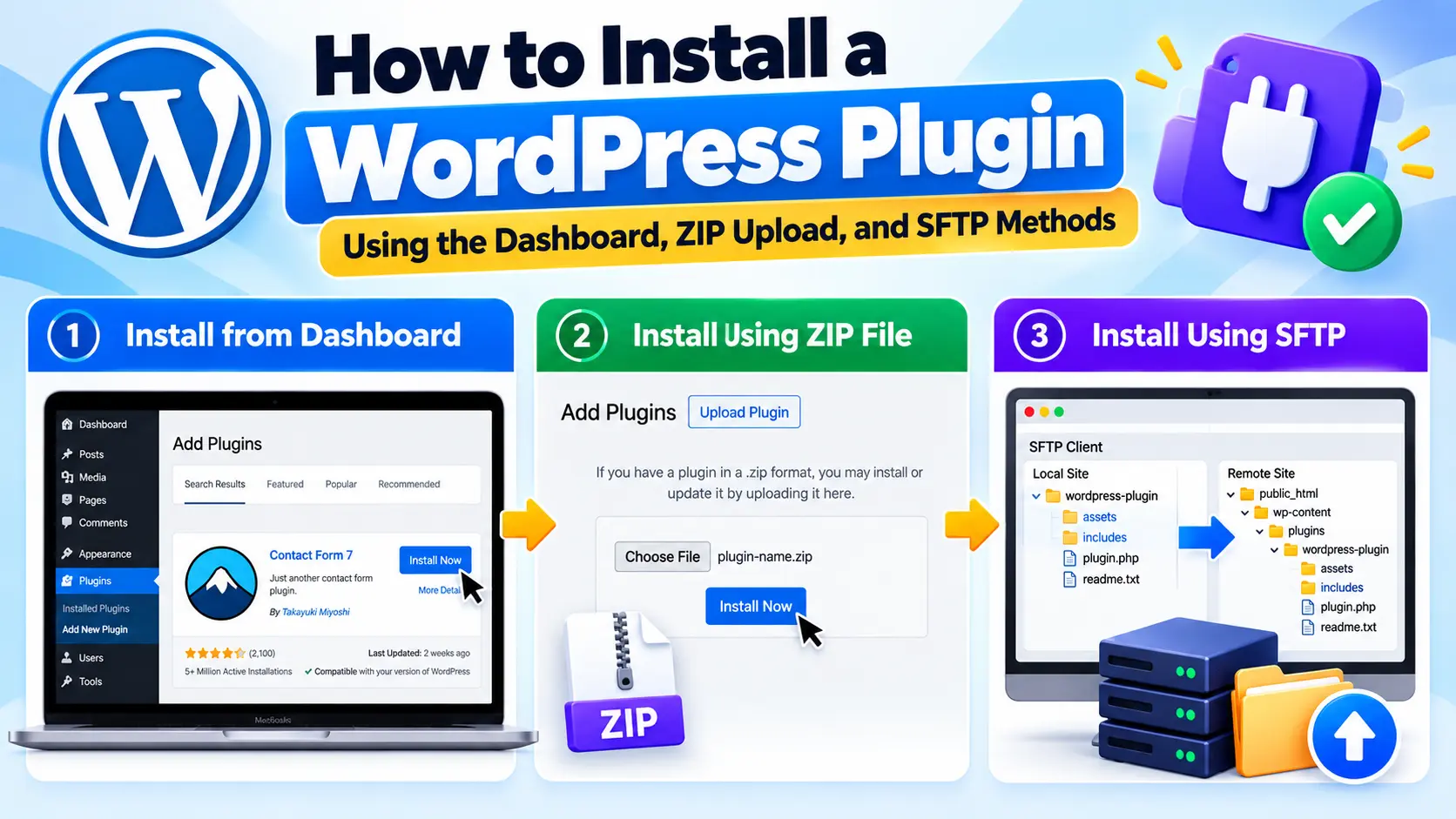
Step 1: Upload & Activate

  1. Log in to your WordPress Admin Dashboard.
  2. Navigate to Appearance > Themes.
  3. Click the Add New button at the top.
  4. Click Upload Theme and select the downloaded wp-sarkari-result.zip file.
  5. Click Install Now and then Activate.

Step 2: Activate Your License

This is a crucial step to unlock the theme's full potential.

  1. After activation, look for the Theme License option under Appearance.
  2. Enter your purchase License Key (received via email).
  3. Click Activate License.
  4. Success! You will see a green "License is Active" message. Now all customizer settings are unlocked.

Step 3: Setup the Homepage Structure

To get the classic "Sarkari" look, you need to set a static homepage.

  1. Go to Settings > Reading.
  2. Under "Your homepage displays", select A static page.
  3. For "Homepage", create a new page named "Home" (or similar) and select it.
  4. Click Save Changes.

Step 4: Configure the Sarkari Grid (Categories)

The magic of this theme is the automated grid. You need to tell the theme which categories go where.

  1. Go to Posts > Categories.
  2. Create or identify your three main categories: Result, Admit Card, and Latest Jobs.
  3. Hover over the category name to find the Category ID (it appears in the URL bar usually as tag_ID=5). Note these numbers.
  4. Go to Appearance > Customize > Sarkari Theme Options > Home: Main Category Boxes.
  5. Enter the correct Category ID for Box 1, Box 2, and Box 3.
  6. Click Publish.

Pro Tip: You can also configure the new 8-Box colored grid for top notifications in this same settings panel!

Latest Updates & Changelog

WPCodeQuill is committed to continuous improvement. Here is how the theme has evolved recently:

= Version 1.2.0 - December 12, 2025 =

  • [NEW] Added 3 Templates: Classic, Modern, and SEO Layout. Choose the look that fits your brand.
  • [NEW] Added 8-Box colored Background modification options.
  • [NEW] Added "Boxed" layout styling for a contained, professional look.
  • [NEW] Fixed Customizer Panel for Global Colors, Header, and Footer.

Version 1.0.0 - December 08, 2025

  • Initial Release of WP Sarkari Result Pro.
  • Added "Sarkari" style 3-column grid layout.
  • Integrated API Check & Auto-Reset for licensing.
  • Added Mobile-Friendly Hamburger Menu.

SEO Strategy: How to Rank Your Job Portal

Using WP Sarkari Result Pro gives you a technical advantage, but content is king. Here is how to combine this theme with SEO best practices to dominate Google Search.

1. Utilize the "SEO Layout" Template

As of Version 1.2.0, the theme includes a specific "SEO Layout." This template prioritizes text-to-HTML ratio and ensures that the most important keywords (Exam Names, Dates) are rendered first by crawlers.

2. Schema Markup for Jobs

This theme is compatible with major SEO plugins like RankMath or Yoast. Ensure you are using JobPosting Schema for your individual job posts. This allows Google to display your posts in the "Google Jobs" sidebar, drastically increasing visibility.

3. Speed Optimization

Google's Core Web Vitals are a ranking factor. This theme is lightweight, but you should also:

  • Use a caching plugin (WP Rocket or LiteSpeed Cache).
  • Optimize images (Keep logos and banners under 50KB).
  • Leverage the theme's default system fonts to avoid heavy Google Font downloads.

4. Internal Linking via the Grid

The 3-column grid naturally creates high-quality internal links. When you post a "Result," link back to the original "Admit Card" and "Job" post. This creates a silo structure that Google loves, establishing topical authority.

Frequently Asked Questions (FAQ)

Q: Can I use this theme for a generic news site?
A: While possible, it is specifically optimized for data-heavy sites like Job Portals, Exam Results, and Government Schemes. The layout shines when organizing large amounts of categorized data.

Q: Is the ionCube loader safe?
A: Yes, ionCube is an industry-standard PHP extension used to protect premium software code. It does not affect your site's security or performance negatively. Most hosts enable it by default.

Q: How do I change the colors of the header?
A: You don't need CSS code. Simply go to Appearance > Customize > Sarkari Theme Options. You can modify Global Colors, Header backgrounds, and Footer text visually.

Q: Does it support Hindi or other regional languages?
A: Absolutely. WP Sarkari Result Pro supports UTF-8 encoding, meaning you can publish content in Hindi, Marathi, Bengali, Tamil, or any other language seamlessly.

Conclusion

Creating a successful Sarkari Result website requires trust, speed, and reliability. WP Sarkari Result Pro delivers all three in a single package. By automating the design process, it allows you to focus on what matters most: finding the latest job notifications and serving them to your audience first.

With features like the 8-Box Quick Links, Auto-Colored Headings, and the robust License Protection, you are not just buying a theme; you are buying a business asset.

πŸš€ Ready to Launch Your Portal?

Get started today with the theme that powers the next generation of job portals.

Support: [email protected] | Β© 2025 WPCodeQuill

Discussion (0)

Join the Conversation

Please log in to post a comment.

● 8 Online